How to invite walkers and manage roles
PawLoop's Team settings let you add the people who work with you, send them a login invite, and decide exactly what they can see and change using roles.
Open the Team tab
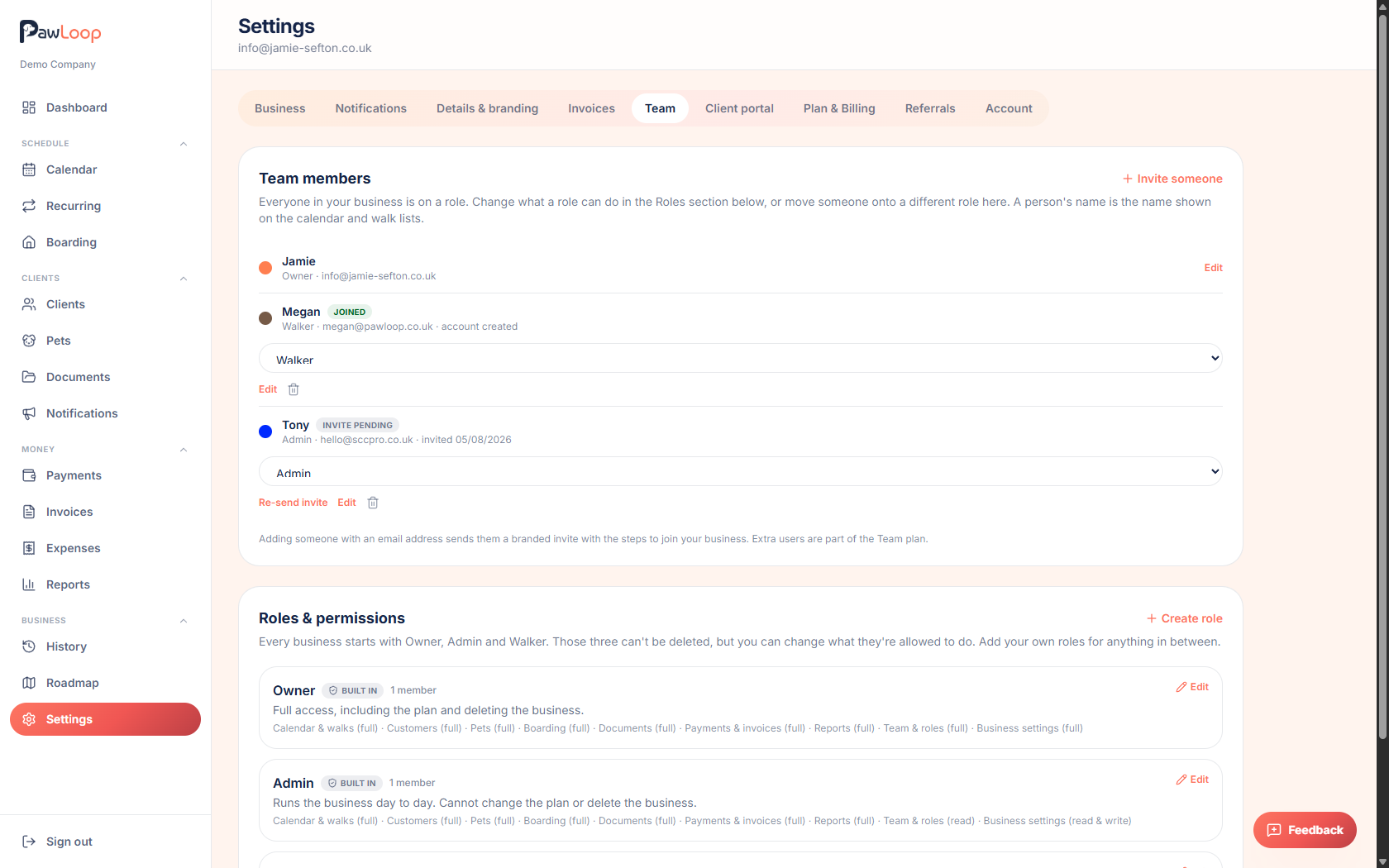
Go to Settings, then select the Team tab. This shows Team members and, below it, Roles & permissions.
Invite someone
In Team members, select Invite someone. Enter their name, email address, a colour (used to identify them on the calendar and walk lists), and choose a role for them.
By default the role is set to Staff, but you can pick any role you've set up.
Save to send the invite
Select Save. If you added an email address, PawLoop sends them an invite email straight away so they can set up their own login.
Check invite status
Each person in the list shows as Invite pending or Joined. If someone hasn't joined yet, you can send the invite again from their row.
Change someone's role
Use the role dropdown next to a team member's name to move them onto a different role at any time. Every business starts with Owner, Admin and Staff, and none of these three can be deleted.
Review or edit a role's permissions
In Roles & permissions, select Edit next to any role to change what it can access. Each module can be set to no access, read, actions, read & write, or full control. Actions sits between read and write: on boarding it lets someone check pets in and out and complete care tasks without being able to create or edit stays.
You can also mark a role as Own walks only, which limits what someone sees to their own bookings, or Prices hidden, which hides money figures from that role.
Create a custom role
Select Create role to build a role from scratch for anyone who needs a different mix of permissions than Owner, Admin or Staff.
Try it yourself
Everything in this guide is included from the free Starter plan upwards. Set up in minutes. No card required.
Create free account. No card required →Frequently asked questions
Related guides
Create your free PawLoop account today.
Sign up in minutes and try every feature free. PawLoop starts with a 14-day free trial. Every feature included and no payment card required to sign up. Choose a plan when your trial ends.
Start free trialNo spam. No card. Just a free pass to try PawLoop.