Payouts: when the money reaches your bank
A client paying by card and the money landing in your bank are two separate events. This guide explains the gap between them and how to see exactly when you will be paid.
Payment and payout are different things
A payment is your client paying the invoice. That happens instantly and PawLoop marks the invoice paid.
A payout is the money moving from your payment balance into your bank account. That happens on a schedule, not instantly.
Check your balance and next payout
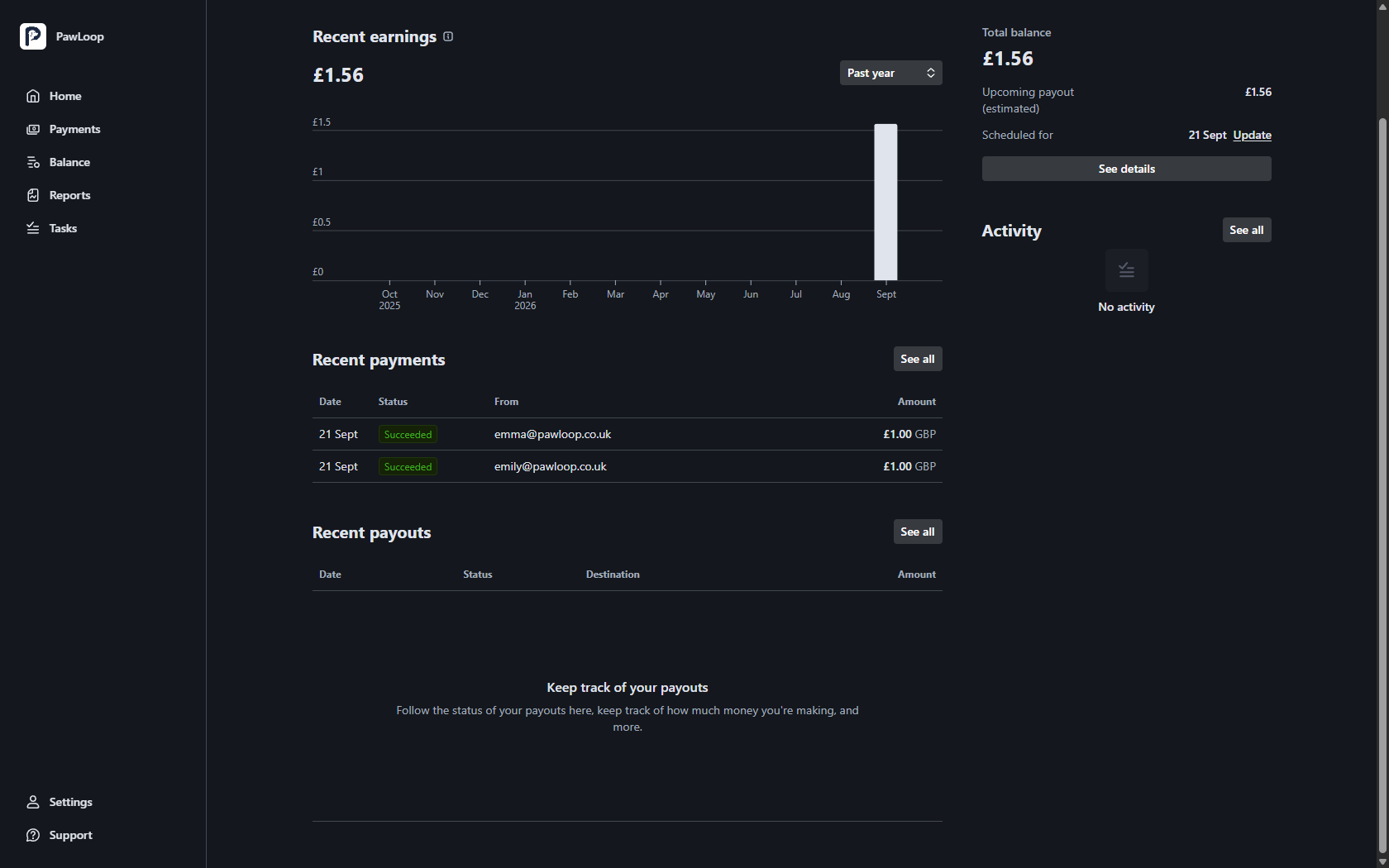
Open your payment portal from Money, Online Payments, Set up, Open Business Portal. The right-hand side of Home shows your total balance, your upcoming payout amount and the date it is scheduled for.
How long it takes
As a rule of thumb, money reaches your bank account around three working days after the payment, and it can take up to five.
Your very first payout usually takes a little longer while the account beds in. Weekends and bank holidays do not count as working days.
Your payout schedule
Payouts are sent automatically on a rolling schedule. Where Stripe offers it for your account, you can change the frequency under Settings, Payout details in the portal, for example to weekly on a set day.
Some newer accounts are on a fixed schedule until a track record builds up. If you cannot change it, that is why.
Fees come out first
The card fee is deducted before the money reaches your balance, so a payout is always the net figure.
On a UK card the fee is 1.5% plus 20p. A £30 invoice costs 65p, so £29.35 reaches you. Open any payment in the portal to see the amount, the fee and the net side by side.
Check a payout has arrived
Recent payouts on the portal Home screen shows the date, status, destination bank account and amount. A payout marked paid has been sent to your bank, and your bank then credits it on its own timescale.
Try it yourself
Everything in this guide is included from the free Starter plan upwards. Set up in minutes. No card required.
Start free. No card required →Frequently asked questions
Related guides
Create your free PawLoop account today.
Sign up in minutes and try every feature free. PawLoop starts with a 14-day free trial. Every feature included and no payment card required to sign up. Choose a plan when your trial ends.
Start free trialNo spam. No card. Just a free pass to try PawLoop.