Your payment portal explained
Your payment portal is provided by Stripe and holds the money side of online payments. This guide walks through each area so you know what you are looking at and when you would use it.
Home
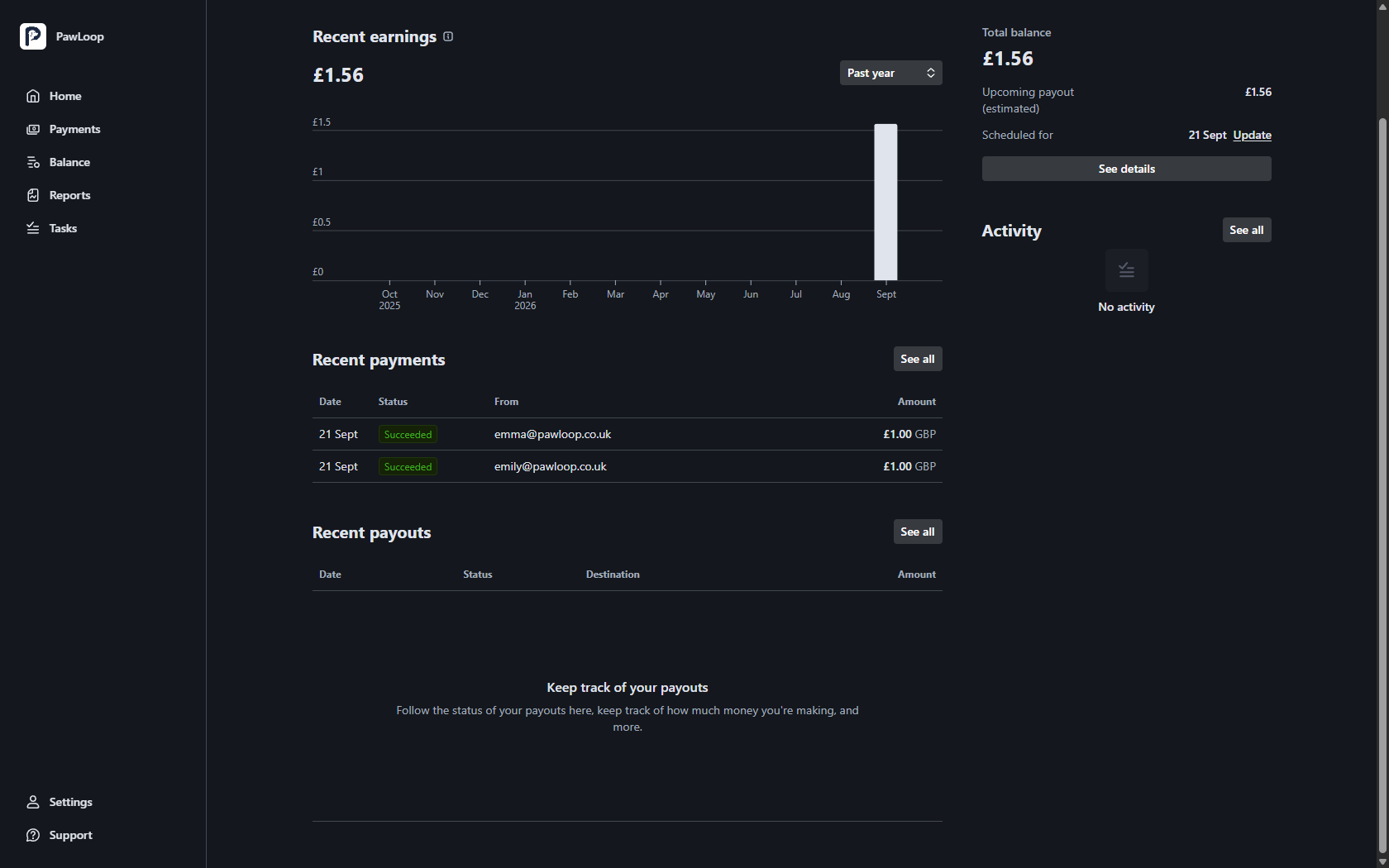
Home is the summary screen. It shows your recent earnings over time, your most recent payments and payouts, your total balance, and your next payout with the date it is scheduled for.
Payments
Every individual payment, with the date, amount, who paid and its status. Open one to see the fee, the net amount and the card used, and to issue a refund.
- Succeeded: the payment went through
- Pending or processing: still being confirmed with the bank
- Failed: declined, with a reason such as insufficient funds
- Refunded: money sent back, in full or in part
- Disputed: the cardholder has challenged it with their bank
Balance
Your balance is money that has been paid but not yet sent to your bank. It shows what is available now, what is still clearing, and the payouts already on their way.
Reports
Downloadable summaries of payments, fees and payouts for a date range. These are handy at tax time or for your accountant, and they reconcile with your PawLoop income figures.
Tasks
If Stripe needs anything from you, such as an extra document or a detail confirming, it appears here. Deal with tasks promptly: unanswered ones can pause your payouts.
Settings
Business and personal details, payout bank account, payout schedule where it is offered, your login email or phone number, and team members who can access the portal.
What stays in PawLoop
The portal knows about money, not about your business. Clients, pets, bookings, invoices and what each payment was for live in PawLoop, and PawLoop remains the record you work from day to day.
Try it yourself
Everything in this guide is included from the free Starter plan upwards. Set up in minutes. No card required.
Start free. No card required →Frequently asked questions
Related guides
Create your free PawLoop account today.
Sign up in minutes and try every feature free. PawLoop starts with a 14-day free trial. Every feature included and no payment card required to sign up. Choose a plan when your trial ends.
Start free trialNo spam. No card. Just a free pass to try PawLoop.