How to turn on your public meet & greet request page
The public request page is a branded enquiry form with its own link. Put it on your website, your social profiles or your email signature and prospective clients can tell you about themselves and their dogs without messaging you. Every request arrives in Meet & Greets as a new lead, so nothing gets buried in your inbox. It is switched off until you turn it on, and it never books anything by itself.
Switch the feature on
Go to Settings, choose the Business tab and find the Features card. Switch on "Public meet & greet requests", then click Save features.
It is off by default, and only owners and managers who can manage the business can change it.
Copy your public link
Once the feature is on, the Features card shows your public request link with a copy button. The link uses the same friendly name as your client portal, so it stays the same as long as your portal name does.
- Add it as a button on your website, something like Request a meet & greet.
- Put it in your Instagram or Facebook bio and in your Google business profile.
- Drop it into your email signature and your replies to first enquiries.
Preview the page yourself
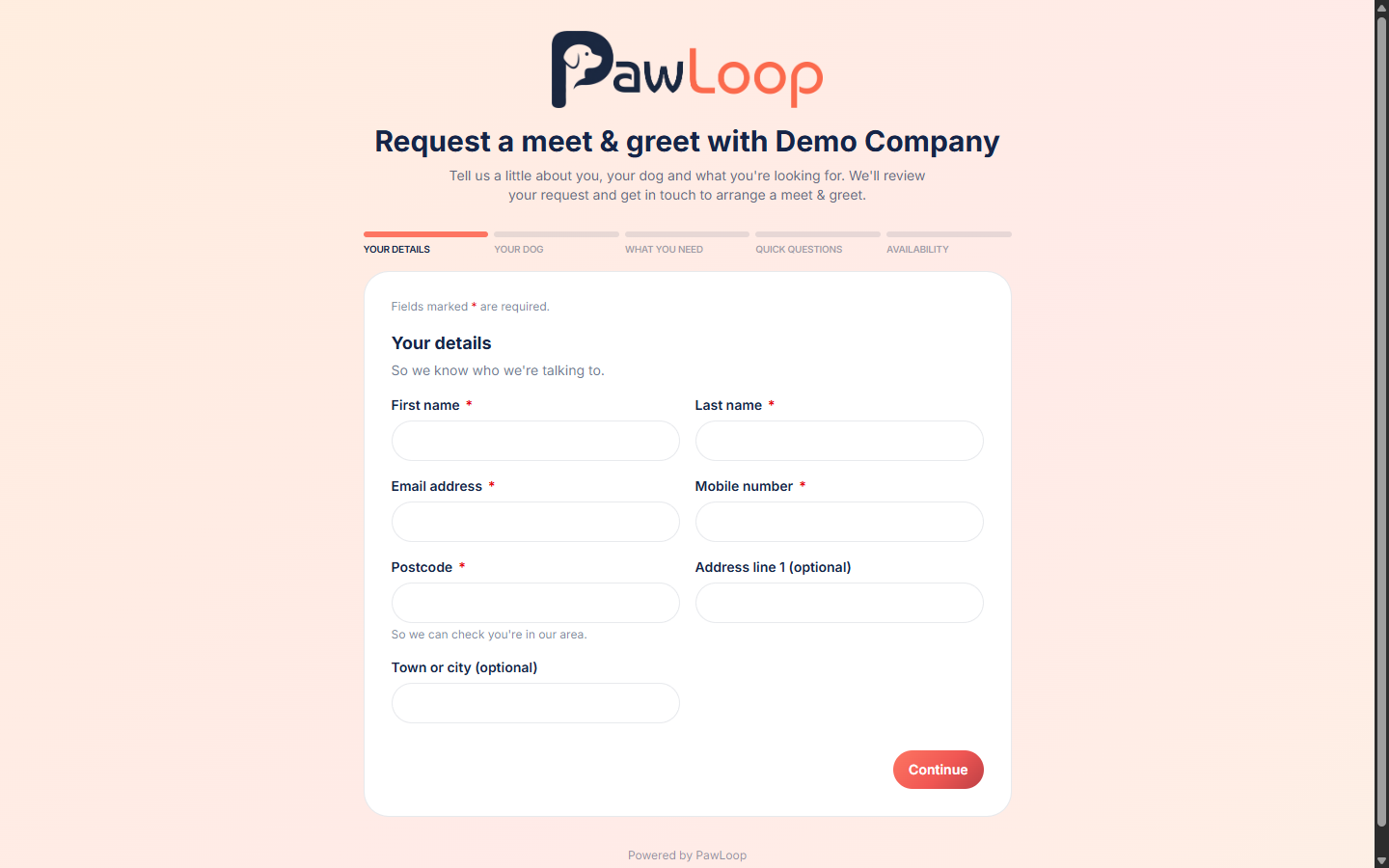
Open the link in your browser to see what visitors see. Your logo shows at the top if you have uploaded one, otherwise your business name, followed by a short step-by-step form.
The form asks for their details, their dogs, what they are looking for, a few quick questions about their dog, meet & greet availability, how they heard about you, and consent for you to contact them about the enquiry.
Watch for new requests
New requests appear on Meet & Greets in your sidebar, with a count badge on the menu item so you can see at a glance that something has come in. Each one is created as a new lead at the first stage and marked as coming from the public form.
Read the enquiry and take it forward
Open the lead and you get an "Enquiry from public form" panel with every answer they gave, including the dogs, the services they are interested in, how often they need you and when they are free.
From there it is the normal pipeline. Schedule the meet & greet, hold it, record the assessment, then convert the lead into a client and pets when you are happy.
Turn it off whenever you like
Switch the feature back off in Settings and the public page stops accepting requests. Nothing is deleted, the leads you already received stay exactly where they are.
Try it yourself
Everything in this guide is included from the free Starter plan upwards. Set up in minutes. No card required.
Create free account. No card required →Frequently asked questions
Related guides
Create your free PawLoop account today.
Sign up in minutes and try every feature free. PawLoop starts with a 14-day free trial. Every feature included and no payment card required to sign up. Choose a plan when your trial ends.
Start free trialNo spam. No card. Just a free pass to try PawLoop.