How to run a meet & greet pet assessment
The assessment is where a meet & greet becomes a decision you can stand behind. Instead of notebook scribbles, you record structured answers per pet, and the outcome follows the pet into every future booking.
Open the lead and start the assessment
Open the lead from Meet & Greets and click Record assessment. If the household has several pets, assess each pet separately. Every pet keeps its own assessment record.
Work through the behaviour criteria
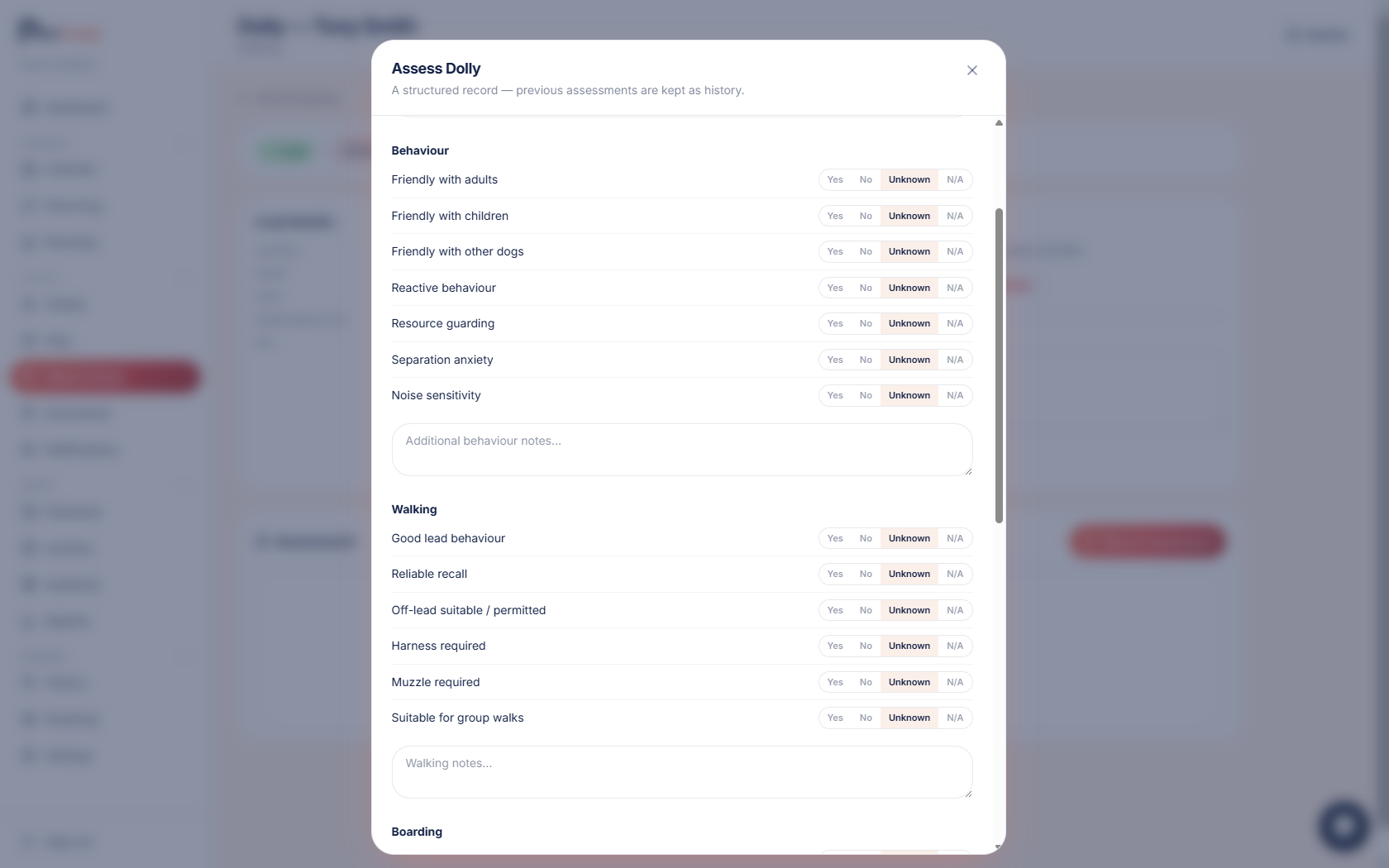
Answer each behaviour question. Friendly with adults, friendly with children, friendly with other dogs, reactive behaviour, resource guarding, separation anxiety and noise sensitivity.
Every answer is Yes, No, Unknown or N/A with space for notes, so "didn't test that" is an honest answer, not a blank.
Work through the walking criteria
Record how the dog walks: lead behaviour, recall, whether they're off-lead suitable or permitted, harness or muzzle requirements, and whether they're suitable for group walks.
A muzzle requirement isn't just a note. It warns anyone booking that dog onto a walk.
Cover the boarding criteria for overnight enquiries
For pets interested in boarding, there's a dedicated set: house trained, can be left alone, crate trained, compatible with other dogs, compatible with cats, food guarding and destructive behaviour.
Record the outcome and any restrictions
Set the outcome: Approved, Approved with restrictions, Further assessment required, or Not suitable.
Add restrictions where they apply. Solo walks only, a group walk restriction, a maximum group size, not suitable for boarding, dog compatibility notes, or a custom restriction. These follow the pet: they appear as warnings in the booking dialog whenever anyone schedules them.
Save: the pipeline moves for you
Saving the assessment moves the lead to Assessed. Every assessment is kept as history, so reassessing a pet later never overwrites what you recorded the first time, and new team members inherit every assessment ever done, with no handover notes needed.
Try it yourself
Everything in this guide is included from the free Starter plan upwards. Set up in minutes. No card required.
Create free account. No card required →Frequently asked questions
Related guides
Create your free PawLoop account today.
Sign up in minutes and try every feature free. PawLoop starts with a 14-day free trial. Every feature included and no payment card required to sign up. Choose a plan when your trial ends.
Start free trialNo spam. No card. Just a free pass to try PawLoop.