How to add and schedule a meet & greet lead
Meet & Greets is the pipeline for every new enquiry. From first message to an approved, paying client. It lives in your sidebar under Pets, and tracks each enquiry through New, Scheduled, Assessed, Approved and Converted (or Declined, with the reason kept on record).
Open Meet & Greets
Go to Meet & Greets in the sidebar. The list shows every lead with its stage, and today's meet & greets also appear on your dashboard so an appointment never sneaks up on you.
Click New lead
Click New lead and enter the owner's details. Name, contact information and where they're based. Plus how they heard about you and whether they're interested in walking, boarding, or both.
Add their pets
Add each pet on the lead. Name, species, breed and date of birth. A lead can cover a whole household, and every pet gets its own assessment later.
Schedule the appointment
Set the meet & greet date, time and location, with any notes about the visit. Once an appointment is set, the enquiry moves from New to Scheduled in the pipeline.
Plans change? Reschedule by editing the appointment, or cancel it. The enquiry drops back to New so you can rebook later rather than losing it.
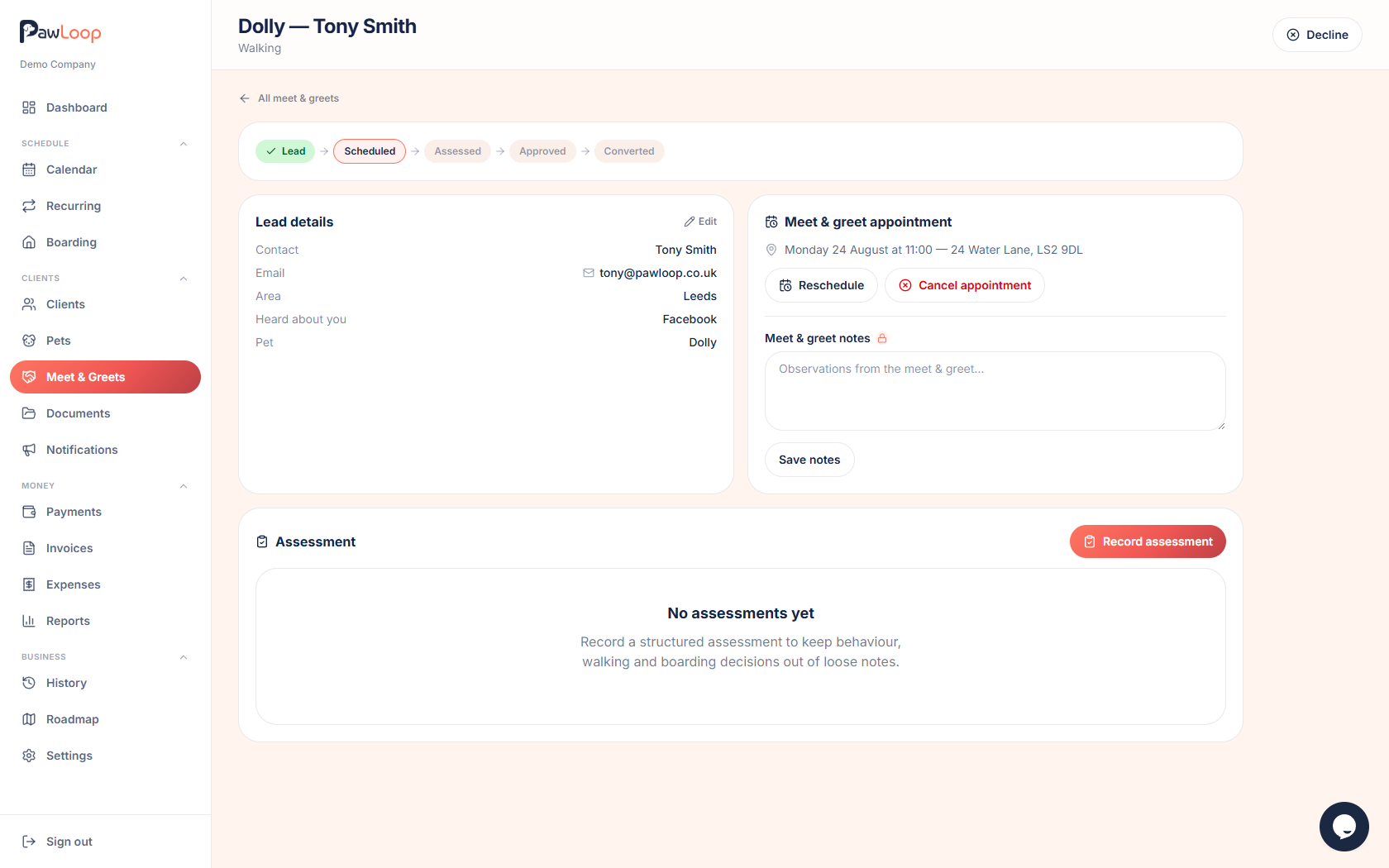
Meet them, then assess
Hold the meet & greet as you normally would. Then record what you found using the pet assessment. See the guide on running an assessment for the step-by-step.
Try it yourself
Everything in this guide is included from the free Starter plan upwards. Set up in minutes. No card required.
Create free account. No card required →Frequently asked questions
Related guides
Create your free PawLoop account today.
Sign up in minutes and try every feature free. PawLoop starts with a 14-day free trial. Every feature included and no payment card required to sign up. Choose a plan when your trial ends.
Start free trialNo spam. No card. Just a free pass to try PawLoop.