How to onboard a client
Instead of typing in a new client's details yourself, you can send them a private link where they fill in their own contact details, address and pets. Nothing is created in PawLoop until you review and approve it.
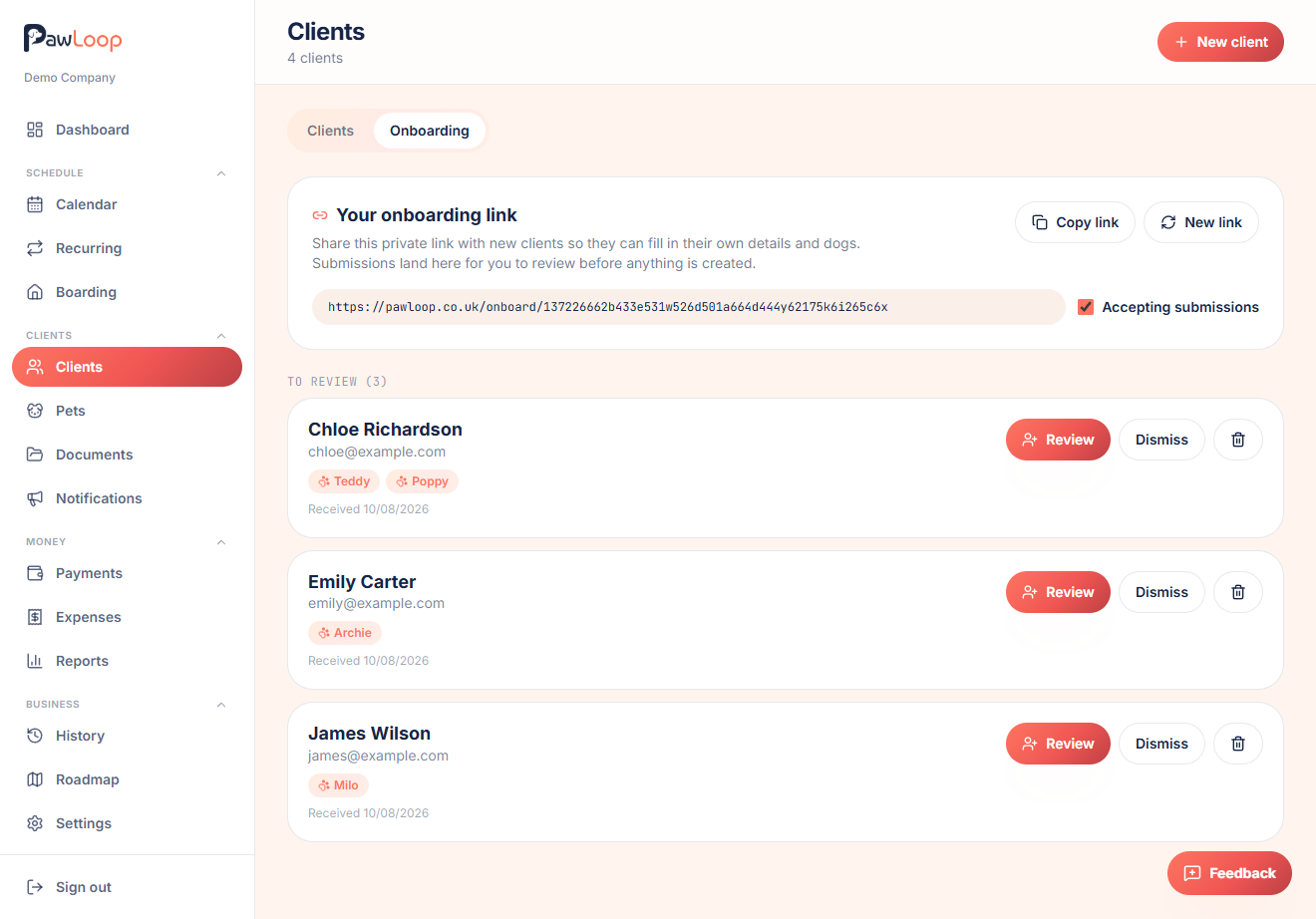
Open Clients and the Onboarding tab
Go to Clients in the sidebar, then switch to the Onboarding tab at the top of the page.
Copy your onboarding link
Every business has one private onboarding link. Click Copy link and send it to a new client however you like, text, email or WhatsApp.
The link opens a form branded with your business name and logo, where they add their contact details, address, vet details and any dogs.
Turn submissions off if you need to
Untick Accepting submissions to stop the link working temporarily. Useful if you're fully booked. Submissions already sent are unaffected.
Review what comes in
When a client submits the form, it appears under To review. Click Review to see their details and pets.
If PawLoop spots a matching email or phone number on an existing client, it flags this might be an existing client so you can update that record instead of creating a duplicate.
Onboard or update the client
Check the details, edit anything that needs fixing, then click Onboard client to create the client and their pets, or Update client record if you chose to merge with an existing match.
You're taken straight to the new client's page.
Dismiss or delete submissions you don't want
If a submission isn't genuine or you don't want to act on it, click Dismiss to move it out of your review list, or the bin icon to delete it entirely. Dismissed submissions can be restored later.
Create a new link if it's ever shared too widely
Click New link to generate a fresh onboarding URL. The old one stops working immediately, which is handy if it ends up somewhere you didn't intend.
Try it yourself
Everything in this guide is included from the free Starter plan upwards. Set up in minutes. No card required.
Create free account. No card required →Frequently asked questions
Related guides
Create your free PawLoop account today.
Sign up in minutes and try every feature free. PawLoop starts with a 14-day free trial. Every feature included and no payment card required to sign up. Choose a plan when your trial ends.
Start free trialNo spam. No card. Just a free pass to try PawLoop.