How to use boarding care plans and the daily care log
A care plan is the structured set of instructions for looking after a pet during a stay. Feeding, medication, exercise and routine. Set it up once per pet, and every boarding stay starts from it, generating a daily care log you tick off as you go.
Set up the pet's care plan
Open the pet's profile and add their care plan. The feeding times, medication, exercise needs and routine that apply every time they stay with you. This base plan is the template every future stay starts from.
Add the care tasks that make up a day. For example morning feed, midday walk, evening feed and medication, so nothing relies on memory.
Book the stay as normal
When you book a boarding stay, it takes a copy of each pet's care plan automatically. The stay works from its own copy, so tailoring one stay doesn't rewrite the pet's base plan.
Adjust the stay's plan if this stay is different
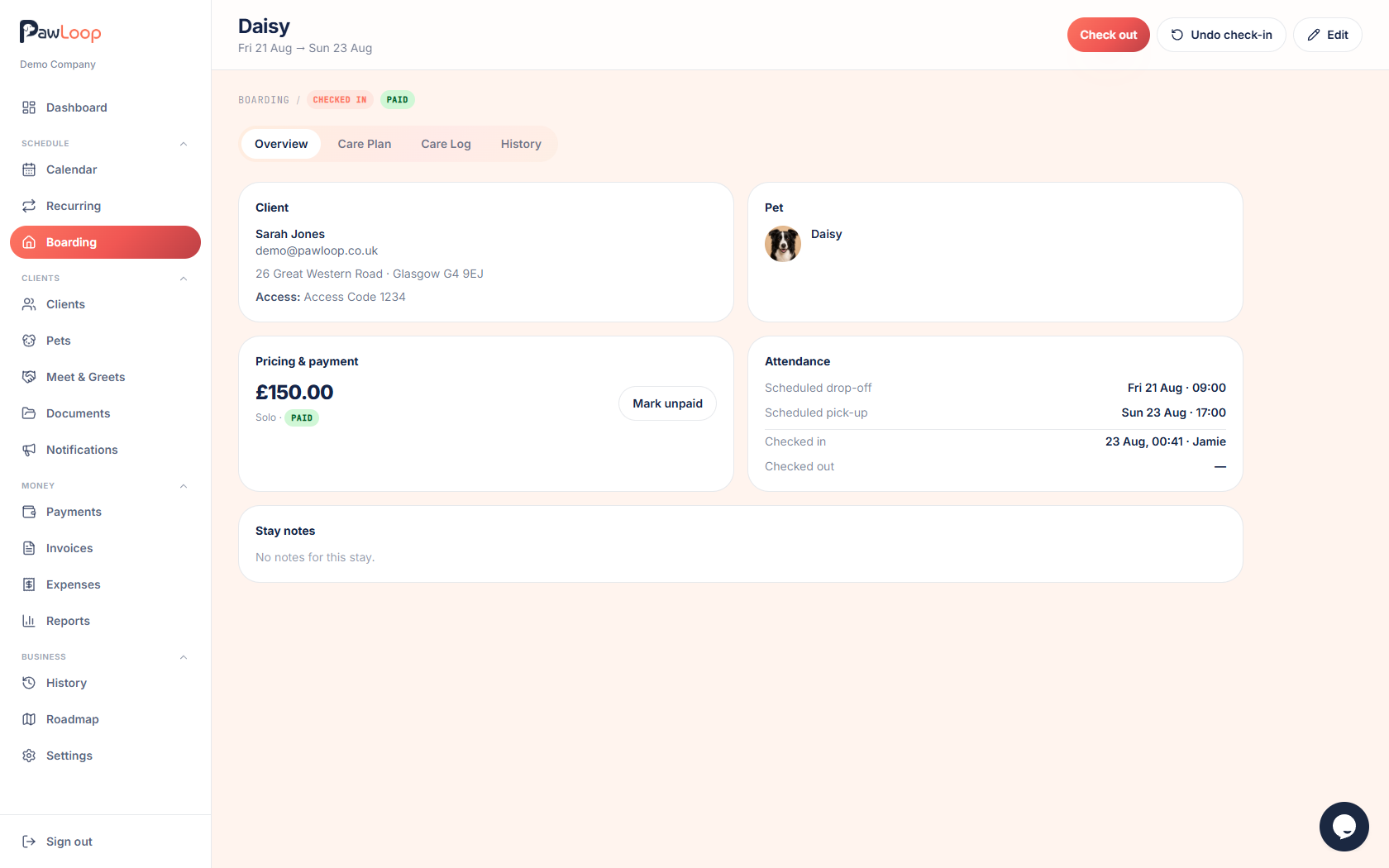
Open the stay and go to the Care plan tab. Add, edit or remove tasks for this stay only. A one-off course of medication, an extra walk, a different feeding time, without touching the pet's usual plan.
Tick off the daily care log
Each day of the stay generates its own tasks from the care plan. Open the Care log tab and tick tasks off as you do them. Each completion is timestamped.
Anything not done shows as outstanding on the boarding overview, highlighted once it's overdue, so a busy day can't quietly drop a feed.
Refresh the stay when the base plan changes
If you update a pet's base care plan while they have a stay booked. The owner mentions a new medication, for example. The stay is flagged that its plan is out of date. Review and refresh it so the care log runs on the latest instructions.
Show the owner their care history
At collection, the stay's care log is a day-by-day record of every feed, walk and medication. Proof of care you can show the owner, and a record that stays on the stay's history afterwards.
Try it yourself
Everything in this guide is included from the free Starter plan upwards. Set up in minutes. No card required.
Create free account. No card required →Frequently asked questions
Related guides
Create your free PawLoop account today.
Sign up in minutes and try every feature free. PawLoop starts with a 14-day free trial. Every feature included and no payment card required to sign up. Choose a plan when your trial ends.
Start free trialNo spam. No card. Just a free pass to try PawLoop.