How to let your clients pay invoices by card
Once your business is set up for online payments, one switch controls whether card payments are offered at all. This guide covers that switch, what your client actually sees, and what happens after they pay.
Open the Set up tab
Go to Money, Online Payments, then the Set up tab. The first card is Your settings.
Turn on Let clients pay by card
This is the master switch. With it on, invoices you share with clients show a Pay by card button, but only for the clients you have switched on individually.
With it off, no client sees a card option, wherever their own switch is set. Your per-client choices are remembered for when you turn it back on.
See what your client sees
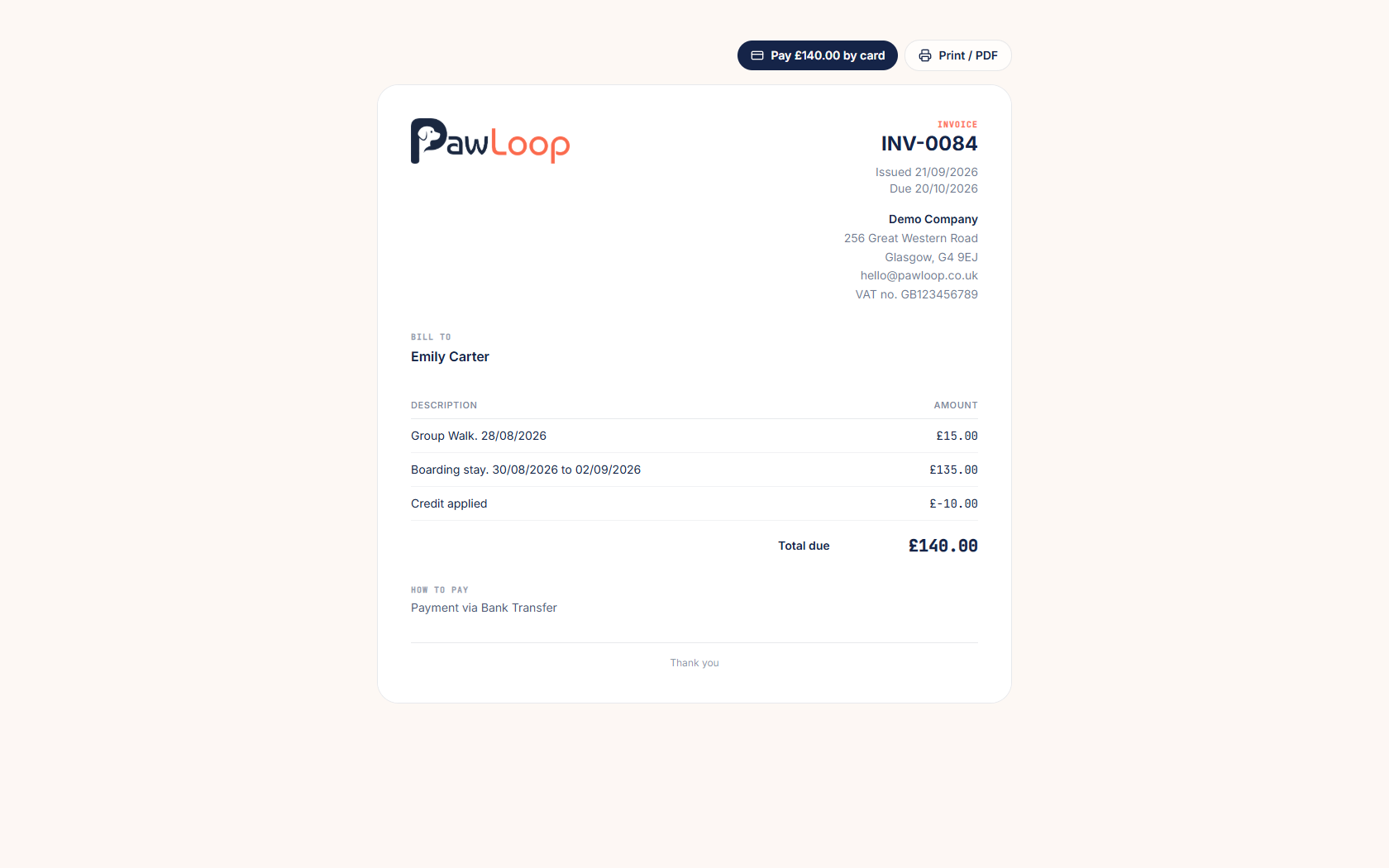
Open the invoice link you send a client. For a client who can pay by card, a Pay by card button sits at the top of the invoice with the amount on it.
Tapping it opens Stripe's secure payment page. Card details are entered there, never in PawLoop, and Apple Pay or Google Pay appear automatically where the client's device supports them.
What happens once they pay
The invoice is marked as paid by card, dated when the payment succeeded, and the walks, stays or items on it are marked as paid too.
The payment appears on the Card payments tab straight away, and the money goes into your own payment balance ready to be paid out to your bank.
Bank transfer and cash carry on
Nothing else about invoicing changes. Your payment details still appear on the invoice, clients can still pay by transfer or cash, and you record those payments by hand exactly as you do now.
Try it yourself
Everything in this guide is included from the free Starter plan upwards. Set up in minutes. No card required.
Start free. No card required →Frequently asked questions
Related guides
Create your free PawLoop account today.
Sign up in minutes and try every feature free. PawLoop starts with a 14-day free trial. Every feature included and no payment card required to sign up. Choose a plan when your trial ends.
Start free trialNo spam. No card. Just a free pass to try PawLoop.