How to book a one-off walk
Use this when you need to add a single walk that doesn't repeat. For example a one-off visit or a favour for a regular client. Recurring walks work differently; see the guide on setting up a recurring schedule.
Open the Calendar
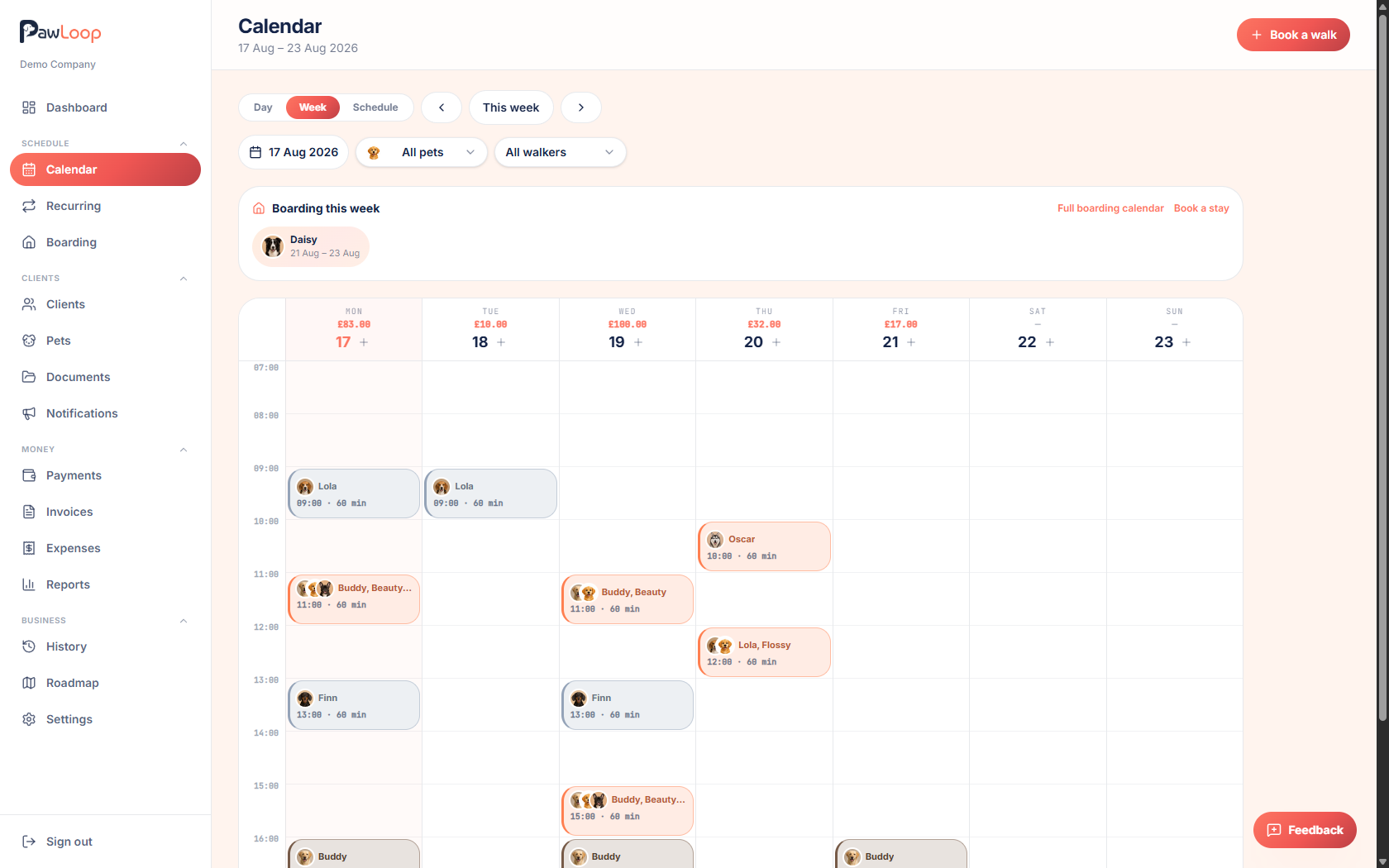
From the sidebar, go to Calendar. This is where every walk and boarding stay in your business shows up, by day, week or schedule view.
Click Book a walk
Click the Book a walk button in the top right. You can also click directly on an empty slot in the week or day view to open the same dialog pre-filled with that date and time.
Choose the client and pets
Pick the client, then select which of their pets are coming on the walk. You can switch between picking by client or by pet if that's quicker.
Set the service, team member, date and time
Choose a service (this fills in the usual duration and price), pick the team member, and set the date and start time. Use the duration chips (30, 45, 60, 90 minutes) for common lengths, or type a custom one.
If the slot clashes with another solo walk, or falls in a business closure, PawLoop warns you before you can save.
Check or adjust the price
The price fills in automatically from the walk type and number of pets, including any custom pricing set up for that client. You can still type a different price for this walk only. It won't change the client's usual rate.
If any of the selected pets are already boarding with you on that date, PawLoop flags them and doesn't charge for the walk.
Save the walk
Click Save to add the walk to the calendar. It appears straight away in the day and week views.
Turn it into a recurring schedule (optional)
If you decide this walk should repeat every week, click Make recurring in the dialog before saving. It carries across the client, pets, walk type, time and price into a new recurring loop for you to finish setting up.
Try it yourself
Everything in this guide is included from the free Starter plan upwards. Set up in minutes. No card required.
Create free account. No card required →Frequently asked questions
Related guides
Create your free PawLoop account today.
Sign up in minutes and try every feature free. PawLoop starts with a 14-day free trial. Every feature included and no payment card required to sign up. Choose a plan when your trial ends.
Start free trialNo spam. No card. Just a free pass to try PawLoop.