How to check boarding pets in and out
Every boarding stay in PawLoop is run operationally: you check pets in when they arrive and out when they're collected. Each action is timestamped with who did it, and the full history stays on the stay. Your answer if an owner ever queries the dates.
Open Boarding
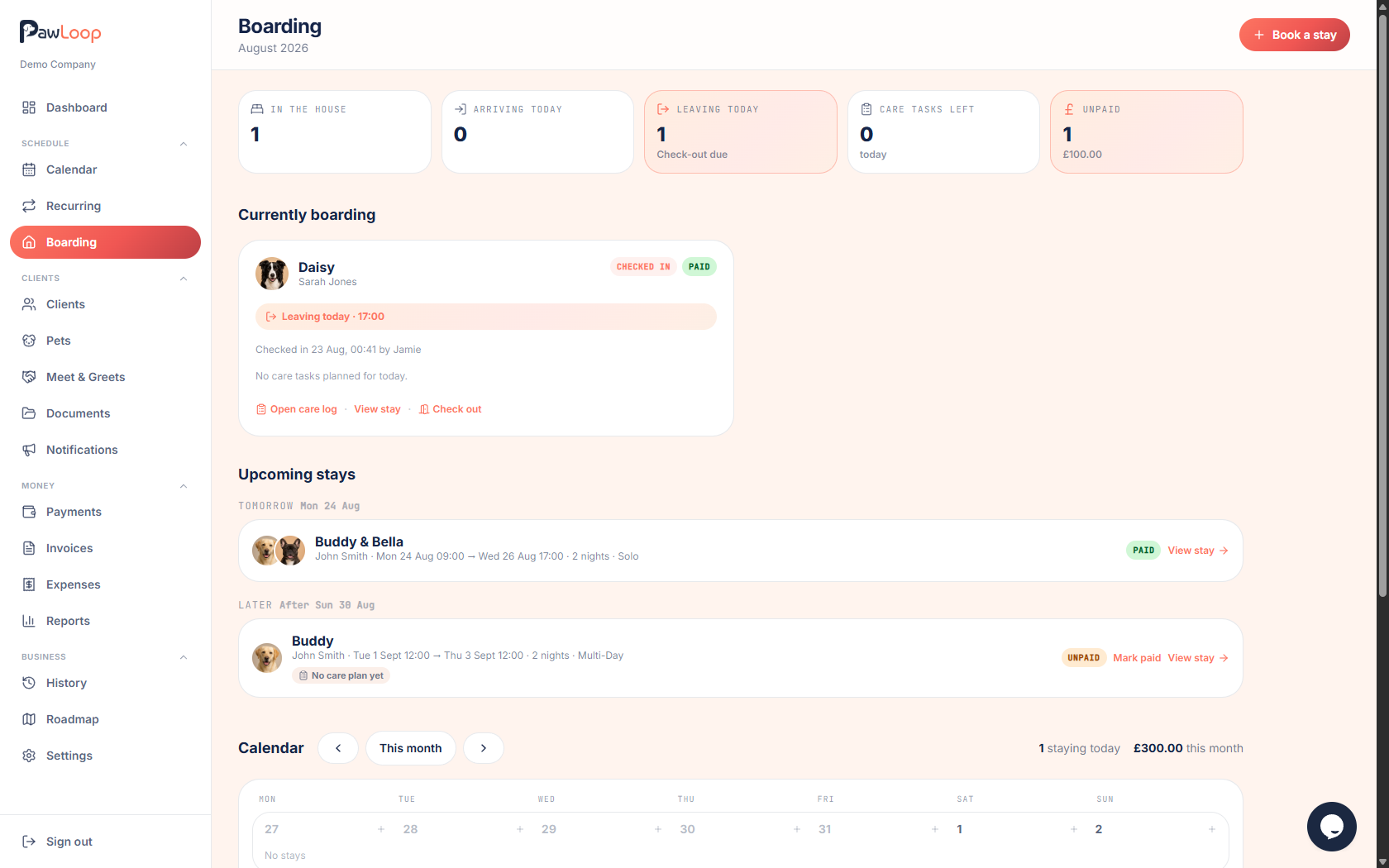
Go to Boarding in the sidebar. Before the calendar, the overview shows what needs attention: who's in the house right now, who's arriving today, who's leaving today, any overdue care tasks and any unpaid stays.
Open the stay
Click the stay. From the overview lists or its bar on the calendar. To open the stay details page. This is the home of everything about the stay: overview, care plan, care log and history.
Check the pets in on arrival
When the owner drops their pets off, click Check in on the stay. Check-in becomes available on the drop-off day, if you click it earlier, PawLoop lets you know when it unlocks.
The stay moves to in progress and the pets appear under In the house on the boarding overview.
Run the stay day by day
While the stay is in progress, work through the daily care tasks on the Care log tab, see the care plans guide for that side of things.
Check the pets out at collection
When the owner collects, click Check out. The stay is complete, and both actions. With exact times and who did them, are kept on the stay's history and written to your audit log.
Undo if plans change
Clicked too early, or the owner is coming back tomorrow after all? Use Undo check-in or Undo check-out to reverse the last action. The correction is recorded in the history too, so the record stays honest.
Try it yourself
Everything in this guide is included from the free Starter plan upwards. Set up in minutes. No card required.
Create free account. No card required →Frequently asked questions
Related guides
Create your free PawLoop account today.
Sign up in minutes and try every feature free. PawLoop starts with a 14-day free trial. Every feature included and no payment card required to sign up. Choose a plan when your trial ends.
Start free trialNo spam. No card. Just a free pass to try PawLoop.