How to track and review who has agreed to your terms
The client status list answers the question that matters: who has agreed to your current terms, and who still needs to. It also holds the evidence behind every agreement.
Open Client status
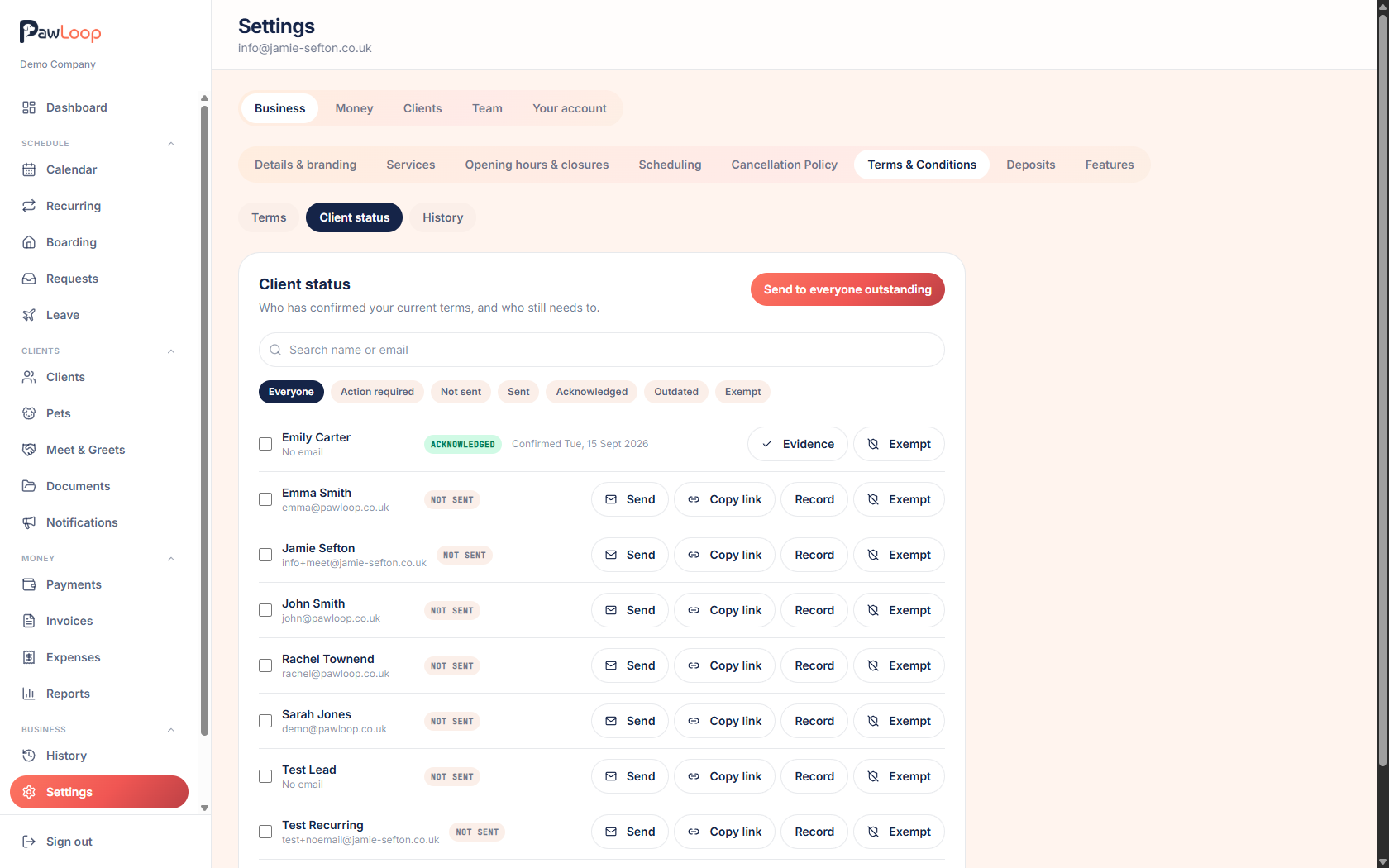
Go to Settings, Business, Terms & Conditions, then Client status. Search by name or email, or use the filters along the top.
Understand the statuses
Each client shows one of these:
- Not sent: they have never been asked
- Sent: they have been asked but have not agreed yet
- Acknowledged: they have agreed to your current version
- Outdated: they agreed to an older version and you asked everyone to agree again
- Exempt: you have decided they do not need to agree
Focus on who needs chasing
Action required shows only the clients who still need to agree. Work down that list with Send, Send again or Copy link.
View the evidence
For a client who has agreed, click Evidence. You see the exact version they read, the name and email on file at the time, the date and time, how they agreed and the device used, with a link to view that version's wording.
Record an agreement yourself
If a client agreed on paper or over the phone, use Record on their row. It is stored as recorded by the business rather than agreed by the client, so the record is honest about how it happened.
Mark a client exempt
Use Exempt for clients who genuinely do not need to agree, such as a one-off or a family member. They stop counting as outstanding. Remove the exemption at any time.
Check the history
The History tab records when versions were published or archived, when terms were sent and when clients agreed, so you always have a trail.
Try it yourself
Everything in this guide is included from the free Starter plan upwards. Set up in minutes. No card required.
Create free account. No card required →Frequently asked questions
Related guides
Create your free PawLoop account today.
Sign up in minutes and try every feature free. PawLoop starts with a 14-day free trial. Every feature included and no payment card required to sign up. Choose a plan when your trial ends.
Start free trialNo spam. No card. Just a free pass to try PawLoop.