How to create and publish your terms and conditions
Your terms live inside PawLoop, so you and your team always know what the current wording is. You write them, publish a version, and that wording is then locked so you can always prove what a client agreed to.
Open your terms settings
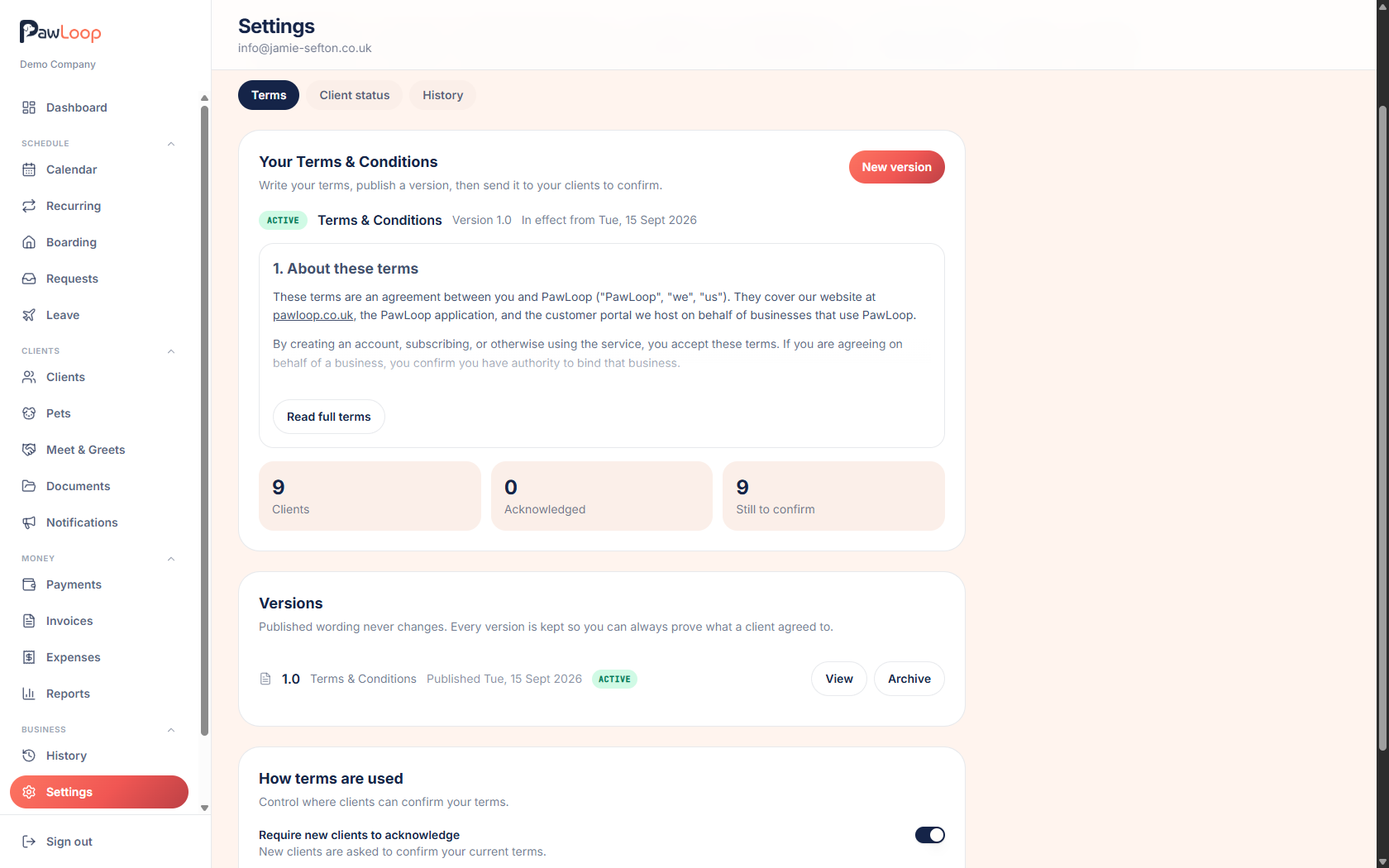
Go to Settings, choose the Business tab, then Terms & Conditions. The Terms sub-tab is where you write and publish.
Write your terms
Click New version and type or paste your wording. You can use headings, bold, italic, bullet lists, numbered lists and links, so long terms stay readable.
Give the version a number, such as 1.0, and a title. You can also add a short introduction that clients see above the terms themselves.
Save it as a draft
Save draft keeps your work without showing anything to clients. A draft stays on the page under your live terms, so you can come back and carry on editing whenever you like.
Only one draft exists at a time. You can delete it or start again from your live wording at any point.
Set the effective date and publish
Choose the date the terms take effect, then publish. Published wording is locked and can never be edited, which is what makes it useful as proof.
If you need to change something later, start a new version from the live one, edit it, and publish again.
Choose who needs to agree again
When you publish, you decide whether every client must agree to the new version, or only clients who have not agreed to anything yet.
Pick everyone when the change matters, such as prices, cancellation rules or liability. Pick new clients only for small tidy-ups.
Decide where clients can agree
Under How terms are used you can ask new clients to agree, show the terms in the client portal, and allow secure links for clients without portal access.
If you turn links off after sending some, any links already sent stop working, so send again afterwards.
Try it yourself
Everything in this guide is included from the free Starter plan upwards. Set up in minutes. No card required.
Create free account. No card required →Frequently asked questions
Related guides
Create your free PawLoop account today.
Sign up in minutes and try every feature free. PawLoop starts with a 14-day free trial. Every feature included and no payment card required to sign up. Choose a plan when your trial ends.
Start free trialNo spam. No card. Just a free pass to try PawLoop.