How to tag pets and choose who sees a photo
Tagging tells PawLoop which dogs are in a photo. Sharing decides who can see it. The two work together: when you share with chosen clients, the owners of any tagged pet are included automatically, so you rarely have to pick names yourself.
Select the photos from one walk
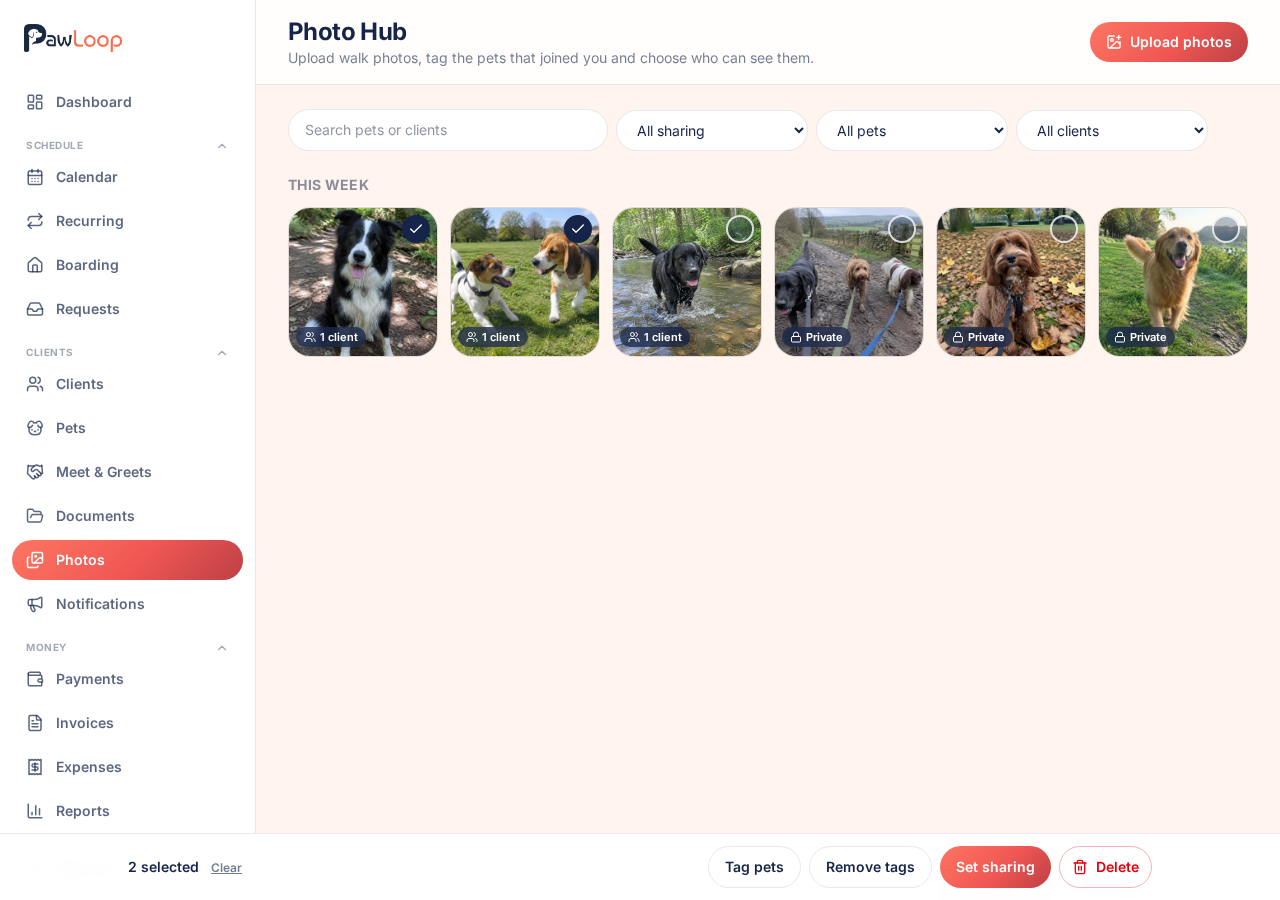
On the Photos page, tap the circle on each photo you want. A bar appears at the bottom with Tag pets, Remove tags, Set sharing and Delete. Everything you do there applies to all the photos you've selected.
Tag the dogs
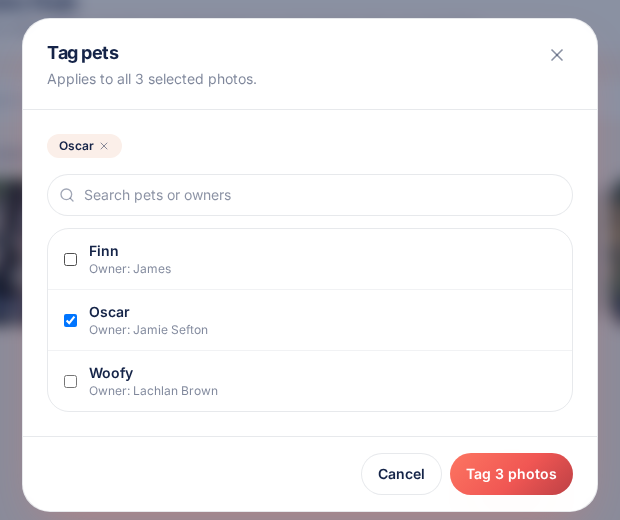
Tap Tag pets, search by pet or owner name and tick each dog that joined you. Tags are saved against every selected photo, so a group walk is tagged in one go.
Tags on their own never share anything. A private photo stays private, even when a dog is tagged.
Choose who can see them
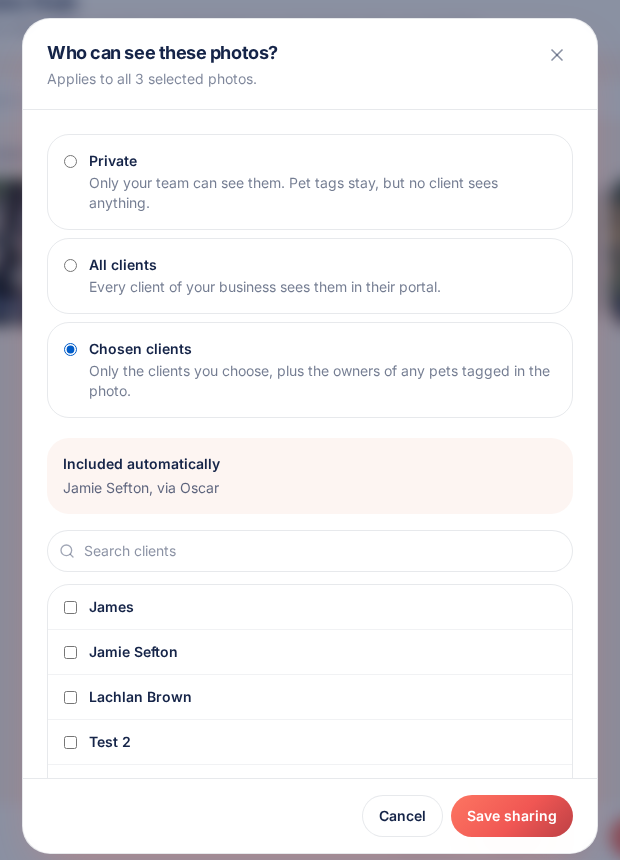
Tap Set sharing and pick one of three options:
- Private: only your team can see the photo.
- All clients: every client of your business sees it in their portal.
- Chosen clients: only the clients you pick, plus the owners of any pets tagged in the photo.
Check who is included
With Chosen clients, owners who come in through a pet tag are listed under Included automatically, showing the pet they came in through. You can add other clients by hand underneath.
Save and each photo shows its status: Private, All clients, or the number of clients who can see it.
Change your mind at any time
Set a photo back to Private and it disappears from every client portal straight away. Remove a pet tag and that owner loses access too, unless you picked them by hand or the photo is shared with all clients.
Try it yourself
Everything in this guide is included from the free Starter plan upwards. Set up in minutes. No card required.
Create free account. No card required →Frequently asked questions
Related guides
Create your free PawLoop account today.
Sign up in minutes and try every feature free. PawLoop starts with a 14-day free trial. Every feature included and no payment card required to sign up. Choose a plan when your trial ends.
Start free trialNo spam. No card. Just a free pass to try PawLoop.