How to add business closures (holidays and days off)
Closures are for holidays, shutdown periods or any dates your business isn't running. Add one and PawLoop stops new bookings on those dates and cancels any walks, including ones from a recurring loop. That already fall inside it.
Open Settings → Business
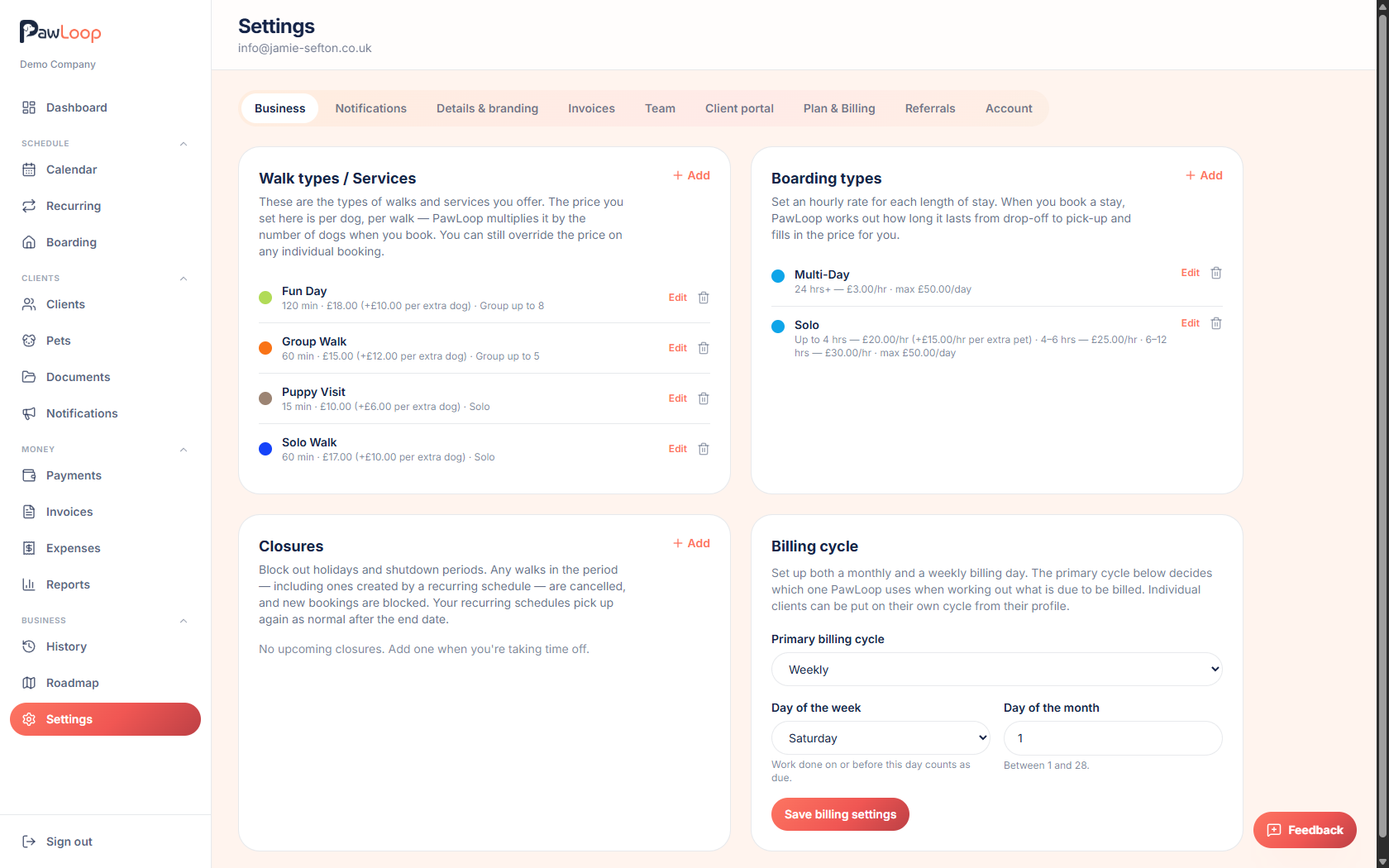
Go to Settings in the sidebar and select the Business tab. Scroll to the Closures card.
Click Add
Click Add next to Closures to open the New closure dialog.
Name the closure and add a note
Give it a clear name, such as 'Christmas break' or 'Bank holiday Monday', and add an optional description if you want more detail for your own records.
Set the start and end dates
Choose the start date and end date the closure covers. A single day off just needs the same start and end date.
Save the closure
Click Save closure. Any existing walks. Including ones already generated by a recurring loop. That fall inside the date range are cancelled straight away, and PawLoop tells you how many were affected.
New bookings can't be made on closed dates until the closure is removed or shortened.
Edit or remove a closure
Click Edit on any closure to change its dates, or use the delete icon to remove it. Removing a closure restores any recurring walks that would otherwise have fallen in that period.
Try it yourself
Everything in this guide is included from the free Starter plan upwards. Set up in minutes. No card required.
Create free account. No card required →Frequently asked questions
Related guides
Create your free PawLoop account today.
Sign up in minutes and try every feature free. PawLoop starts with a 14-day free trial. Every feature included and no payment card required to sign up. Choose a plan when your trial ends.
Start free trialNo spam. No card. Just a free pass to try PawLoop.