Team Management for dog walkers
Add walkers without handing over the keys.
- Invite by email and each walker gets their own login, never a shared password.
- Owner, admin and staff roles out of the box, with a permission grid you can tune module by module.
- Assign work and each person sees their own day and their own walk list email, while you keep one calendar.
- Seats are billed transparently on the Team plan, so an extra pair of hands has a known cost.
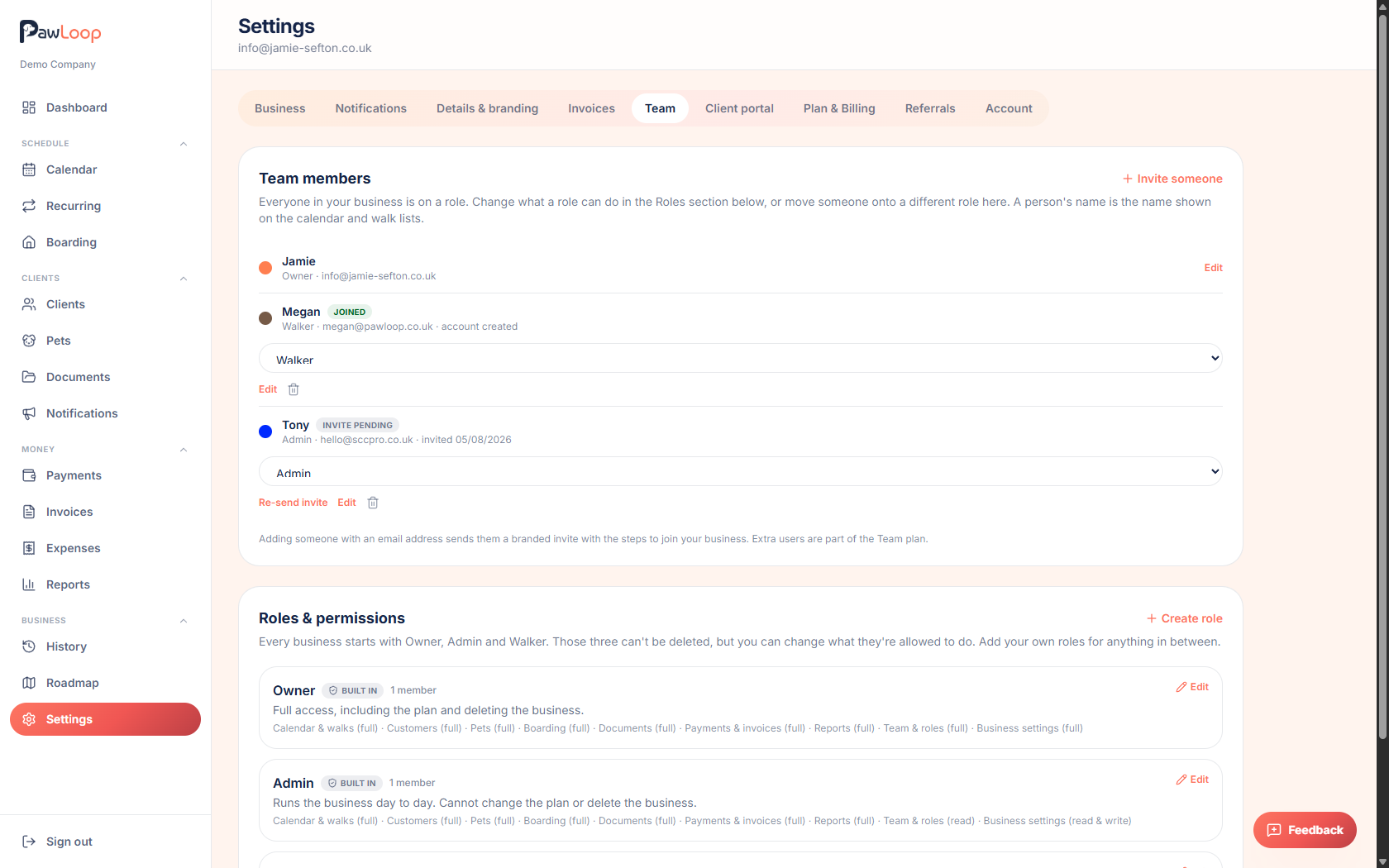
The moment you take on a second walker the shared notebook approach stops working. Two people editing the same diary, a password passed around by text, and no way of knowing who moved the Tuesday visit. PawLoop gives each person their own login, their own assigned schedule and only the access you choose to grant, while you keep one calendar, one client list and one set of records.
Roles keep the sensitive parts sensitive. Staff can see the pets, addresses, access notes and medical details they need for the round without touching pricing, invoices, expenses, reports or business settings, and where the defaults don't fit you can adjust permissions module by module for an individual. Assignments colour the calendar by walker so clashes are visible before they happen, the audit log records every change with a name against it, and seats on the Team plan are billed openly so you always know what an extra pair of hands costs.

Key takeaways
What Team Management does for your business
Invite by email
Send an invite link and your walker signs up straight into your business. No onboarding wizard, no duplicate account, no shared login.
Three roles, then fine control
Owner, admin and staff cover most businesses. When they don't, switch individual permissions on or off per module for a specific person.
Money stays yours
Staff can run the round without ever seeing pricing, invoices, payments, expenses or reports, unless you decide otherwise.
Assigned schedules
Each walker sees their own day, gets their own daily walk list email, and only the client details they need to do the job.
Every change on the record
The audit log captures who changed what and when, across bookings, clients, pricing and settings.
Seats you can see
A seat is taken the moment you invite someone, so the bill matches the access you've handed out. Remove a person and the seat frees up.
Invites that land people in the right place
Invite a walker by email and they sign up through a link tied to your business. They skip the business setup wizard entirely and land on their own schedule. Pending invites are listed alongside active members, so you can see who hasn't accepted yet and resend or cancel.
Owner, admin and staff
The owner runs the business and billing. Admins run the day to day, including clients, bookings and invoicing. Staff walk the dogs: they see their assigned work, the pets and the access details they need, and nothing financial. One person owns the account, which keeps billing and account deletion unambiguous.
A permission grid, not a blunt switch
Behind the roles is a per-module permission set covering clients, pets, bookings, boarding, invoices, payments, expenses, reports, documents, messages and settings, with view, create, edit and delete handled separately. Give a senior walker invoicing rights without settings access, or let someone add clients but never delete one.
Assignment and colour-coded schedules
Assign bookings to walkers and the calendar colours by person, so an overloaded morning or a double booking shows up before it becomes a phone call. Filter to one walker to sanity-check their day, or view everyone side by side.
Everyone gets the right walk list
The daily walk list email goes out per walker and contains only the walks assigned to them, with same-time walks grouped, pet notes attached and the addresses they need. Nobody has to screenshot the diary at 6am.
An audit log you can actually use
Every booking change, price edit, cancellation and client update is recorded with who did it and when, including what changed from and to. Questions about a moved walk get an answer rather than a debate.
Seat billing you can predict
The Team plan includes your own seat and charges per additional member. A seat is claimed when you send the invite, because it's holding a place, and released when you remove the person, with the change prorated on your next bill. No surprise invoices, no accidental extra walkers sitting on your subscription.
Team Management questions, answered
Create your free PawLoop account today.
Sign up in minutes and try every feature free. PawLoop starts with a 14-day free trial. Every feature included and no payment card required to sign up. Choose a plan when your trial ends.
Start free trialNo spam. No card. Just a free pass to try PawLoop.