Push Notifications for dog walkers
Invoices, photos and replies, straight to their phone.
- Clients get a push notification on their phone when an invoice is sent, photos are shared or a request is answered.
- Send your own messages to clients' phones from the notification centre.
- Available on the Solo and Team plans, through the PawLoop Clients and Walkers apps.
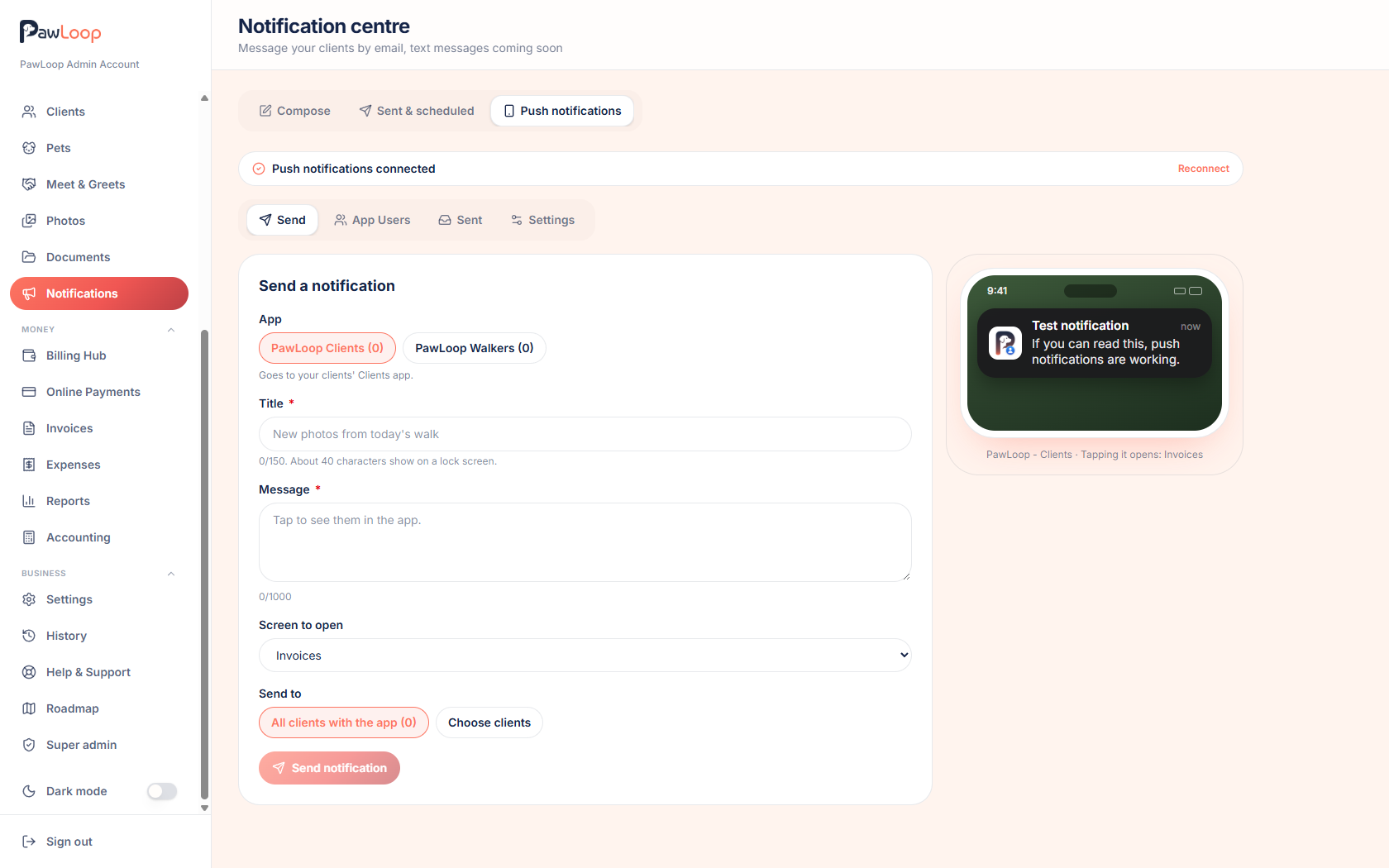
Email works, but it relies on the client opening their inbox. When your clients use the PawLoop Clients app on iPhone or Android, you can reach their phone directly with a push notification.
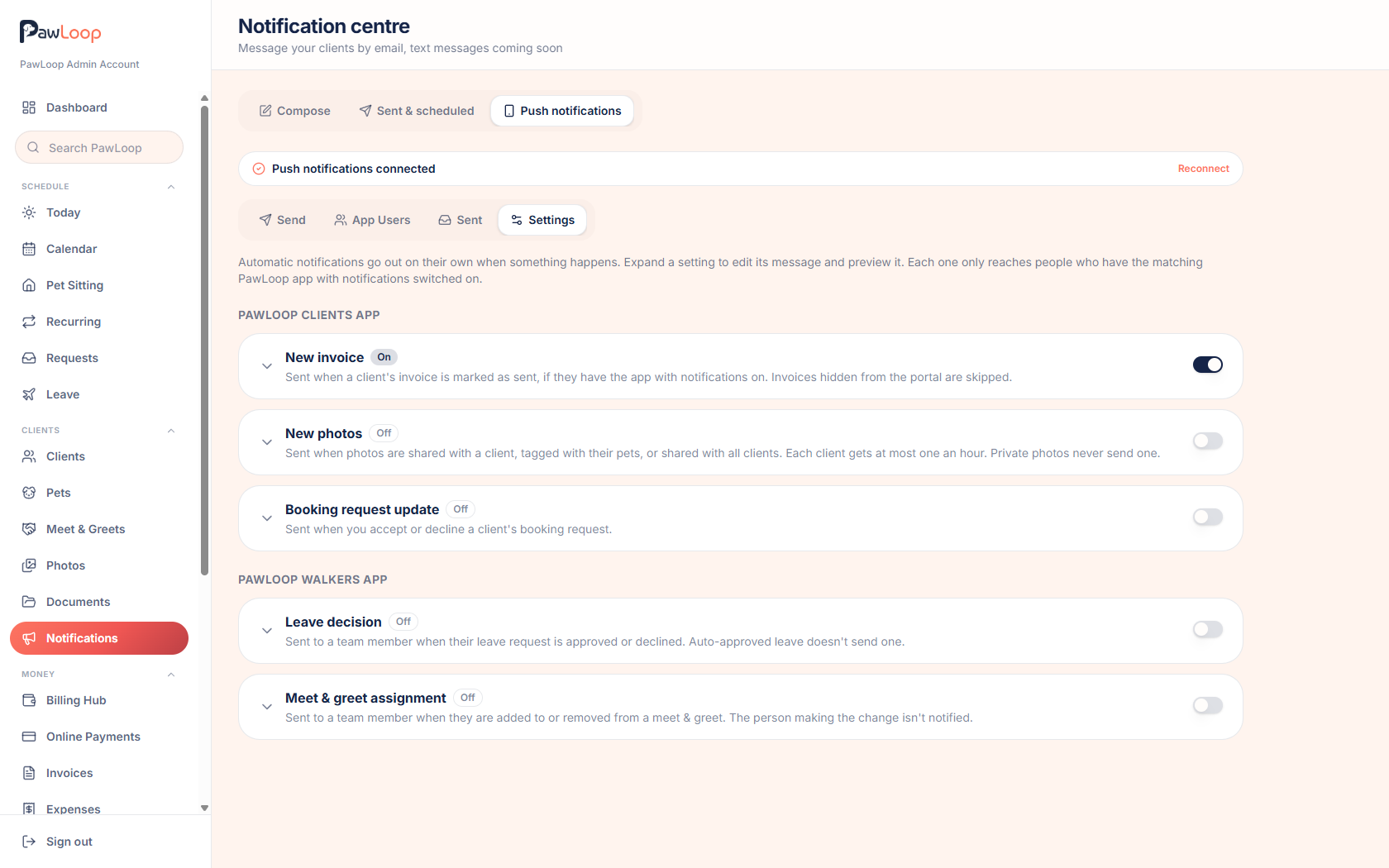
Switch on the automatic options and PawLoop tells clients the moment an invoice is sent, new photos of their dog are shared, or a booking request is accepted or declined. Your team can be notified too, through the PawLoop Walkers app, when leave is approved or a meet and greet is assigned to them. For everything else, the notification centre lets you write your own message and send it to everyone on the app or just the people you pick.
Setup is quick. Open the notification centre, go to Push notifications, then Settings, and turn on the notifications you want. Every automatic type starts switched off, so nothing goes out until you choose.
Key takeaways
What Push Notifications does for your business
Automatic invoice alerts
Turn it on once and every new invoice nudges the client's phone, so invoices get seen and paid sooner without you chasing.
Automatic photo alerts
Share walk photos and the client knows straight away, which is the moment they most want to see them.
Your own messages
Send a push message to everyone on the app or a selection from the notification centre, for the things that cannot wait for an email to be read.
You stay in control
Every automatic type has its own switch and starts off, so nothing goes out until you choose.
Automatic notifications for the moments that matter
Each automatic type has its own switch. Clients can be told when an invoice is sent, when photos are shared with them, and when a booking request is accepted or declined. Private photos never trigger a notification, and photo alerts go out at most once an hour per client, so a busy afternoon of uploads is one nudge, not twenty.
Send your own messages
From the notification centre, write a title and message, choose where it opens in the app, and send it to everyone on the Clients app or a selection of clients. Messages are checked against blocked words before they go, so the service stays safe for everyone.
Keep your team in the loop
Push notifications also reach the PawLoop Walkers app. Walkers can be told when their leave is approved or declined, and when a meet and greet is assigned to them or taken off them, without you sending a separate message.
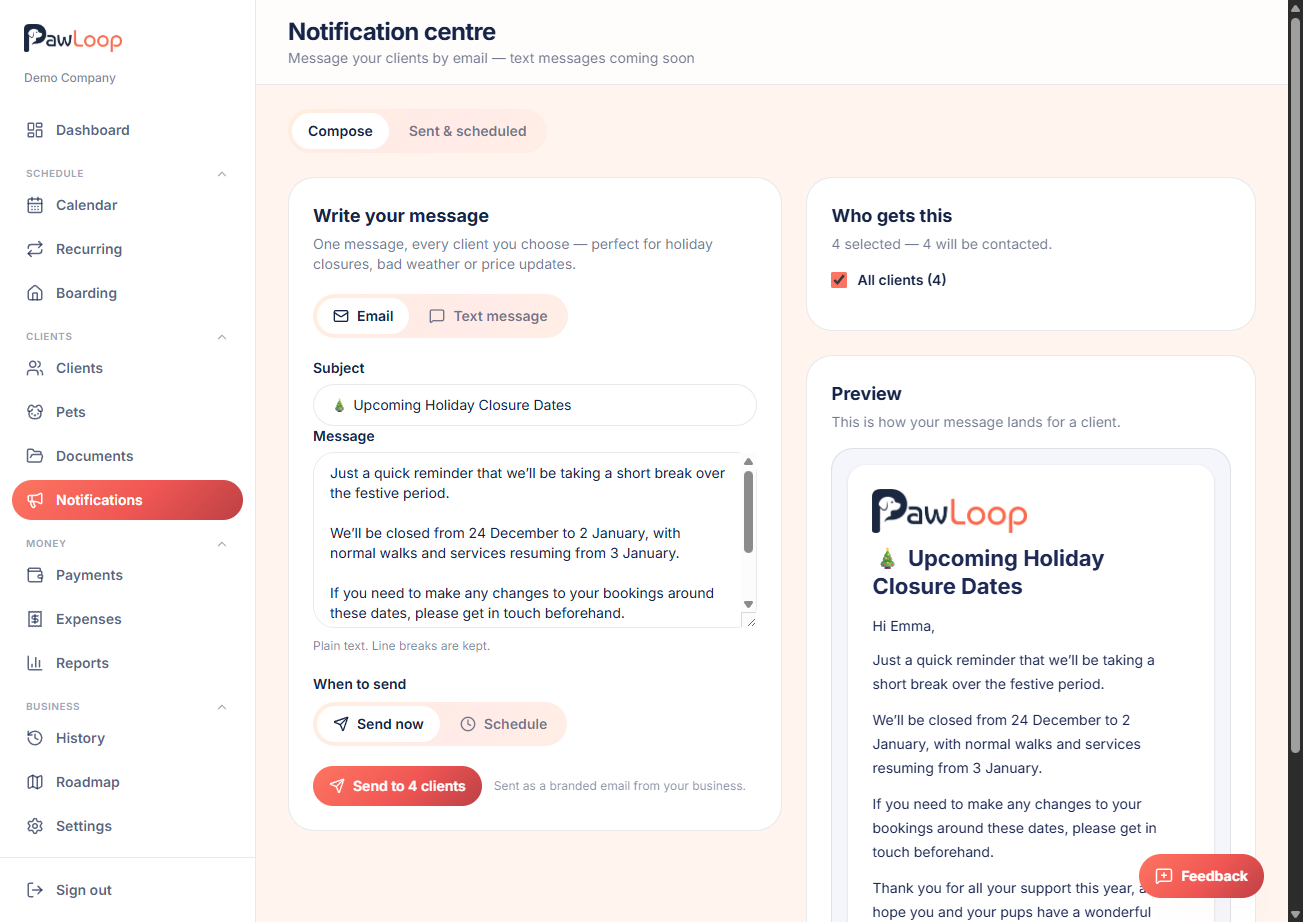
Part of the notification centre
Push sits alongside client emails in the notification centre, so all your client messaging lives in one place. A notification only reaches people who have the app installed, are signed in and have allowed notifications on their phone.
Push Notifications questions, answered
Create your free PawLoop account today.
Sign up in minutes and try every feature free. PawLoop starts with a 14-day free trial. Every feature included and no payment card required to sign up. Choose a plan when your trial ends.
Start free trialNo spam. No card. Just a free pass to try PawLoop.