Booking Requests for dog walkers
Let clients ask. You decide what reaches the calendar.
- Clients ask through one inbox instead of texts, emails, Facebook messages and a word at the door.
- A request is never a booking until you accept it, so nothing lands in your calendar without your say-so.
- Accept in one step and it is scheduled and priced correctly, or decline with a kind reply that is logged.
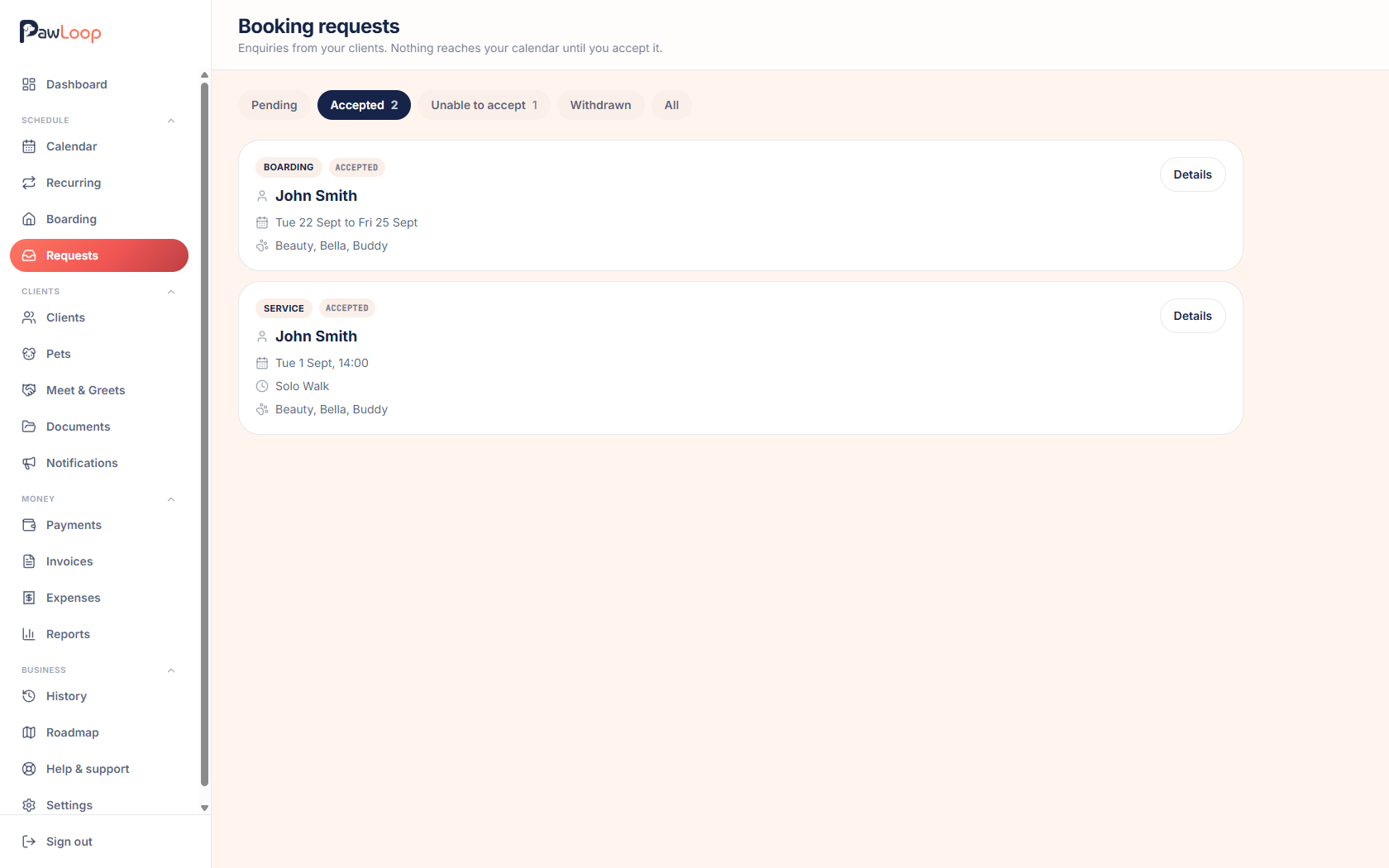
Most dog walkers lose time to the same thing: clients asking for extra walks by text, email, Facebook and at the door. It works right up until the day you miss one, double book yourself, or agree to something mid-walk and forget by teatime.
Booking requests give clients a single place to ask and you a single place to answer. Requests arrive in an inbox with the pets, service, date and any notes, and stay requests until you decide. Accept and the booking is created and priced correctly against that client, or decline with a message that goes back to them and stays on the record. You set the rules for how far ahead and how late clients can ask, and they can withdraw a request themselves if plans change.

Key takeaways
What Booking Requests does for your business
One inbox, not five apps
Requests arrive in Schedule, Requests with a pending count on the menu, so you can see at a glance what still needs an answer. No more scrolling WhatsApp to work out who asked for what.
A request is never a booking
Nothing is added to your diary automatically. You review the request, check the day, and only then accept. Your calendar stays exactly as you left it until you say otherwise.
Accept in one step, priced correctly
Accepting opens the usual booking or boarding screen with the client, pets, service, date and time pre-filled, and the right price already worked out from your service settings. Save it and the booking is linked back to the request.
A kind reply when you can't fit it in
Instead of a blunt rejection, "Can't accept" sends a warm message with suggested replies like fully booked or outside our area, and the client sees it in the portal as well as by email.
You set the rules
Requests are off until you turn them on. Choose whether clients can request walks and services, boarding stays, or both, tick exactly which services appear in the form, and set a minimum notice and a maximum how far ahead people can ask.
Clients can change their mind
A client can withdraw a request from the portal before you answer it, so plans that change overnight don't turn into another message for you to chase.
Off by default, on when you're ready
Booking requests live in Settings, Clients, Portal configuration. Tick "Accept booking requests from clients" and the Requests tab appears in your clients' portal. Leave it off and clients never see it, which suits businesses that prefer to plan the diary themselves.
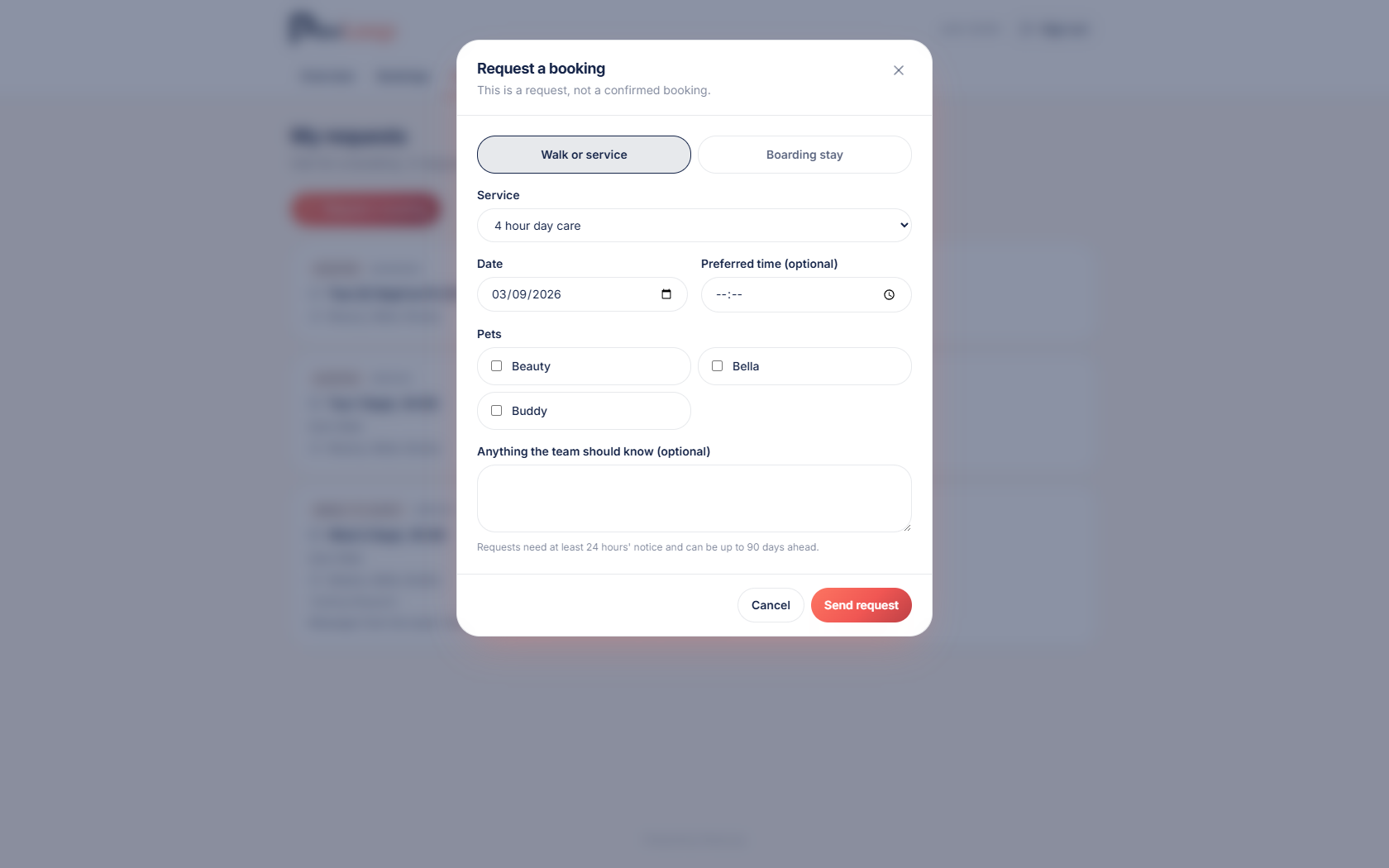
Decide exactly what clients can ask for
Choose walks and services, boarding stays, or both. For services, tick only the ones you're happy to take requests for, so a client can ask for a solo walk without being able to book your fully booked group. Set a minimum notice in hours, 24 by default, and a maximum how far ahead in days, 90 by default, so requests arrive inside a window that actually helps you.
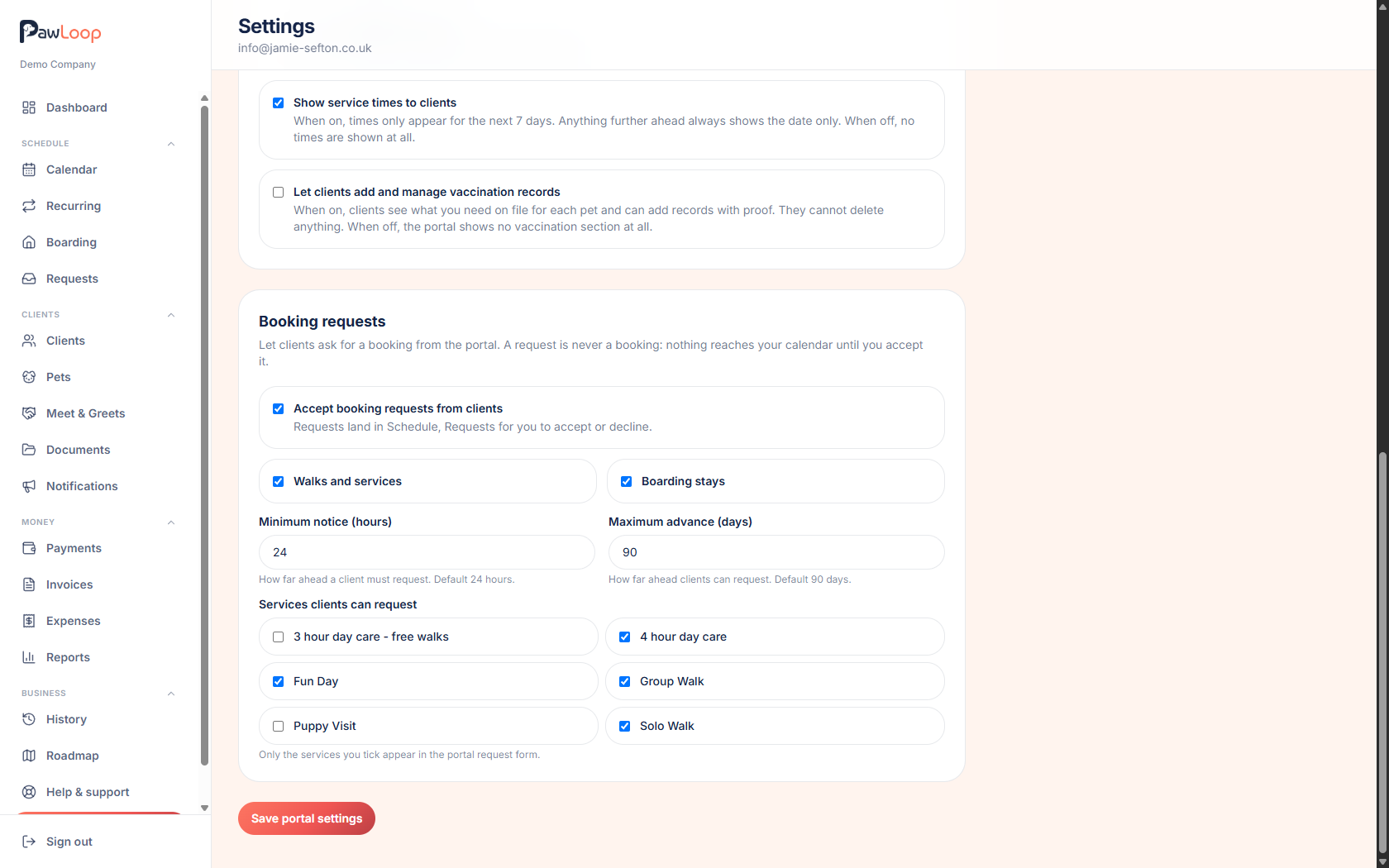
Simple forms on a phone
Clients open the portal on their phone, pick a service, a date and an optional preferred time, choose which pets it's for, and add a note if there's anything you should know. Boarding requests ask for a drop off and pick up date, with optional times. Every form makes it clear it's a request, not a confirmed booking.
Review and accept from one place
The inbox filters by pending, accepted, unable to accept and withdrawn. Open a request to see the client, pets, service, dates, times and their note. Accept and add booking opens your normal booking screen pre-filled, or Accept and add stay for boarding. Save it and the request is marked accepted with the booking linked to it.
Replies that sound like you
When the answer is no, "Can't accept" opens a short message with suggested reasons you can use as-is or edit. The tone is sorry rather than rejected, because these are your clients and most of them are asking for a favour, not making a demand.
Booking Requests questions, answered
Create your free PawLoop account today.
Sign up in minutes and try every feature free. PawLoop starts with a 14-day free trial. Every feature included and no payment card required to sign up. Choose a plan when your trial ends.
Start free trialNo spam. No card. Just a free pass to try PawLoop.