Photo Hub for dog walkers
Share walk photos with the right clients, in a few taps.
- Upload a whole walk from your phone, grouped by week and ready to sort.
- Tag the dogs and the owners get access automatically, perfect for group walks.
- Every photo is private until you share it, and clients only ever see their own.
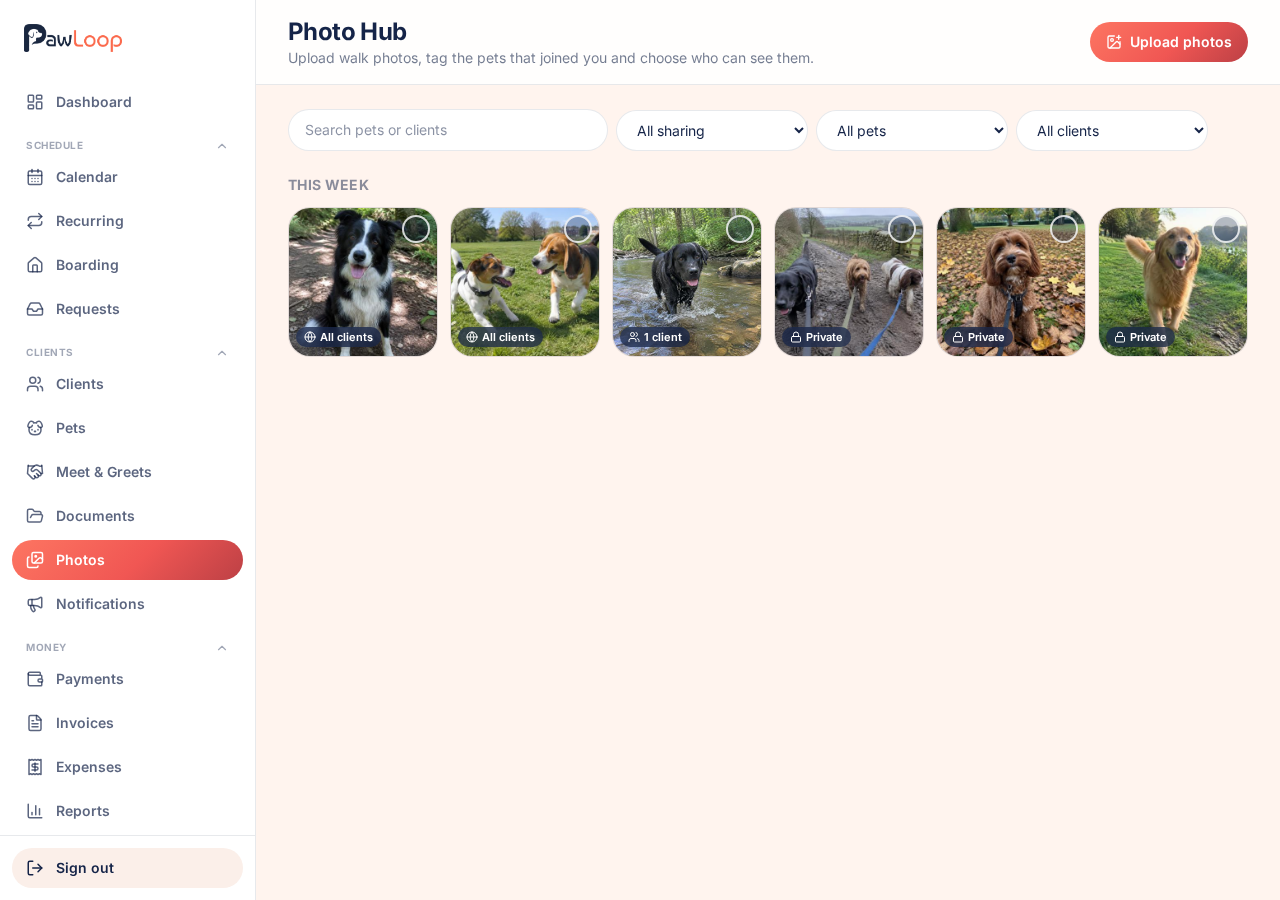
Sending photos is the part of the job nobody plans for. You come back from a group walk with forty photos, then spend the evening working out which dog belongs to which owner and sending them one by one.
Photo Hub turns that into a couple of minutes. Upload straight from your phone, select the photos from one walk, tag the dogs that were there, and choose who can see them. Owners of tagged pets are included automatically, so you tag the dog rather than remembering the client. Everything you upload is private until you share it, and nothing is ever visible to a client who shouldn't see it. Your clients get their photos in the portal they already use, grouped by week, where they can look back through them and save the ones they love.
Key takeaways
What Photo Hub does for your business
One upload, not twenty messages
Select everything from today's walk on your phone and upload in one go. Each photo shows its own progress, and one awkward file never breaks the batch.
Tag the dogs, not the people
Tag the pets that were there and the owners are included automatically. A four dog group walk is tagged and shared in a few taps.
Private until you say otherwise
Everything starts private. Choose private, all clients, or chosen clients per photo, and change your mind at any time. Access stops the moment you do.
Clients find them themselves
Shared photos appear on your client's portal home page and on their own Walk photos page, where they can view them full size and save the ones they want.
Upload from wherever you are
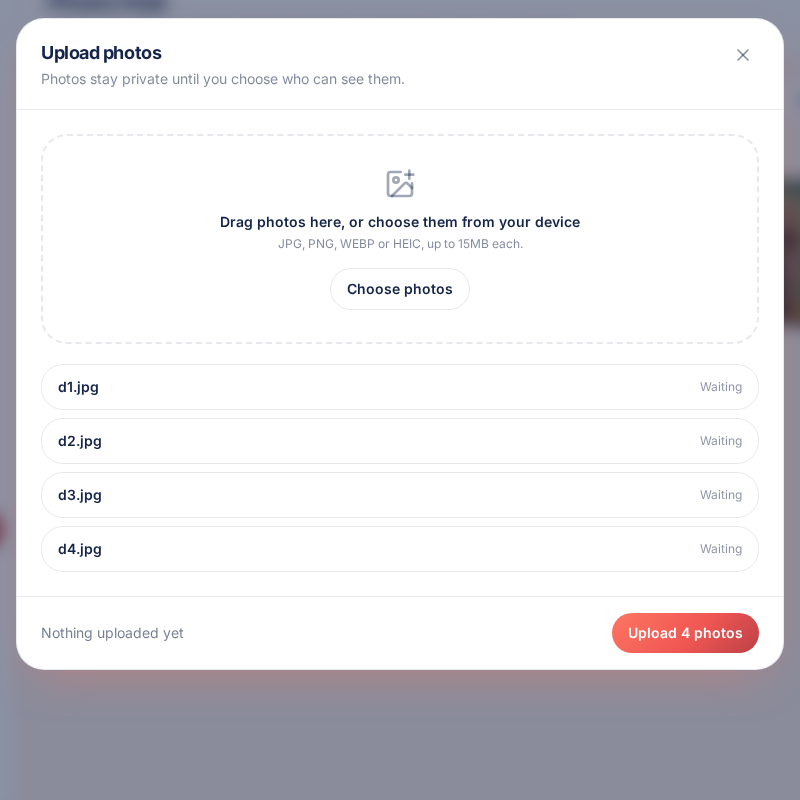
Photos opens under Clients in the menu. Tap Upload photos, drag them in or pick them straight from your camera roll, and watch each one upload with its own progress. JPG, PNG, WEBP and HEIC are all accepted. Photos are grouped into weeks using the date they were taken, so today's walk is always at the top.
Tag the dogs that joined you
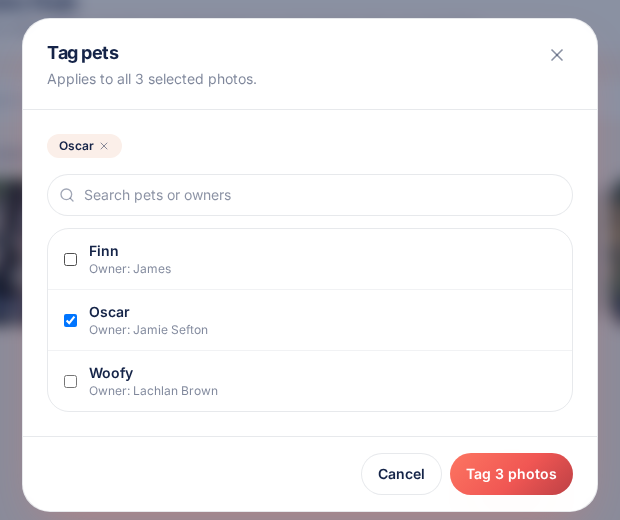
Select the photos from one walk and tag the pets in them, searching by pet or owner name. Tags are saved across every photo you selected, so a group walk is done in one action. Tagging on its own never shares anything: a private photo stays private.
Decide exactly who can see each photo
Every photo is private until you choose otherwise. Set sharing to private, all clients, or chosen clients. With chosen clients, the owners of any tagged pet are included automatically and shown as such, and you can add other clients by hand. Each photo shows its status at a glance, so you can spot anything you meant to share.
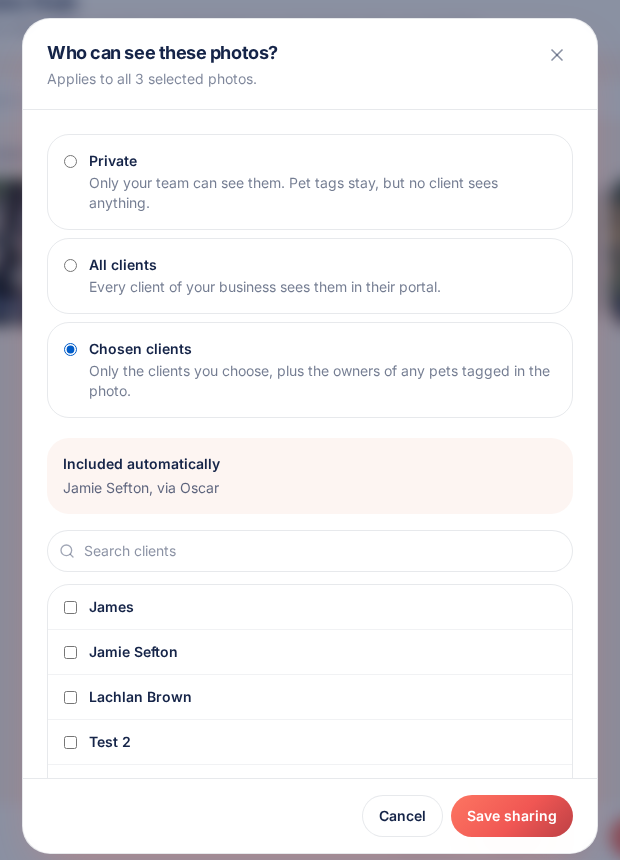
Work in batches, not one by one
Select as many photos as you like on a phone or a computer and tag, retag, share or delete them together. The action bar sits at the bottom of the screen where your thumb already is.
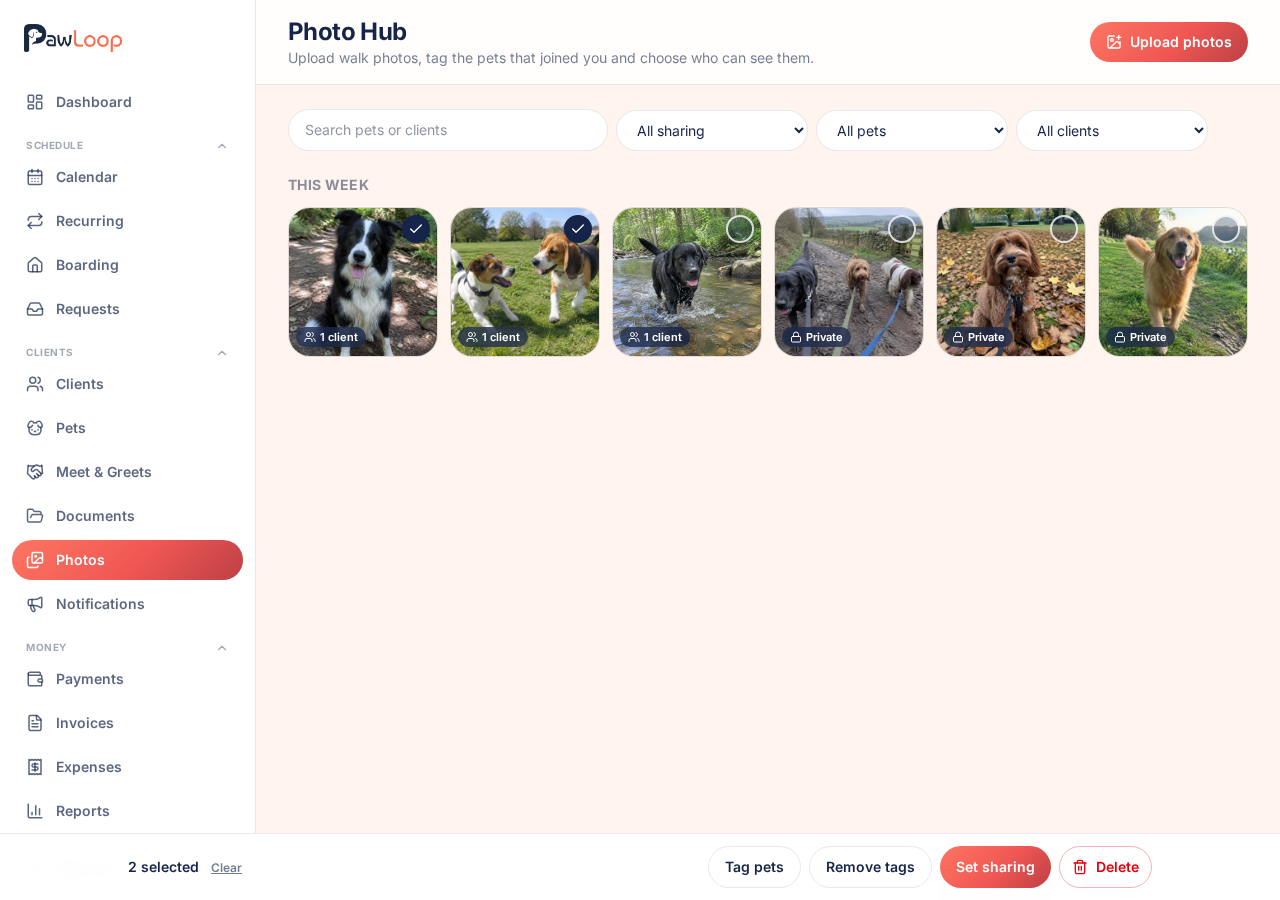
Find anything later
Search by pet or client name and filter by sharing, pet or client. Open any photo full size to see the date it was taken, the pets tagged in it and who it's shared with, then download it, change its tags or sharing, or delete it.
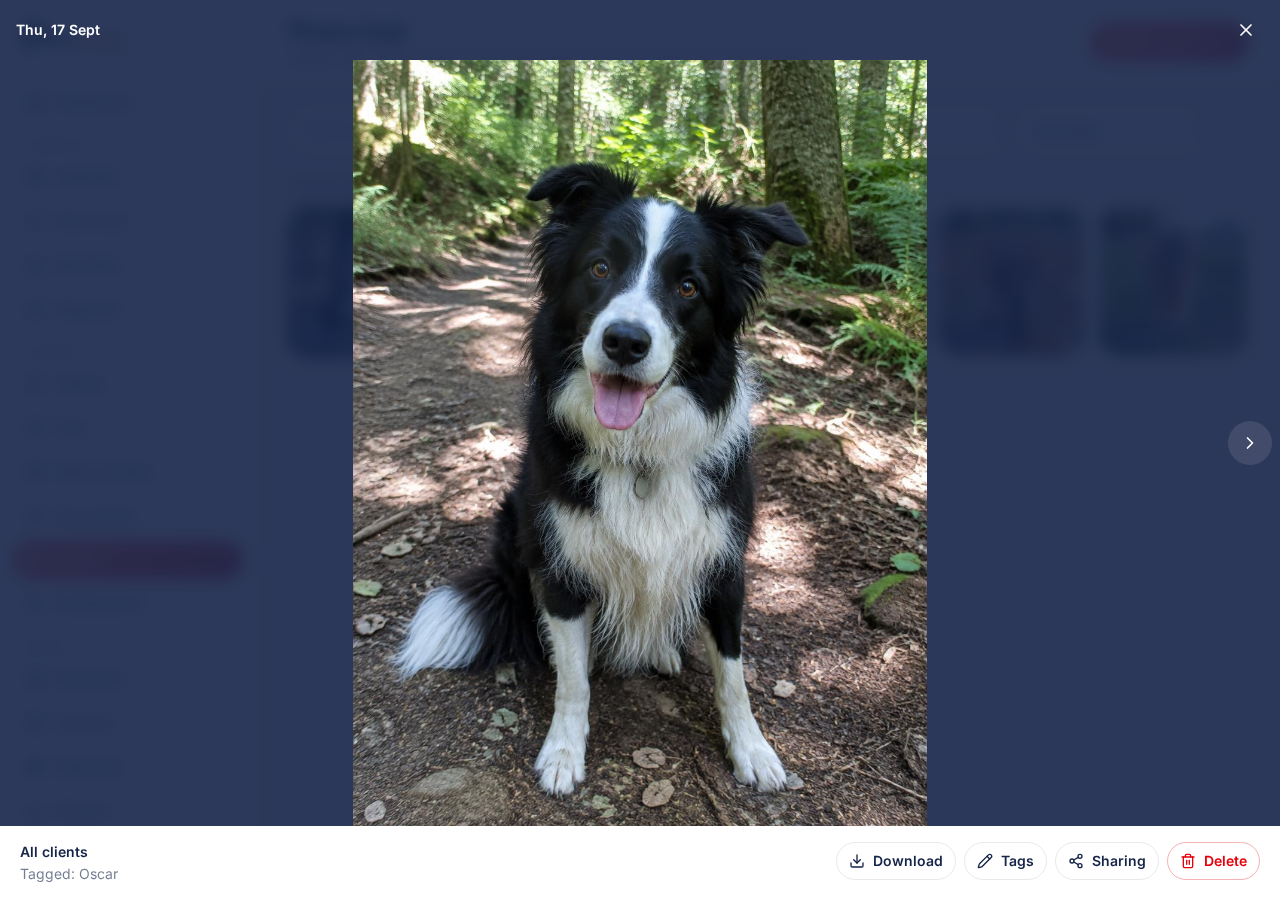
What your clients see
Clients see the newest shared photos on their portal home page and everything else on their own Walk photos page, grouped by week. They can open each one full size and save it to their phone. They never see pet tags, other client names or your sharing settings, and you can hide photos from the portal entirely with one switch in your settings.
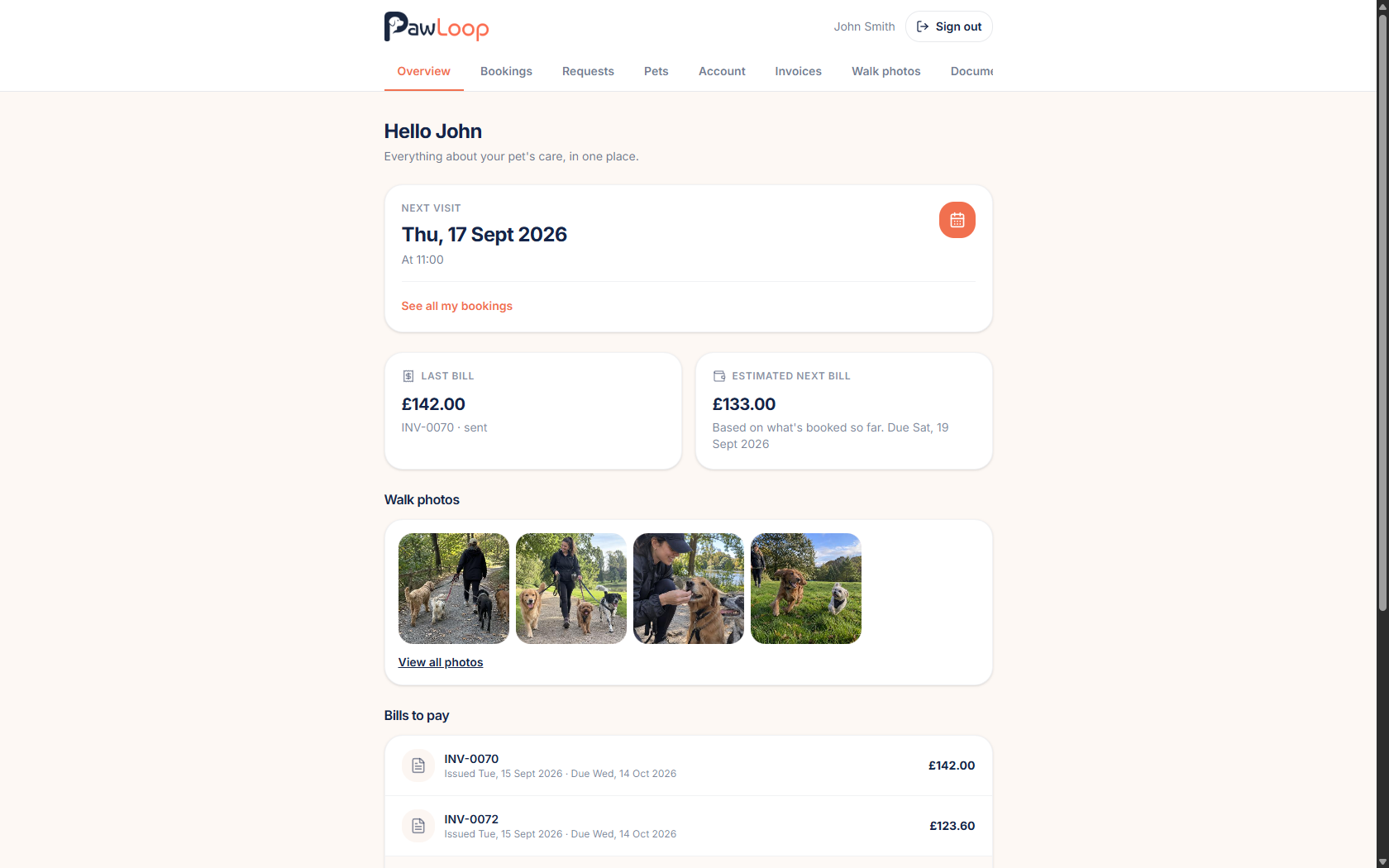
Photo Hub questions, answered
Create your free PawLoop account today.
Sign up in minutes and try every feature free. PawLoop starts with a 14-day free trial. Every feature included and no payment card required to sign up. Choose a plan when your trial ends.
Start free trialNo spam. No card. Just a free pass to try PawLoop.