Payment Tracking for dog walkers
Know exactly who owes you, this week.
- See unbilled, outstanding, paid and upcoming totals for your whole client list on one screen.
- Mark an invoice paid and every walk and stay on it updates with it, in one action.
- Tick off a whole batch of walks as paid after a bank run, instead of opening them one at a time.
- Clients see what they owe in their portal, which does most of the chasing for you.
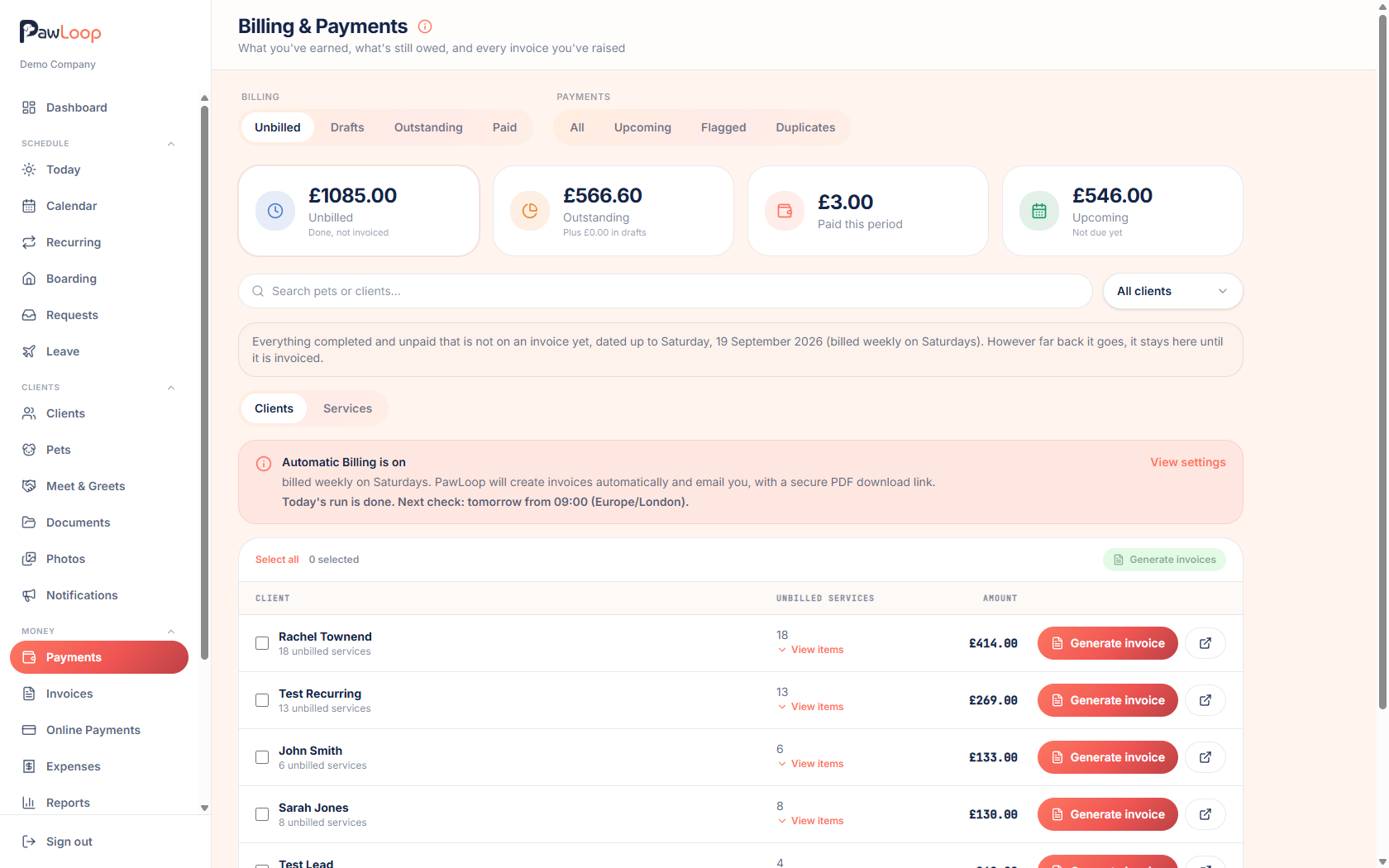
If you have ever stood in a kitchen wondering whether Mr Smith paid you for last Thursday, this is for you. PawLoop tracks money against the work itself. Every booking carries its price and its billing status, so you can see at a glance what has been done but not billed, what has been billed but not paid, and what has actually landed.
The billing page pulls all of that together across your whole client list. Four summary tiles show unbilled, outstanding, paid and upcoming totals, separate views split the work the same way, an overdue filter narrows it to the people who actually need a nudge, and client credit applies itself. Tick off a batch of walks after a bank run, or turn a client's unbilled work straight into an invoice. Because the same records feed invoicing and reporting, your weekly and monthly figures build themselves as you go and the spreadsheet you have been meaning to update since February stops being necessary.

Key takeaways
What Payment Tracking does for your business
One screen for the money
Unbilled work, outstanding invoices, paid this period and upcoming income, per client and in total, without opening a spreadsheet.
Mark paid once, everywhere
Marking an invoice paid flips every walk and stay on it to paid, and unmarking reverses the lot just as cleanly.
Bulk marking after a bank run
Select a batch of walks and stays and mark them all paid together, which is how most Friday evenings actually go.
Credit handled properly
Credit from paid cancellations sits on the client's account and comes off their next invoice automatically.
Clients can see it too
The portal shows each client their unpaid invoices and an estimated next bill, so most reminders never need sending.
The whole client list, with the money attached
The billing and payments page lists every client with what they owe, what is unbilled and what is coming up. Sort or filter to find outstanding balances, and drill into a client to see the individual invoices and bookings behind the number.
Five views that answer five different questions
Unbilled shows completed work waiting to be invoiced. Outstanding shows invoices sent but not settled, with an overdue-only filter. Paid shows what has landed. Upcoming shows income still to come. Flagged catches anything marked paid that never made it onto an invoice, so nothing quietly falls between the two.
Mark paid once and everything follows
Marking an invoice paid marks every walk and stay on it paid. Marking it unpaid reverses it cleanly. Payments are recorded as paid or unpaid today, which covers how most walkers bill; part payments and a record of the payment method are on the roadmap.
Tick off a batch after a bank run
Sit down with your banking app on a Friday, select every walk and stay that has come in and mark them all paid in one go. No opening bookings one at a time, and the totals update as you work.
Client credit, applied automatically
When a client cancels inside your notice period on an advance-paid booking, the value becomes credit on their account. The next invoice applies it and shows the adjustment, so nobody has to work out a refund in their head.
Clients can check for themselves
The portal shows each client their unpaid invoices, a running summary of what's outstanding and an estimated next bill. Most of the chasing disappears simply because people can see where they stand.
Straight into your reports
Everything you record feeds the Payments and Profit & Loss reports, split into paid, pending and overdue over any date range, so cash received is a real figure rather than an optimistic one.
Payment Tracking questions, answered
Create your free PawLoop account today.
Sign up in minutes and try every feature free. PawLoop starts with a 14-day free trial. Every feature included and no payment card required to sign up. Choose a plan when your trial ends.
Start free trialNo spam. No card. Just a free pass to try PawLoop.