Terms & Conditions for dog walkers
Publish your terms, send them out, prove who agreed.
- Write your terms once and publish a locked version that can never be quietly edited.
- Clients agree in seconds, either in the client portal or through a secure link that needs no account.
- Every agreement stores the exact wording, name, email, date and device, so you can always prove what was agreed.
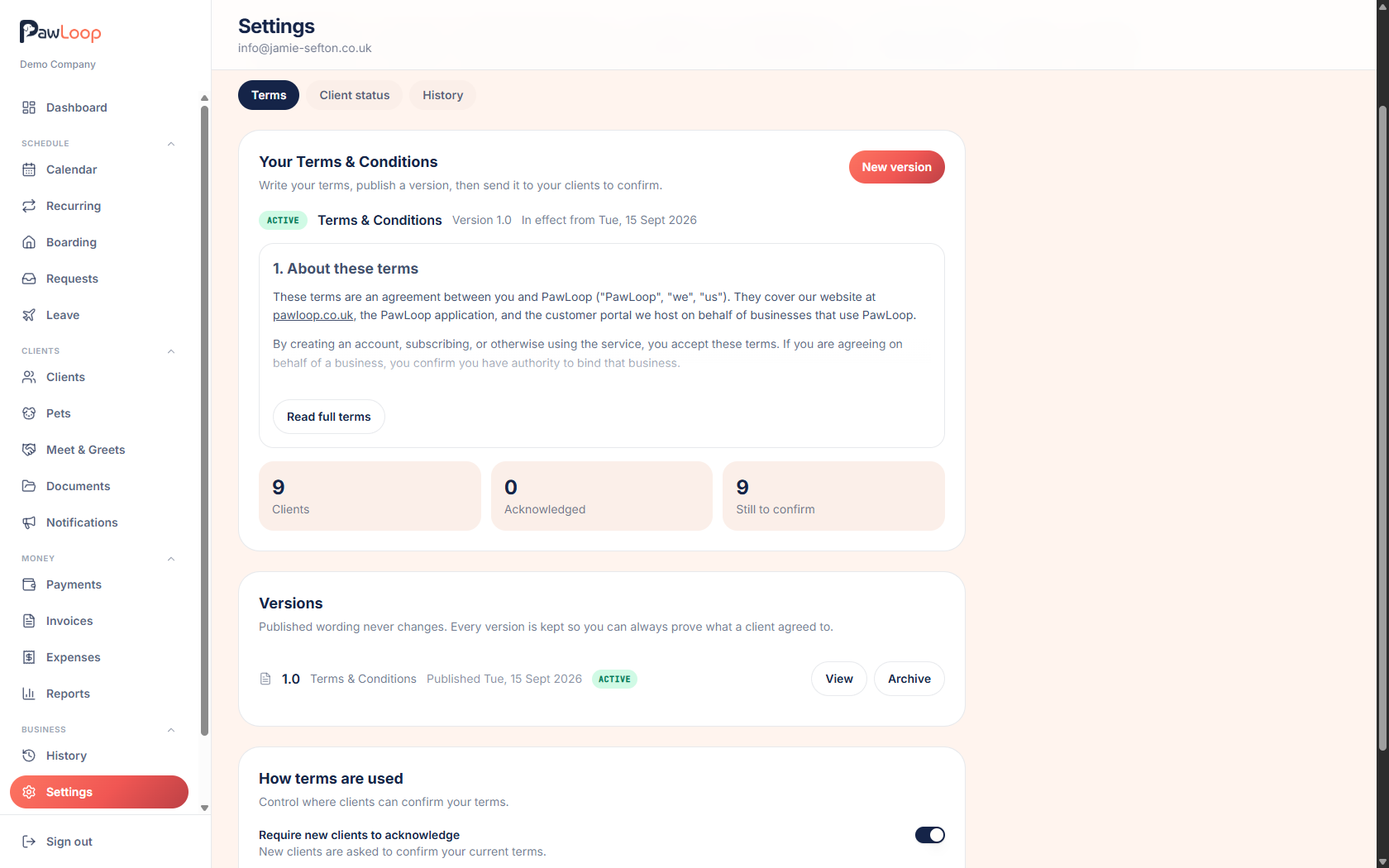
Terms and conditions only protect you if you can show a client agreed to them. A PDF attached to an email years ago does not do that, and neither does a line on your website that has been rewritten twice since.
PawLoop keeps your terms inside the business. You write them in a proper editor, publish them as a version with an effective date, and that wording is locked from then on. You send the terms to your clients, they agree in the portal or through a secure link, and PawLoop records the exact version they saw along with their name, email, the date and time, and the device. When you change your terms, you publish a new version and choose whether everyone confirms again or only new clients. The old version stays on file forever, because that is what the old agreements point at.

Key takeaways
What Terms & Conditions does for your business
Write and publish in one place
A proper editor with headings, bold, lists and links. Save a draft, come back to it, and publish when you're happy. Your live terms sit in Settings where you and your team can always find them.
Send to everyone in one go
Send your current terms to every client who still needs to agree, or to one client from their profile. Clients without an email address get a secure link you can send however you like.
Easy for clients to agree
No account, no printing, no signature pad. Clients read the terms, tick the box, optionally type their name, and they're done.
Proof you can stand behind
Published wording is locked. Every agreement records the exact version, the client's name and email at the time, the date and time, and the device used.
Write your terms and publish a version
Go to Settings, Business, Terms & Conditions. Write your wording with headings, bold text, bullet and numbered lists and links, give the version a number and an effective date, and save it as a draft for as long as you like. When you publish, that wording becomes your live terms and can never be edited again. Need a change? Start a new version from the live one, edit it, and publish when ready.
Send them to your clients
One button sends your current terms to everyone who still needs to agree. You can also send to a single client from their profile, resend at any time, or copy a secure link to send by text or WhatsApp. Clients get a branded email from your business explaining what they need to do.
How clients agree in the portal
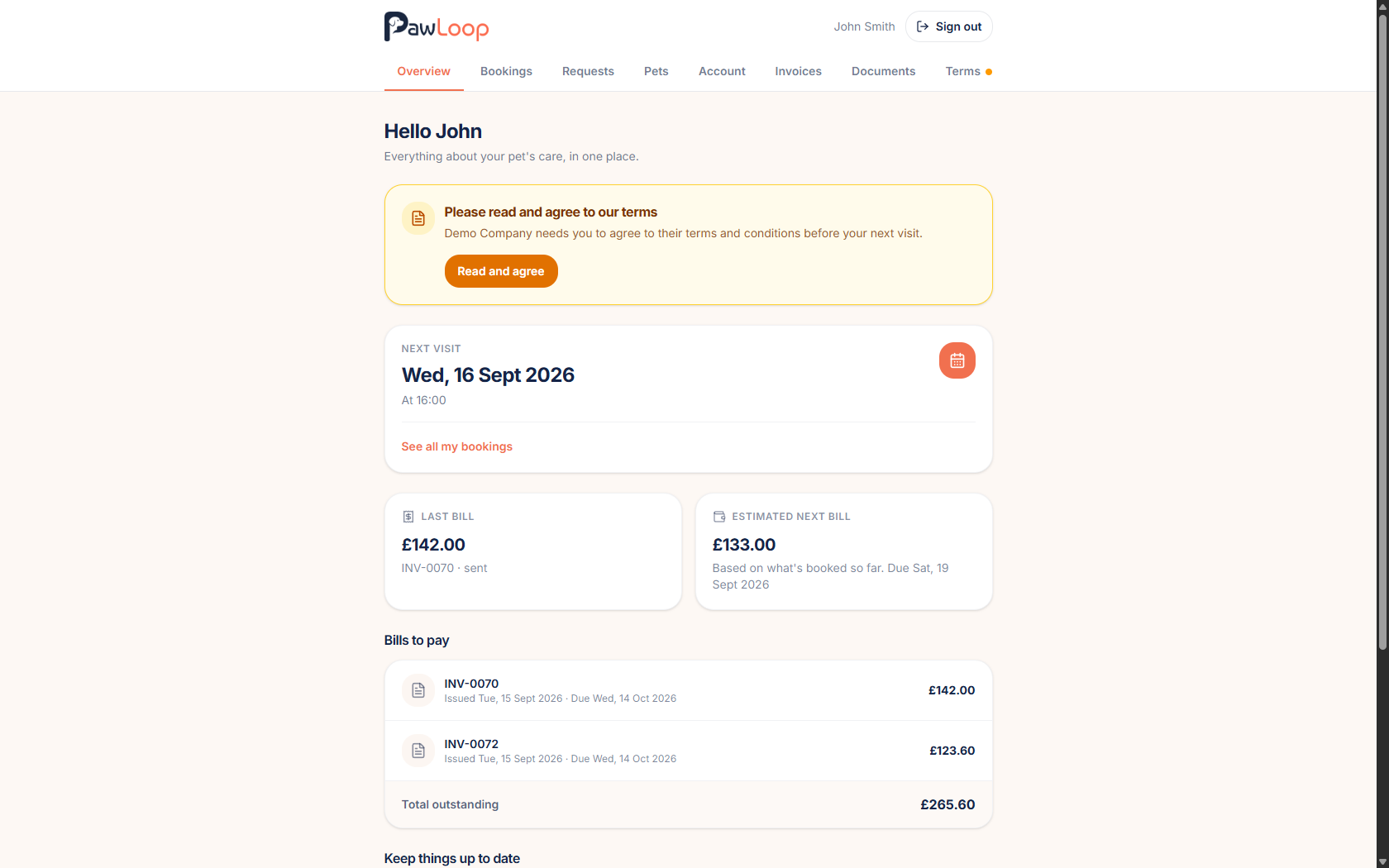
Clients with portal access see a clear prompt on their home page and a marker on the Terms tab until they agree. They read the full wording, tick to confirm, optionally type their name, and the prompt disappears. They can reread the terms they agreed to at any time.
How clients agree without a portal login
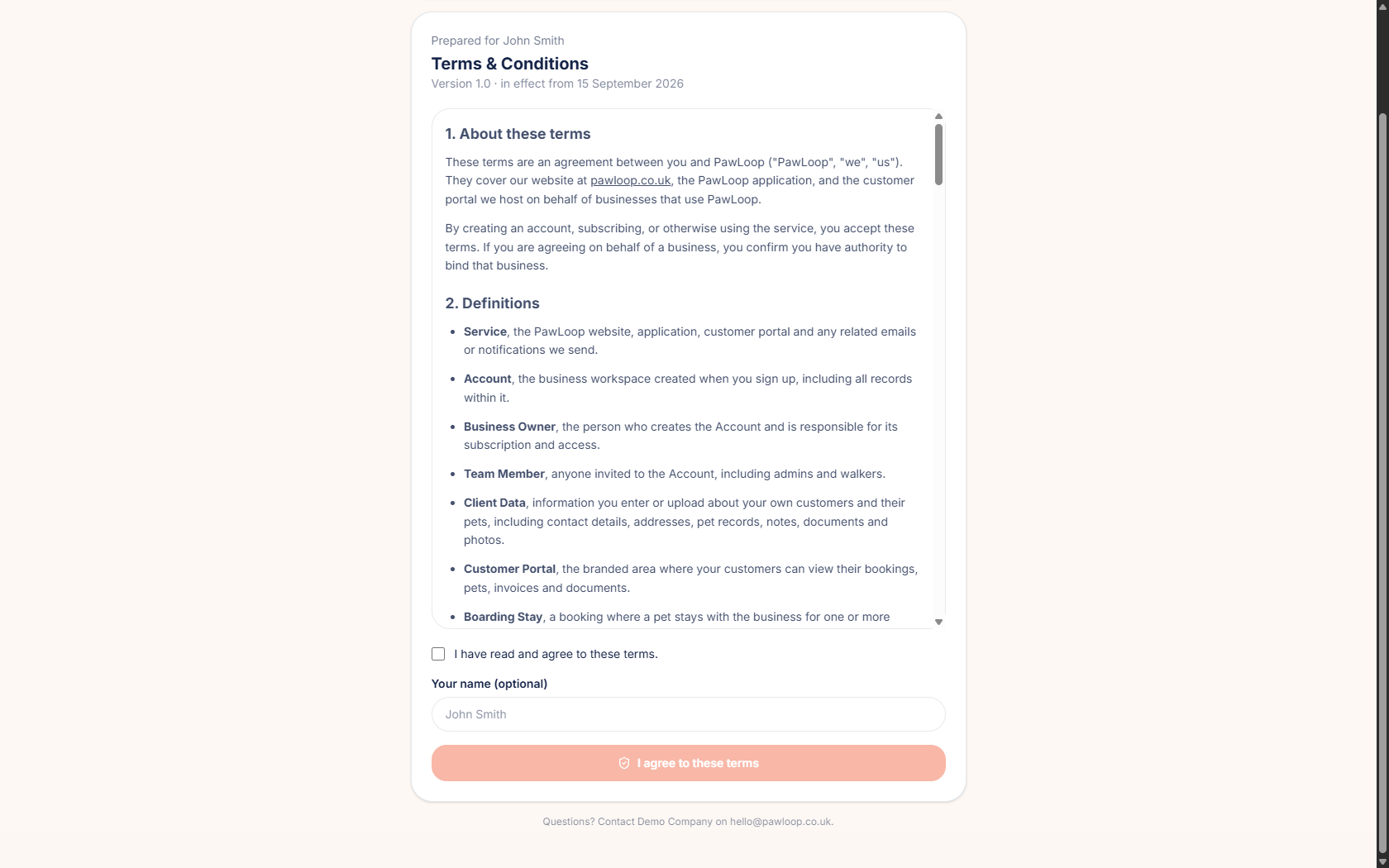
Not every client wants an account. A secure link opens a branded page with your business name, the terms, a tick box and an optional name field. No password, no sign-up. When they agree it is recorded against their record exactly like a portal agreement.
Track who has agreed
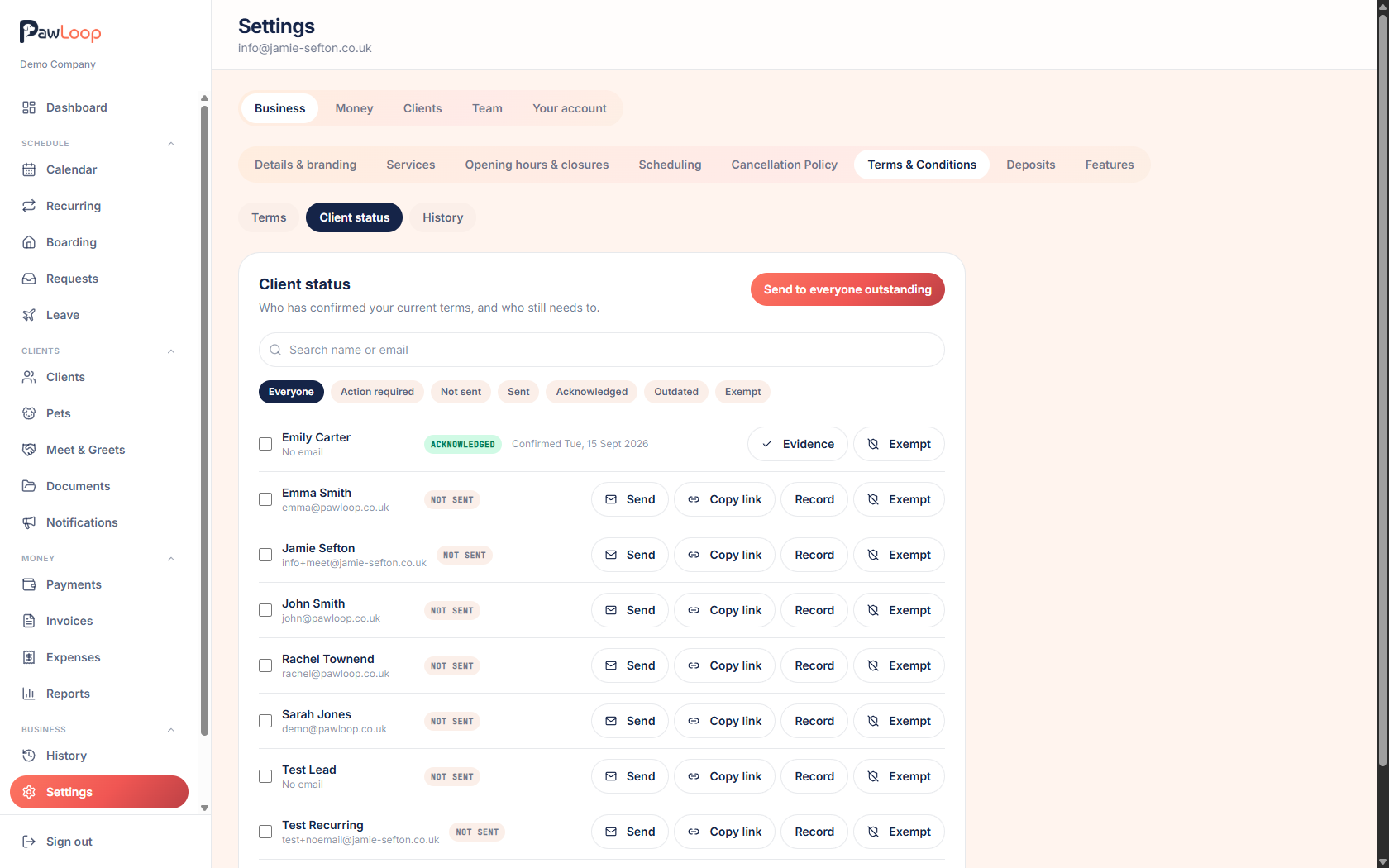
The client status list shows every client as not sent, sent, agreed, outdated or exempt, with filters for the ones needing action. From each row you can send, resend, copy a link, view the evidence, record an agreement you took by hand, or mark a client exempt. Your dashboard nudges you when clients are still outstanding.
Evidence and history
Every agreement is stored against the exact version the client saw, with their name and email at the time, the date and time, the device and how they agreed. A history log records when versions were published or archived and when terms were sent, so you can answer what your current terms are, who agreed and what exactly they agreed to.
Terms & Conditions questions, answered
Create your free PawLoop account today.
Sign up in minutes and try every feature free. PawLoop starts with a 14-day free trial. Every feature included and no payment card required to sign up. Choose a plan when your trial ends.
Start free trialNo spam. No card. Just a free pass to try PawLoop.