How to bill your clients for unbilled work
PawLoop keeps a running tally of every walk and boarding stay you've completed but not yet invoiced. This guide shows you where to find that unbilled work and how to turn it into invoices.
Open Payments
Go to Payments in the sidebar. The Unbilled figure at the top shows everything that's been done but not yet put on an invoice, based on your billing day and mode.
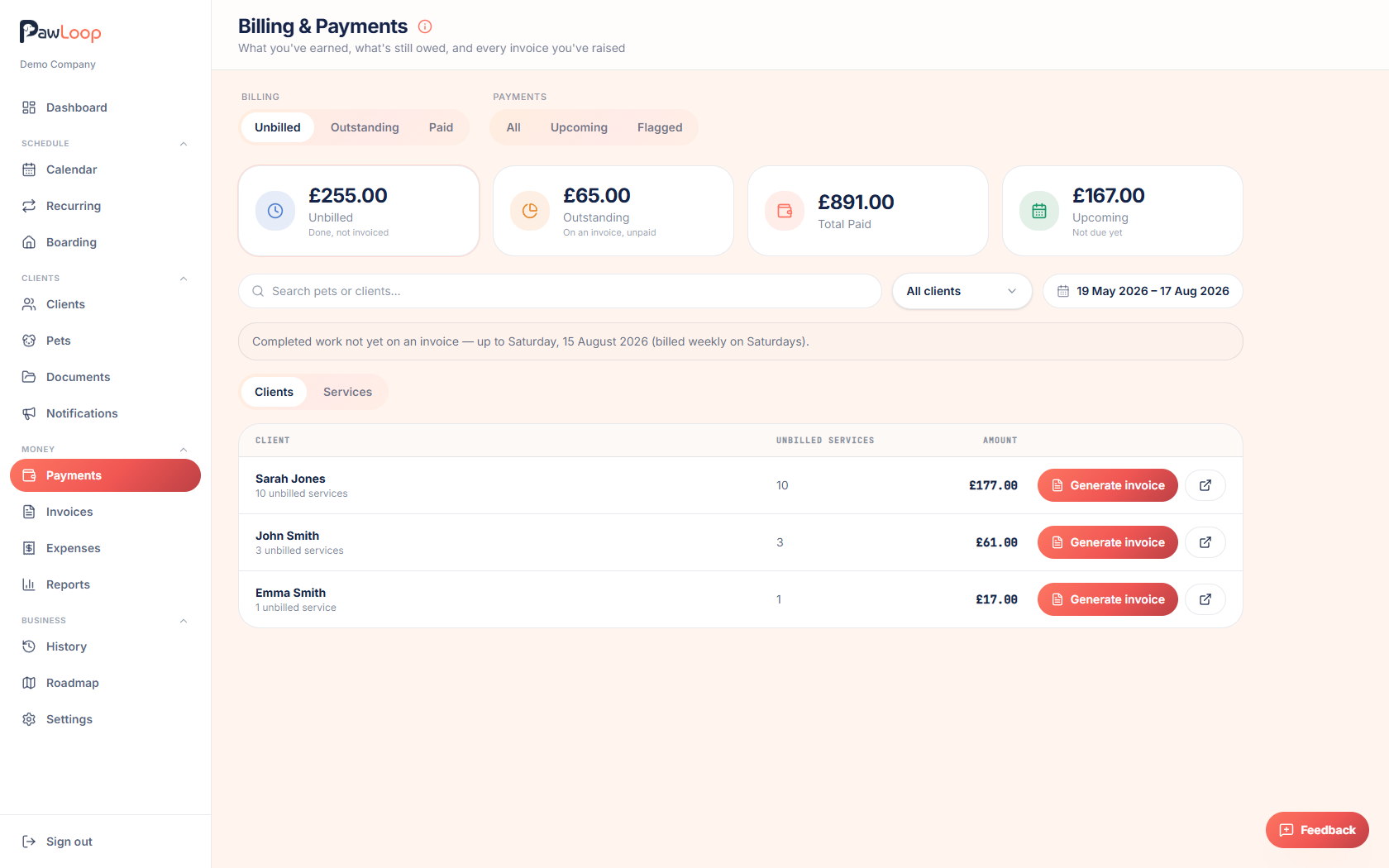
Switch to the Unbilled tab
Click the Unbilled stat card, or use the tabs, to see the detail. You can view it by Clients or by Services using the toggle above the list.
By default this only shows work that's actually due to be billed based on your billing day. Anything dated after your cut-off is shown separately under Upcoming.
Filter down to who you need
Use the client filter or the search box to narrow the list to a specific client, or leave it on All clients to work through everyone.
Start a new invoice for a client
Select the walks or stays you want to bill for a client, or open the client and click New invoice, then pick the client from the list.
Review the items in the Generate invoice screen
Items are grouped by month in chronological order, with a running total for each month and for the whole invoice.
Everything due is selected by default. Untick anything you don't want to include yet, or use Select all / Deselect all at the top of the list.
- Toggle "Include all not due yet" if you also want to bring in work dated after your billing cut-off.
- Each month has its own checkbox so you can include or exclude a whole month in one click.
Set the dates and notes
Check the Issue date and Due date. These default to today and your standard payment terms, and add any Notes you want printed on the invoice.
Use the Show due date on this invoice toggle if you want to override your usual setting for just this invoice.
Create the invoice
Click Create invoice. The invoice is created as a draft and you're taken to it, ready to review, send or download.
Repeat for other clients
Go back to Payments and repeat the process for each client with unbilled work, or work through the Unbilled tab client by client until everyone is billed.
Try it yourself
Everything in this guide is included from the free Starter plan upwards. Set up in minutes. No card required.
Create free account. No card required →Frequently asked questions
Related guides
Create your free PawLoop account today.
Sign up in minutes and try every feature free. PawLoop starts with a 14-day free trial. Every feature included and no payment card required to sign up. Choose a plan when your trial ends.
Start free trialNo spam. No card. Just a free pass to try PawLoop.