How to set up and use add-ons
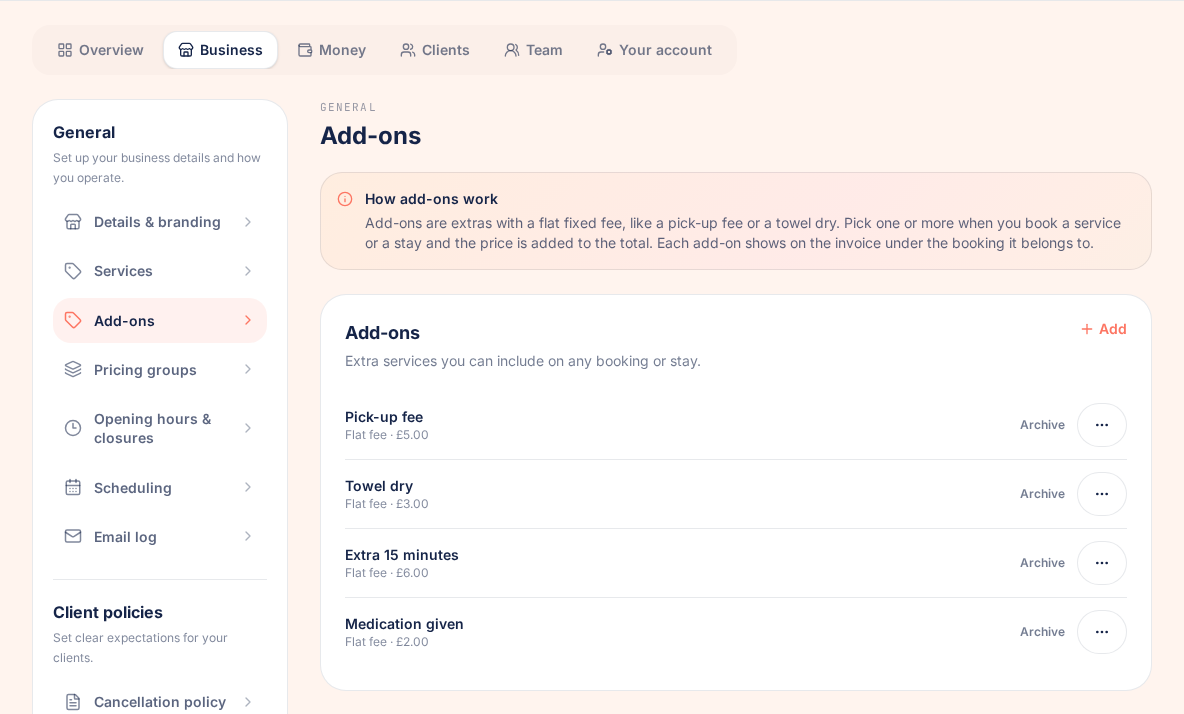
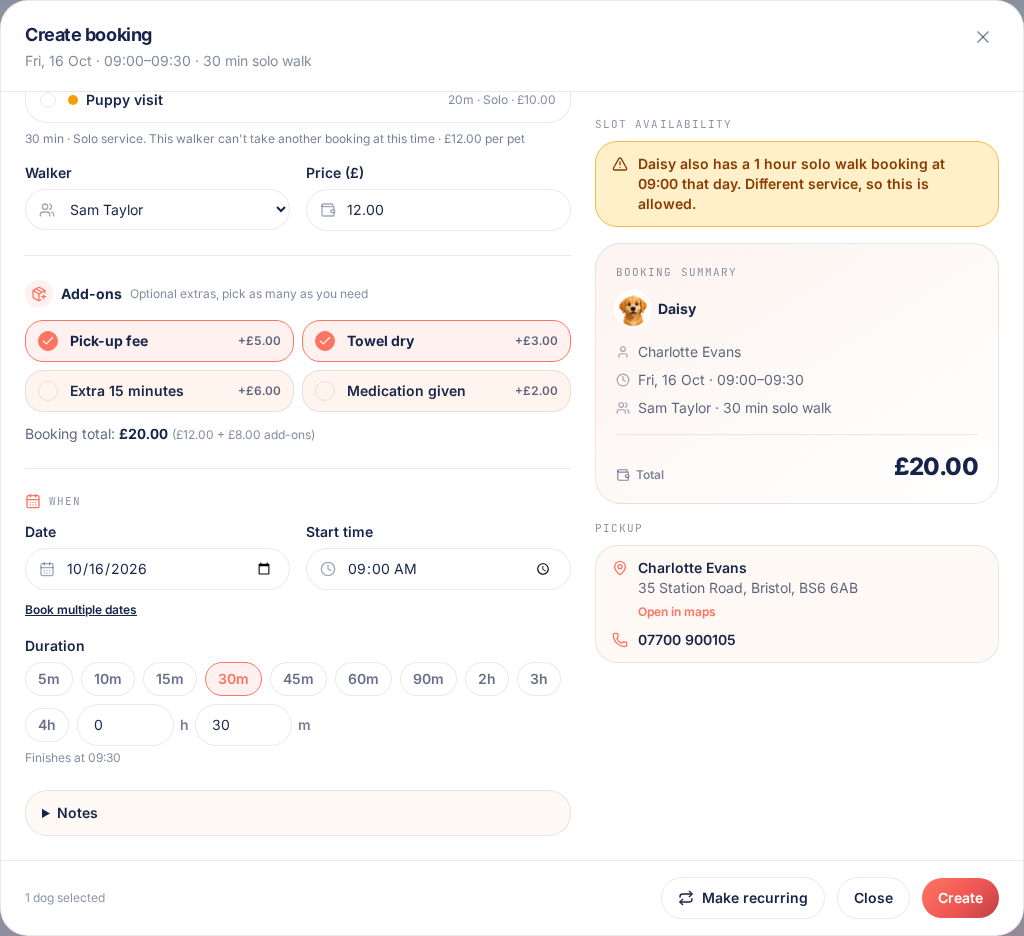
Add-ons are extras you charge on top of a service, like a pick-up fee, a towel dry or giving medication. Each one has its own flat fee. Pick as many as you need on a booking or stay and PawLoop adds them to the total.
Open your add-on settings
In the sidebar, go to Settings, choose the Business tab, then select Add-ons. It sits just under Services.
Create an add-on
Select Add, give the add-on a clear name and enter its price. The price is a flat fee, so it is charged once per booking whatever the number of pets.
Use Edit from the menu to change a name or price at any time. Bookings you have already made keep the price they were saved with.
Add add-ons when you book
Open a new booking and choose the service as normal. Under the service you will see an Add-ons section. Tap each add-on you want to include. There is no limit.
The booking total updates straight away, showing the service price plus your add-ons. Tap an add-on again to remove it.
Use add-ons on boarding stays
Add-ons work the same way on boarding stays. Pick them under the stay price and they are added to the stay total.
See add-ons on invoices
When you invoice the booking or stay, each add-on is listed on its own line, slightly indented under the booking it belongs to. The invoice total includes everything, just as before.
Archive add-ons you no longer offer
Select Archive next to an add-on to stop it appearing on new bookings. Existing bookings keep it, and you can restore it whenever you like.
Try it yourself
Everything in this guide is included from the free Starter plan upwards. Set up in minutes. No card required.
Create free account. No card required →Frequently asked questions
Create your free PawLoop account today.
Sign up in minutes and try every feature free. PawLoop starts with a 14-day free trial. Every feature included and no payment card required to sign up. Choose a plan when your trial ends.
Start free trialNo spam. No card. Just a free pass to try PawLoop.