What's new in PawLoop: 5 to 11 October
This week your clients get PawLoop in their pocket. The PawLoop Clients app is available now on iOS, with Android aiming to follow on Friday. Alongside it come push notifications, the option to call boarding Pet Sitting, a clearer daily schedule and some handy billing tools.
The PawLoop Clients app
Your client portal on their phone
Clients can see their upcoming bookings, send booking requests, view and pay invoices and look through photos of their pets, all from one app. It uses the portal you already have set up, so there is nothing new to configure. Find out more at pawloop.co.uk/apps/clients.
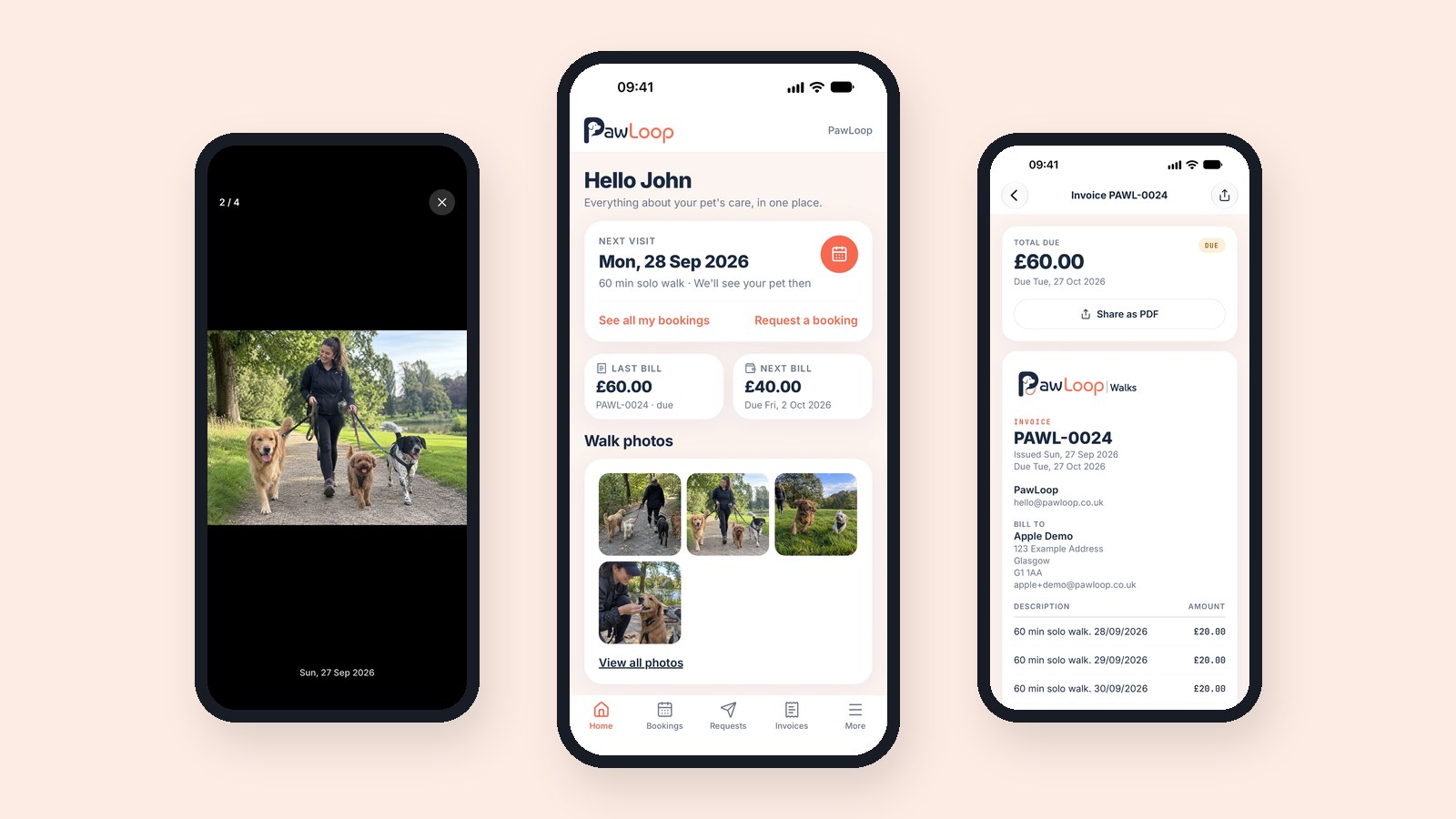
Notifications that matter
Clients get a push notification when you share new photos, when a new invoice is ready and when their booking request is answered. These send automatically once push notifications are enabled for your business in Notification Centre.
iOS now, Android on Friday
The app is live on the App Store today. Android is aiming to be available on Google Play this Friday. Share the app with your clients so they can sign in with the same details they use for your portal.
PawLoop Walkers app
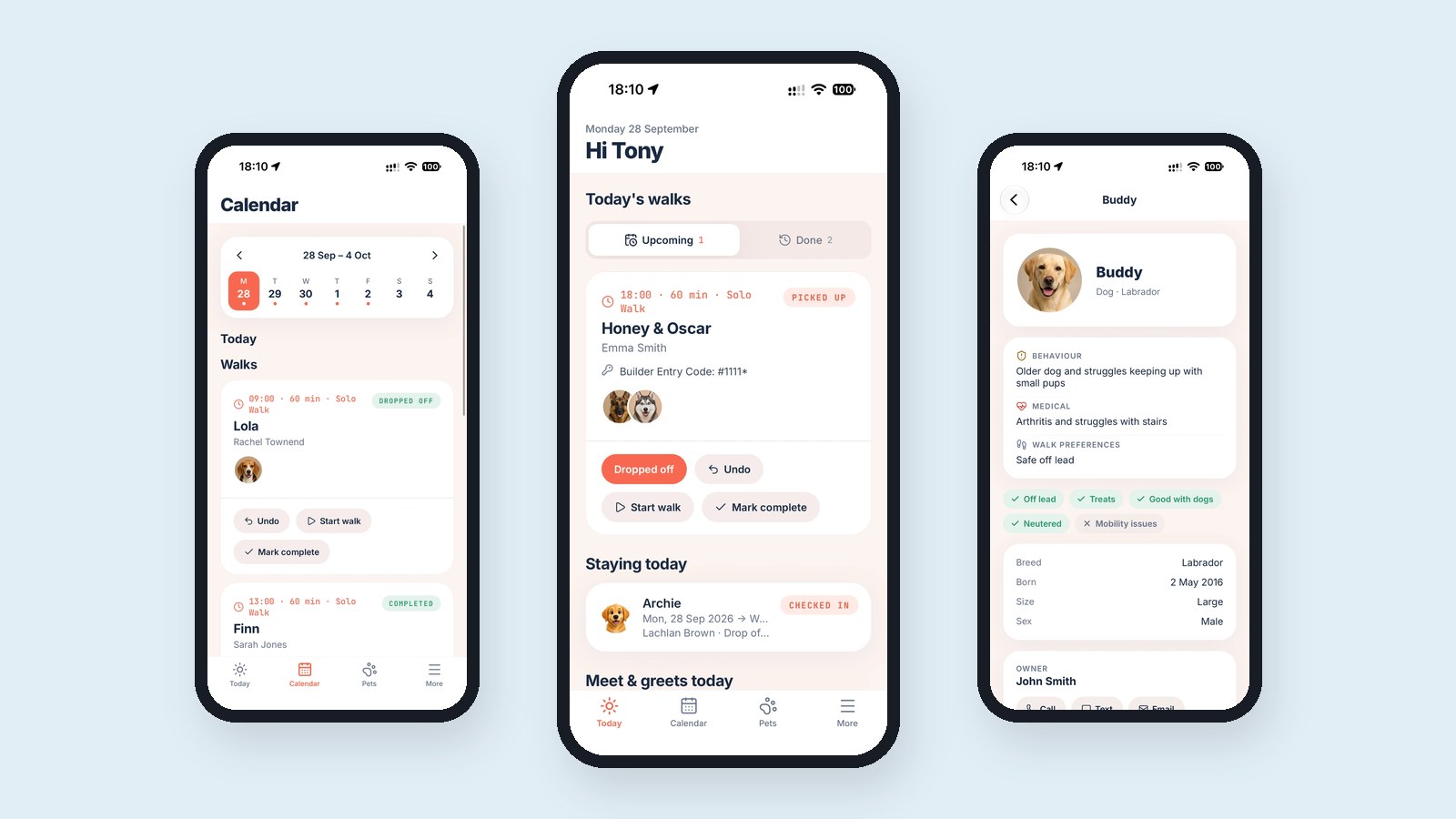
Your team's day, on the go
The PawLoop Walkers app is available on iOS, with Android coming soon. Your team can see their schedule, mark pick ups and drop offs and keep up with messages. Both apps now have their own pages and appear on the PawLoop homepage.
Push notifications in Notification Centre
Send a push notification
Write a title and message, choose the Clients or Walkers app and pick who receives it. The Sent tab shows everything that went out.
Automatic notifications
Switch each automatic notification on or off, such as new invoices, new photos and booking request decisions, and edit the wording using simple placeholders like {invoice_number}.
New guides
Three new guides cover sending, automatic notifications and writing message templates. Search for push in the app to find them.
A clearer daily schedule
Pet names first
On the Dashboard and Today, each household now leads with the pet names, with the client underneath.
Colour coded pick ups and drop offs
Cards turn blue once a pet is picked up and green once dropped off, so you can see progress at a glance. Each booking also shows its service type.
Boarding your way
Boarding or Pet Sitting
In Settings, Services, choose whether your business calls this service Boarding or Pet Sitting. Your choice is used across the app, your client portal and your emails.
Arrival and Departure
Stay forms, booking requests and portal stay cards now say Arrival and Departure.
Hide request times
A new client portal setting lets clients pick a date for a booking request without choosing a time.
Billing and history
Mark unpaid from flagged
Each flagged booking in the Billing Hub can now be marked unpaid to clear it from the list.
Bulk delete past walks
In History, select past walks and delete them in one go. A confirmation step makes clear this is permanent, and walks already on an invoice are skipped.
Payout timing
Online payments now show payouts arriving within seven working days.
Smaller improvements
Archived pets
Archived pets now sit in their own section at the bottom of the client profile, with a Restore option.
Safer messaging
Notification Centre messages can be sent to new clients once they have been in PawLoop for 24 hours, and messages with blocked words are stopped before sending.
Faster and tidier
The dashboard shows its layout straight away while loading, and the portal preview card reads clearly in dark mode.
That is everything for this week. If you have clients who would love the new app, now is a great time to tell them about it. As always, reply or message us with anything you would like to see next.
Create free account. No card required →Create your free PawLoop account today.
Sign up in minutes and try every feature free. PawLoop starts with a 14-day free trial. Every feature included and no payment card required to sign up. Choose a plan when your trial ends.
Start free trialNo spam. No card. Just a free pass to try PawLoop.