What's new in PawLoop: 21 to 27 September
Online card payments are now available to every business, no beta invite needed. This week also brings a more complete meet & greet journey, better ways to manage invoices and overdue payments, and plenty of small changes that make busy days easier. We are also building two native mobile apps, including a new way to keep clients up to date.
Online payments are available to everyone
Card payments, no beta invite
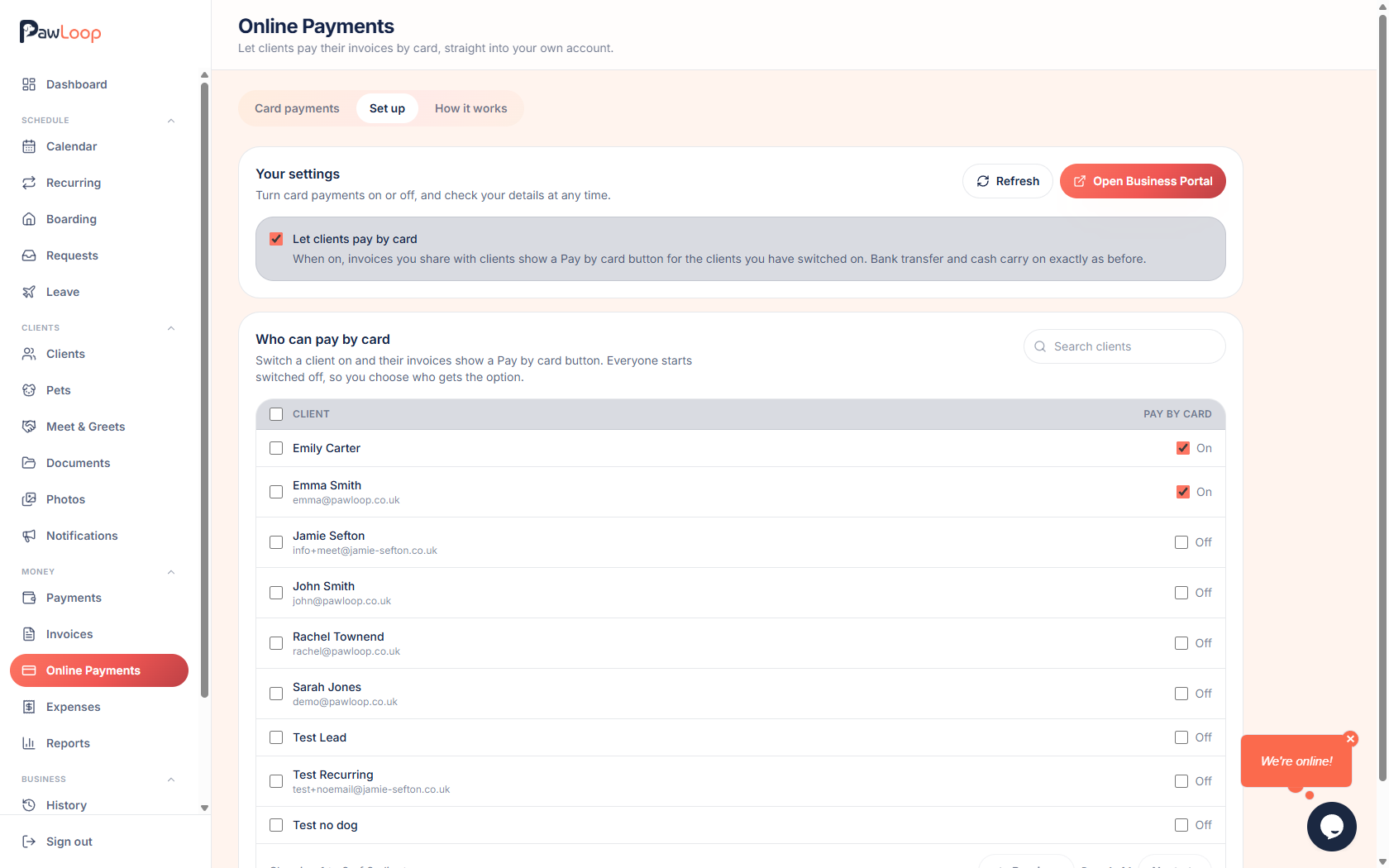
Open Online Payments under Money to set up your business with Stripe, then decide which clients can pay invoices by card. Clients can use the Pay by card button on an invoice or in their portal. PawLoop adds no fee of its own; Stripe's card processing fees apply.
See where the money is
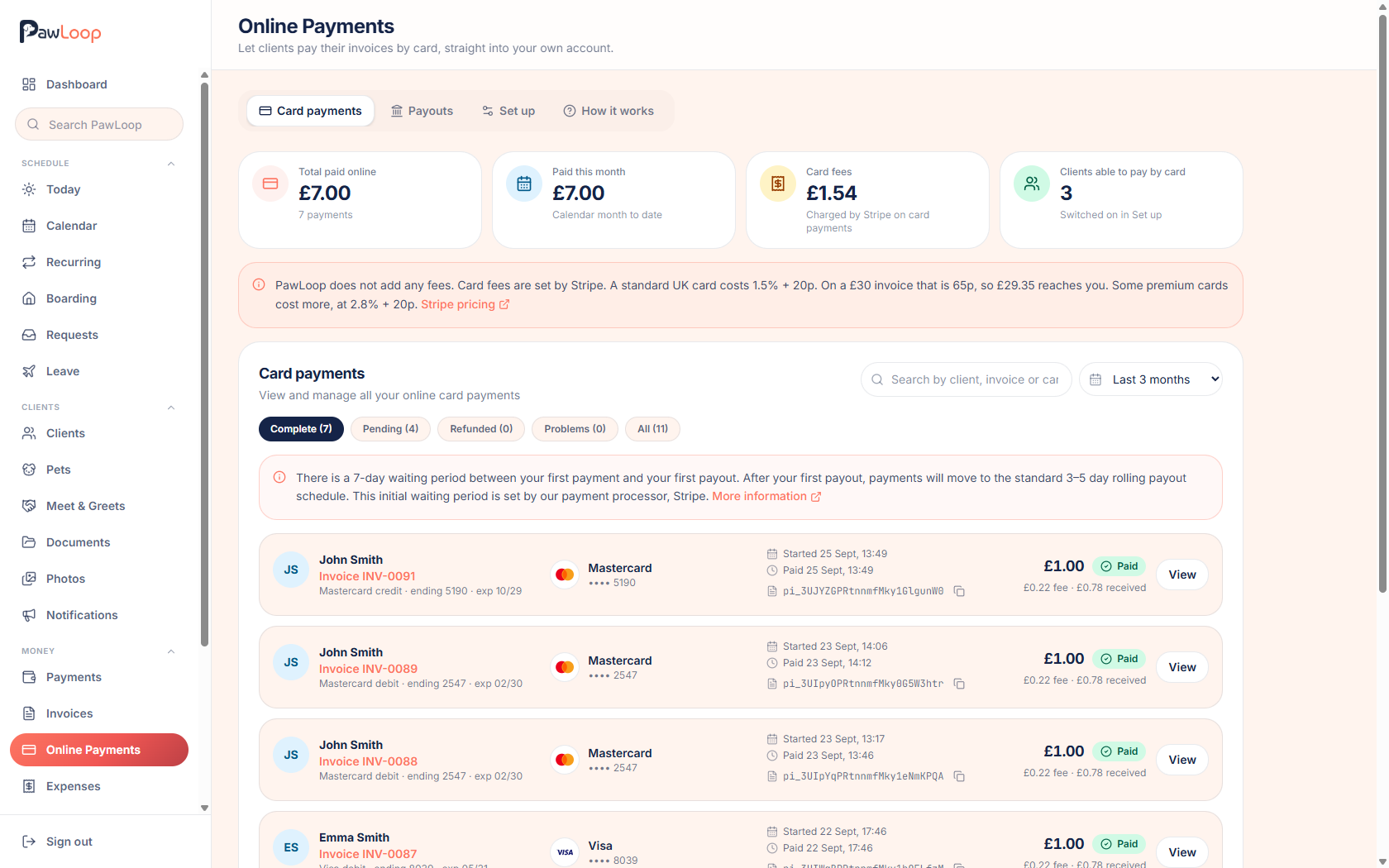
The Card payments and Payouts views show successful payments, money still processing, available funds and payouts to your bank. The payout schedule explains why a payment made today might take time to settle before it is paid out.
Payment confirmations
When an invoice is paid online, the business gets a payment email with the card fee and amount after fees. The client gets a receipt with the amount they paid, in your business branding, without your processing fees.
Meet & greets, from first enquiry to client
One place for the whole request
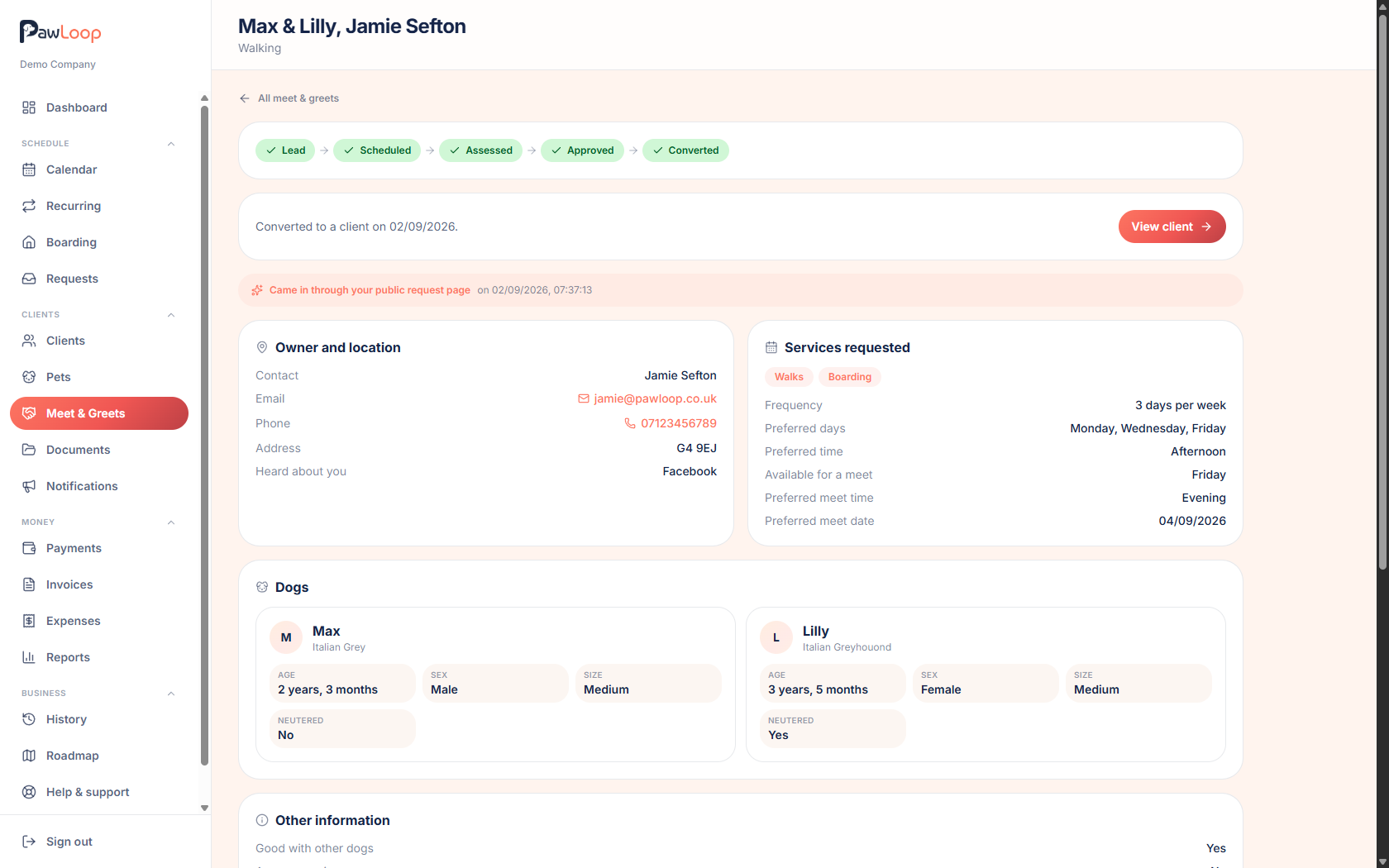
Keep the client's details, pets, requested services, appointment, team assignment and assessment together. A clear next step helps you move from a new enquiry to an appointment, assessment and decision.
A public link and client details form
Share a public meet & greet request link if you have that option enabled. You can send the client details form by email or generate a link to share yourself, with any terms acceptance recorded against the meet & greet.
Keep the right team in the loop
Assign more than one team member to a meet & greet. Each assignee can find it in their own view, and the team filter works across the list and calendar. Appointment emails tell the client and assigned team members when a meeting is booked, moved or cancelled, when their email addresses are available.
Invoices, balances and overdue payments
Late fees when you choose to use them
Set an optional flat amount or percentage for overdue invoices. A fee is applied at most once per invoice, appears on the client's balance with the original invoice reference, and is picked up by their next invoice. You can check what is due, apply fees and remove a fee when needed.
Overdue days at a glance
Invoice status now shows how many days overdue a payment is, so you can spot what needs attention without opening each invoice.
Faster invoice housekeeping
Select several invoices to mark them sent, mark them paid or void them. You can also hide an invoice from the client portal without removing it from your own records.
Follow the invoice from a walk
Client booking lists and walk history show a clickable invoice number when a walk is on a valid invoice. Open a walk to see its status, payment state and linked invoice together.
Bookings and the day's work
Find the booking behind a request
Once you accept a booking request, you can open the resulting walk or boarding stay from the request, and follow the link back from the booking. Confirmation emails use the time you actually scheduled, even if it differs from the time requested.
Make changes in batches
In Walk history, select past walks to update their price or payment status together. Each change is recorded against the individual booking. The past bookings action on a client profile now only marks past unpaid bookings as paid, never upcoming ones.
A clearer schedule
Today's schedule separates upcoming and past work. If you track pick-up and drop-off, a walk stays upcoming until the drop-off is marked. Access instructions and client notes now appear in the calendar day and schedule views too.
See when things changed
Booking change history shows the full date and time for each change, plus when the walk was created.
A more useful client portal
Photos and documents together
Clients now open one Photos & Documents area, with separate tabs for each. The portal navigation keeps the active section in view on smaller screens.
Clearer bookings and pets
Upcoming, past and boarding bookings are easier to switch between. Pet profiles put Details first, with History and a Vaccinations tab when client-managed vaccination records are enabled.
Requests without confusing errors
A client's only pet is selected automatically when they request a booking, and missing-pet messages are shown in plain language.
Client access and terms
Clients who accept your terms are taken straight to their portal overview. If you need someone to accept again, you can invalidate their previous acknowledgement from their status entry while retaining the acceptance history.
Find it faster, share more photos
Search from anywhere
Search PawLoop from the side menu, not just the dashboard. Search can find bookings by date, documents, meet & greets, requests, video guides and feature settings such as pick-up and drop-off tracking.
Larger photo uploads
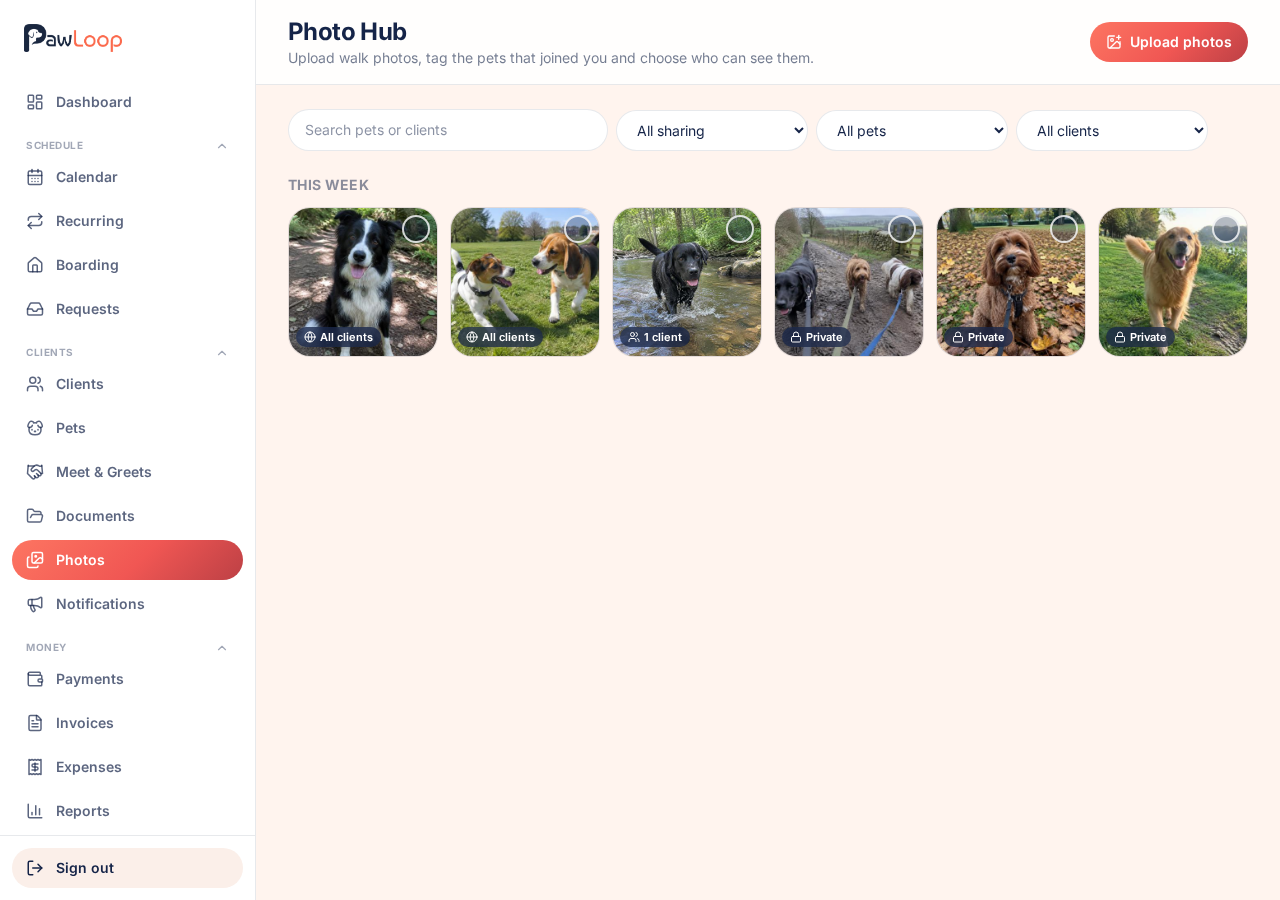
Photo Hub now accepts files up to 100MB each, and pet profile images up to 50MB each. HEIC images are converted for viewing, so photos taken on an iPhone can display in PawLoop rather than download as an unreadable file.
Coming next: PawLoop on your phone
The PawLoop Clients app
We are developing a native iOS and Android app for clients, bringing a client-portal-like experience to their phones. It will support push notifications sent directly to clients. Early access is planned for selected businesses next week.
The PawLoop Team Members app
A separate native iOS and Android app for team members is also in development. We will share more about how it works as it gets closer to early access.
Client push notifications in PawLoop
A new area is planned for businesses to manage and send push notifications to clients. Automatic notifications are planned when an invoice is marked as sent and when new client photos are added. These app and notification features are not generally available yet.
More next week. If there is something you would like to see in PawLoop, get in touch through the chat or email hello@pawloophq.com.
Create free account. No card required →Create your free PawLoop account today.
Sign up in minutes and try every feature free. PawLoop starts with a 14-day free trial. Every feature included and no payment card required to sign up. Choose a plan when your trial ends.
Start free trialNo spam. No card. Just a free pass to try PawLoop.