What's new in PawLoop: 14 to 20 September
One of our biggest weeks yet. Clients can now pay invoices by card, there is a whole new Photo Hub for sharing walk photos, terms and conditions are built in, VAT is handled properly end to end, and the app now has a dark mode.
Online card payments (beta)
Set up in one place
A step by step setup page walks you through connecting Stripe, so you know exactly what is done and what is left. Fees are shown plainly before you start.
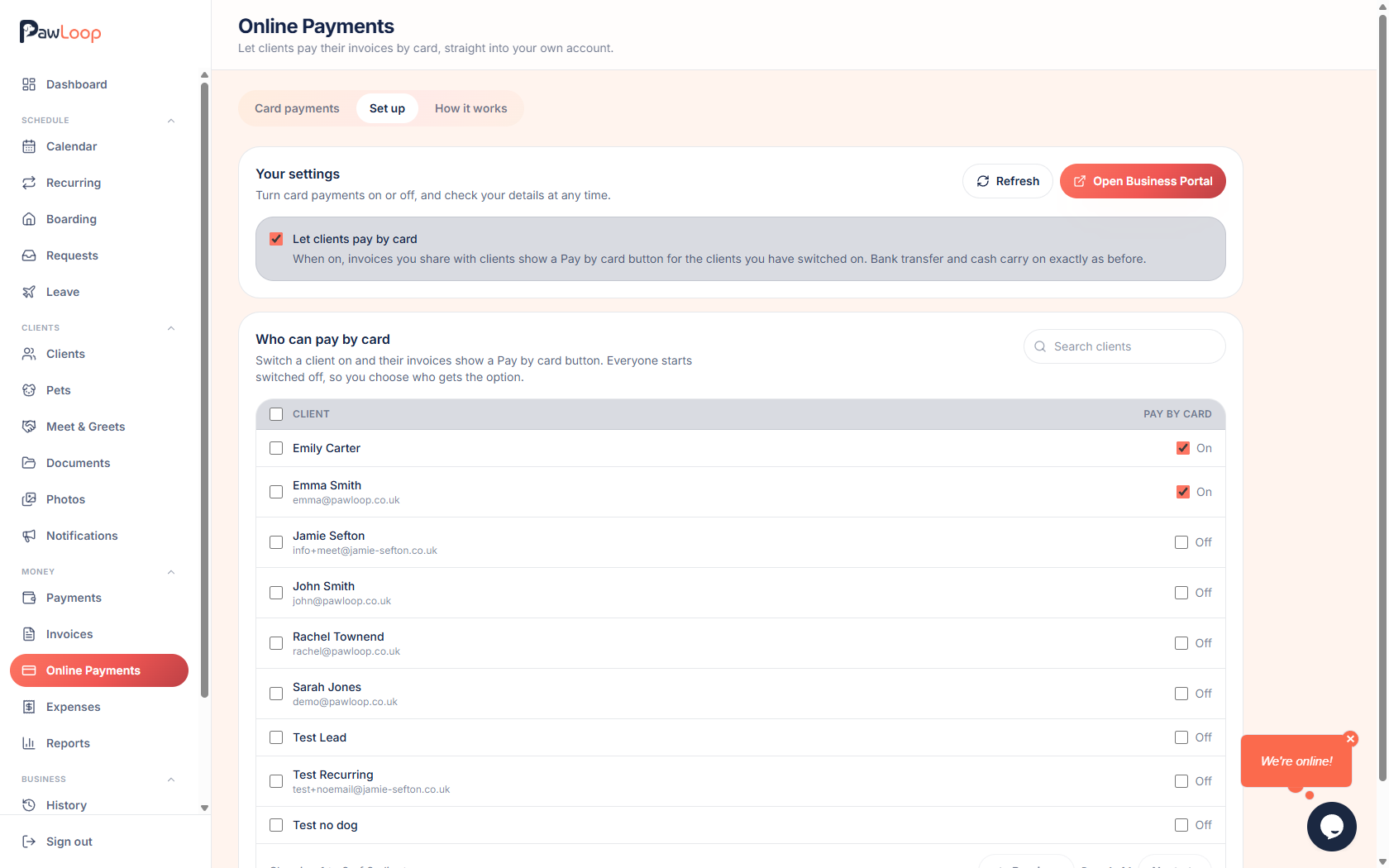
Pay by card on the invoice
Invoice emails and the client portal both get a pay by card button, which opens the invoice online and takes payment there. Unpaid invoices only.
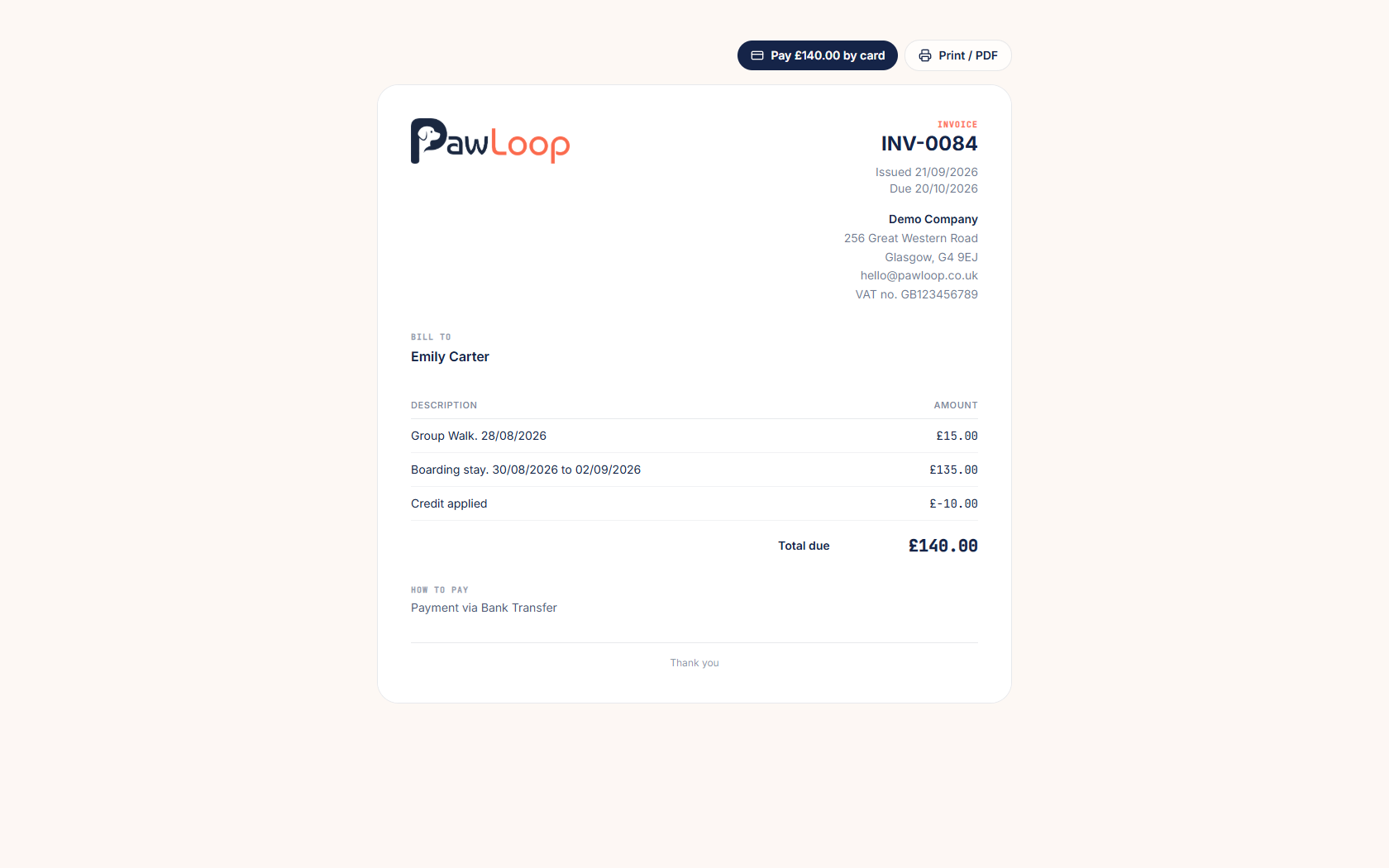
Choose who can pay online
Turn card payments on for everyone, or switch it on and off for individual clients if some still pay by bank transfer.
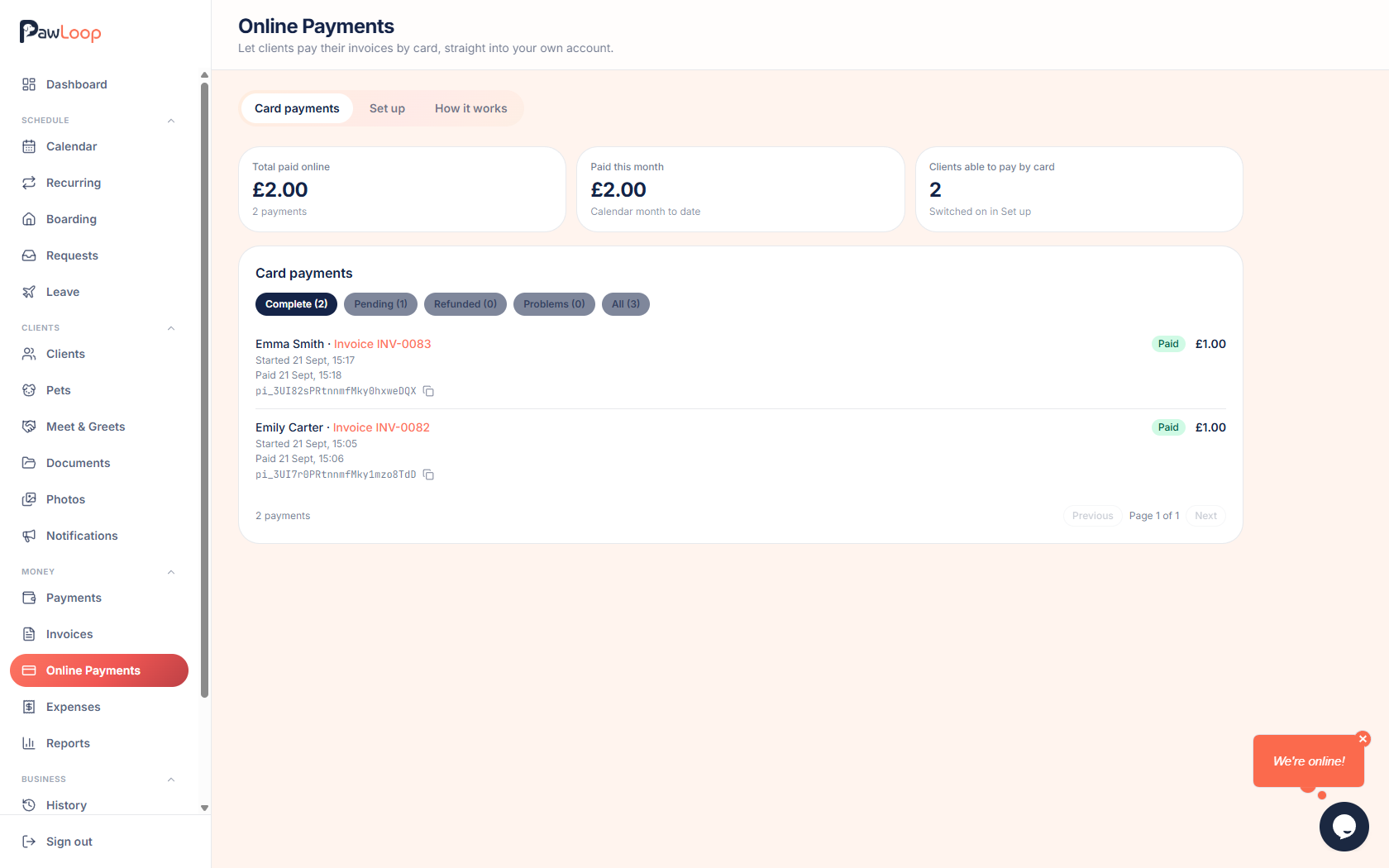
See what has been paid
Card payments are recorded against the invoice automatically, with a card payments view so you can see what has come in and what is on its way to your bank.
In beta
Online payments are in beta while we work with early businesses. Email hello@pawloophq.com if you want it turned on.
Photo Hub
A home for your walk photos
Photos now has its own place under Clients. Every photo you take on a walk lives in one library, grouped by week, so nothing gets lost in your camera roll.
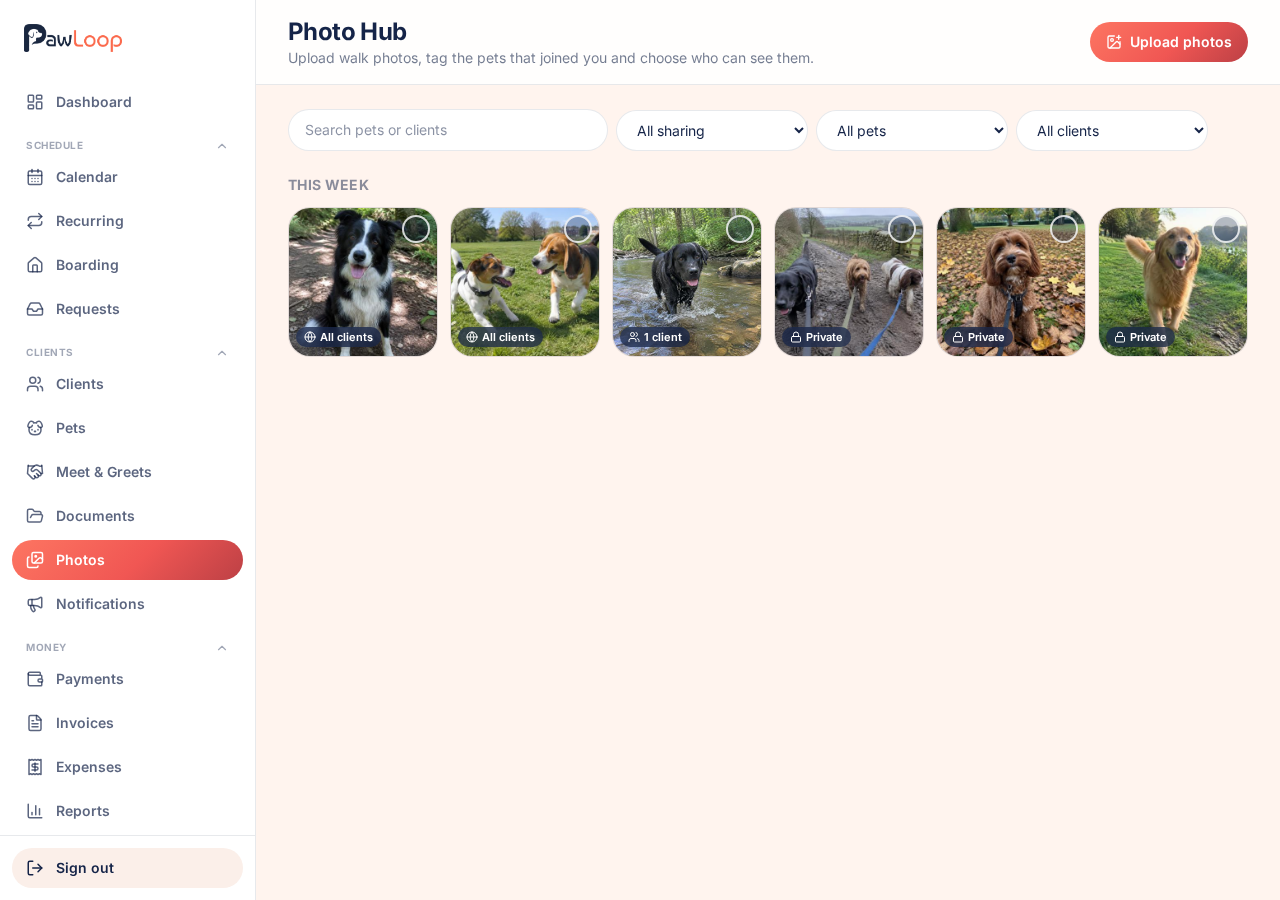
Upload in batches
Drag in a whole walk's worth of photos at once. Thumbnails are made as they upload, so the library stays quick to scroll.
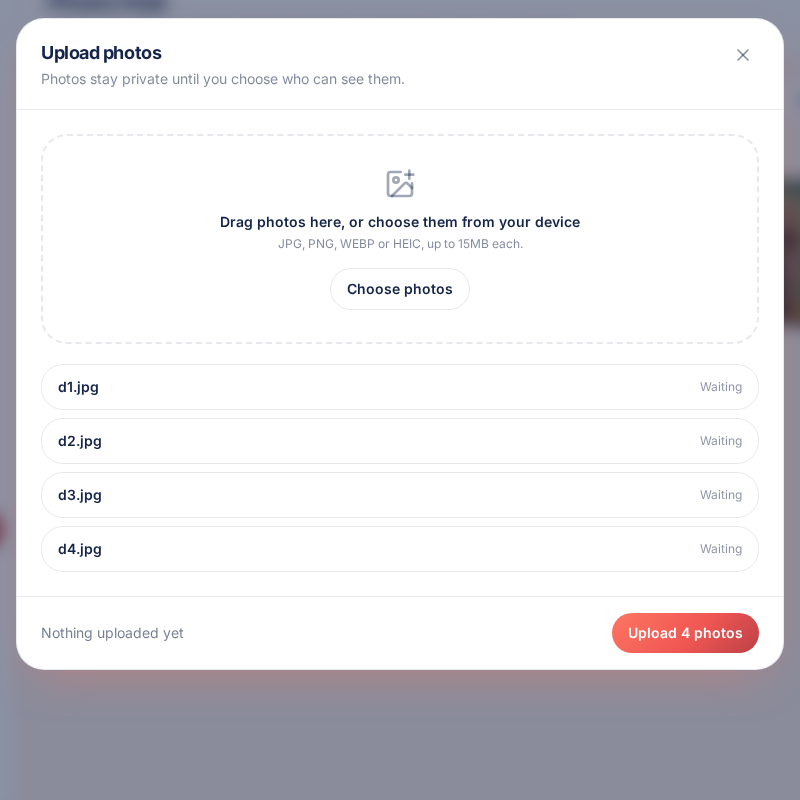
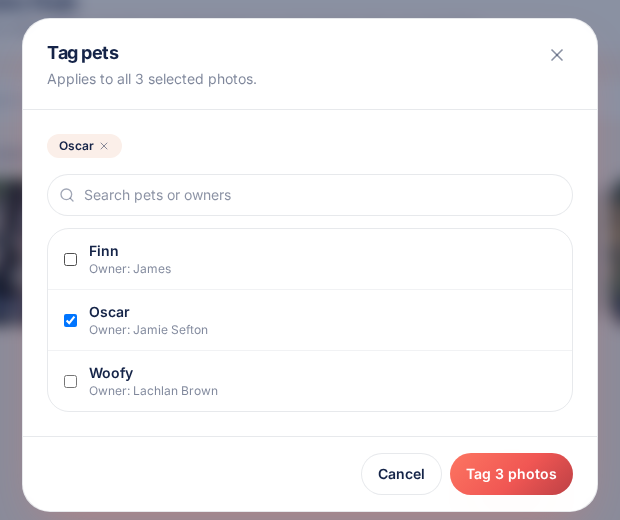
Tag the pets, share automatically
Tag which pets are in a photo and it can be shared with their owner straight away. Select a whole week at once, or clear tags in one go if you tagged the wrong dog.
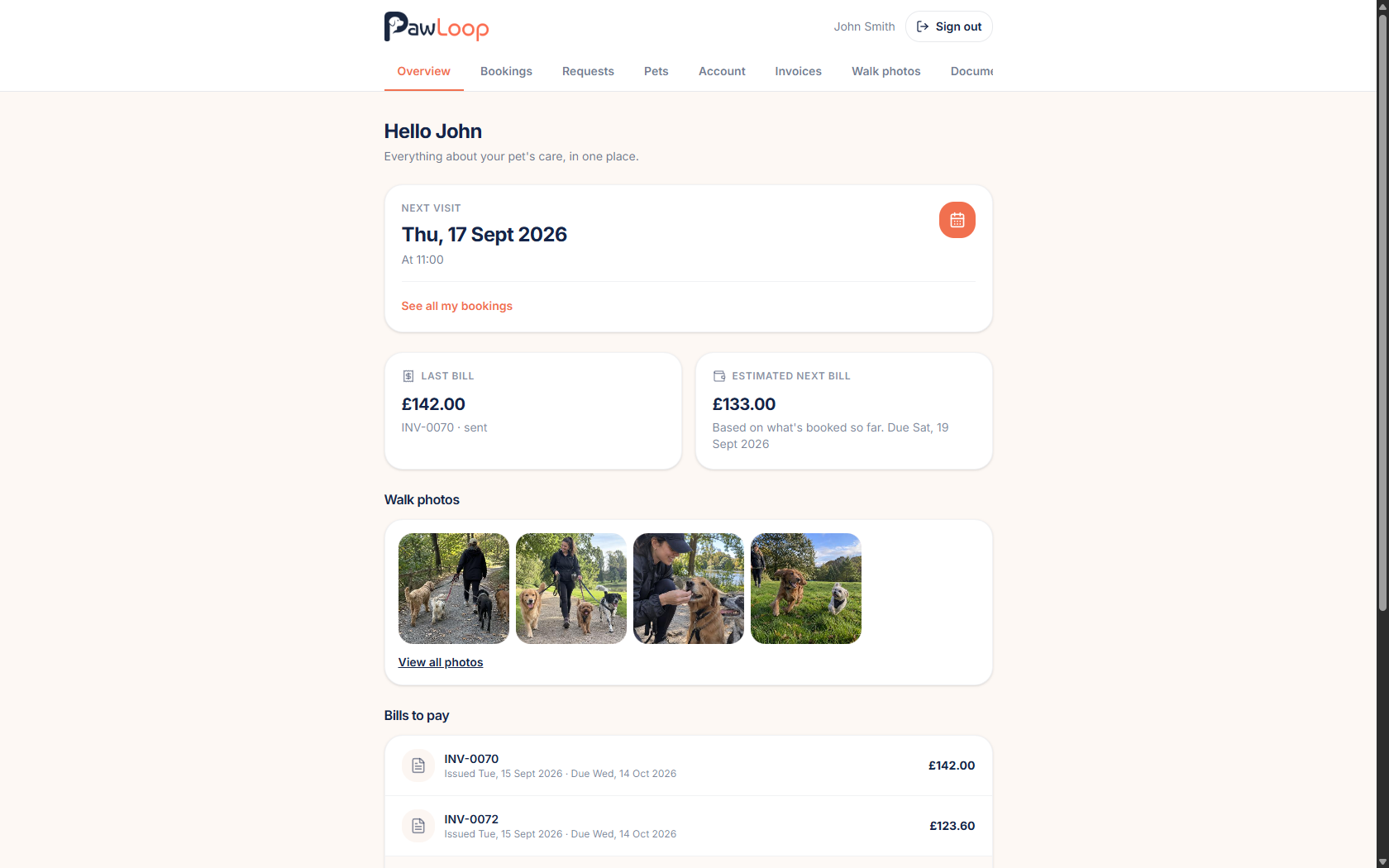
Clients see them in their portal
Shared photos appear in the client portal, in a simple gallery your clients can open and download from.
Terms and conditions
Write them or upload a PDF
Keep your terms in PawLoop as a proper version, or upload the PDF you already use. Drafts stay private until you publish them.
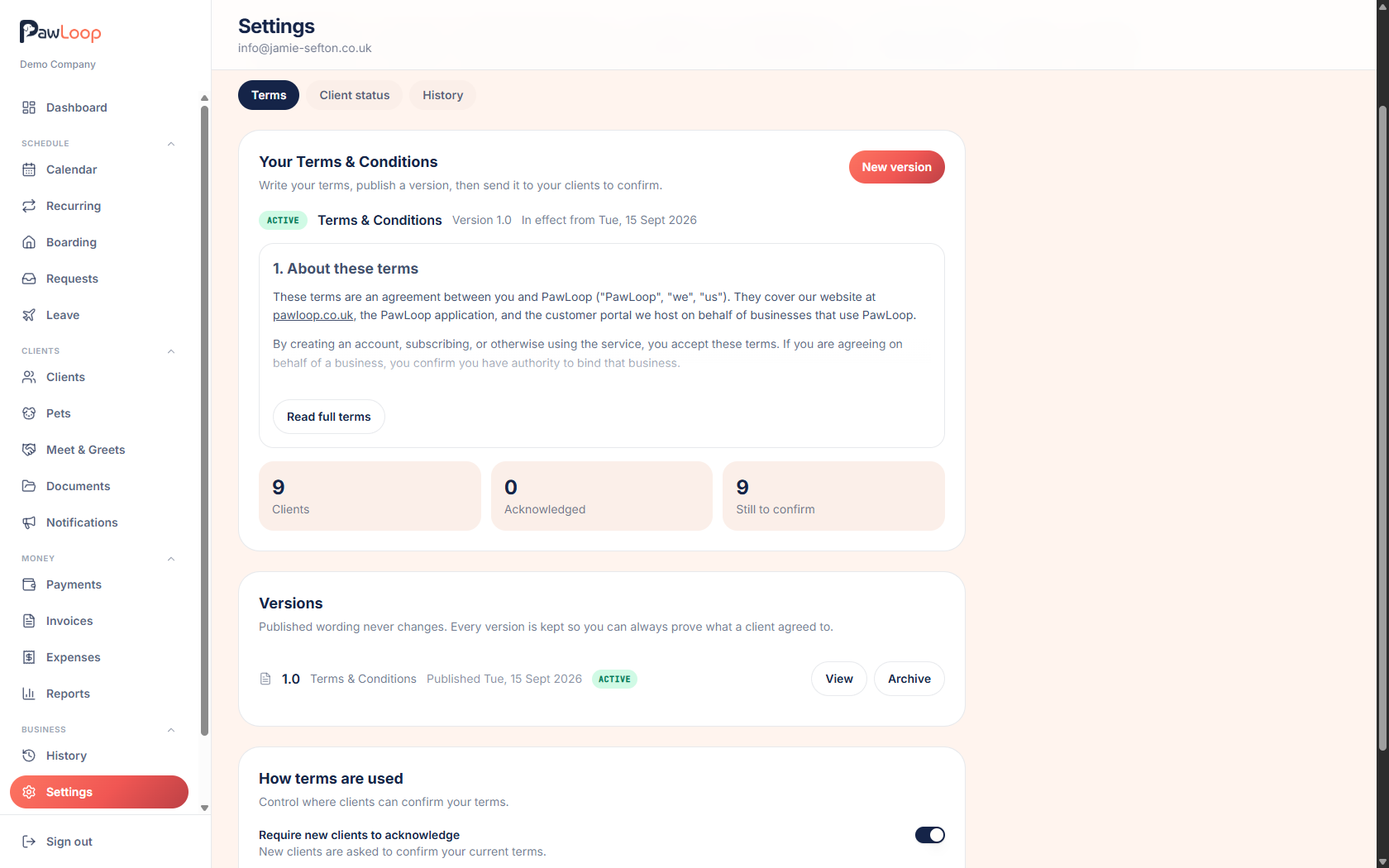
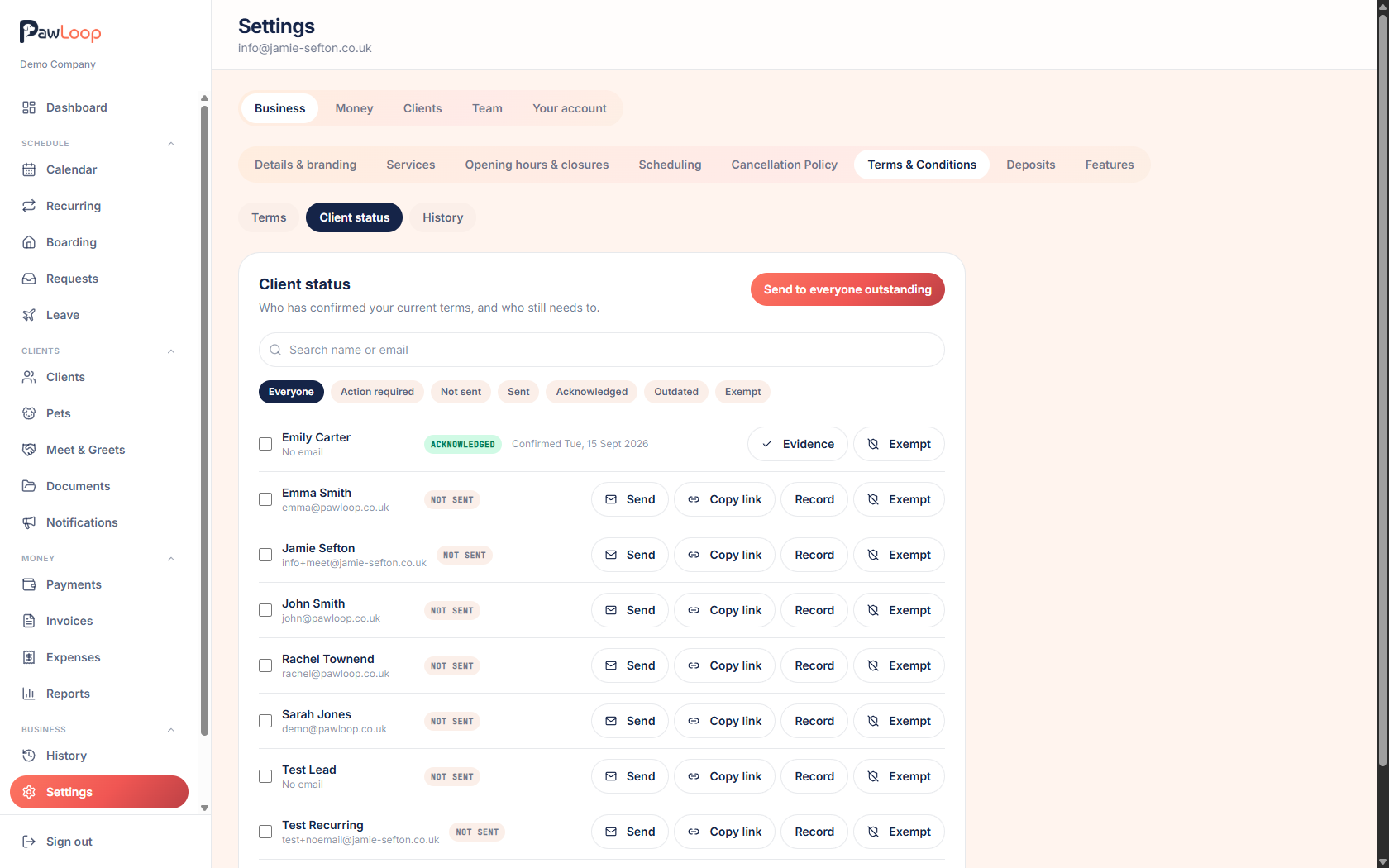
Send them and track who has accepted
Send to everyone outstanding in one go, or share a secure link with a single client. The client status list shows who has accepted, who has been sent them and when.
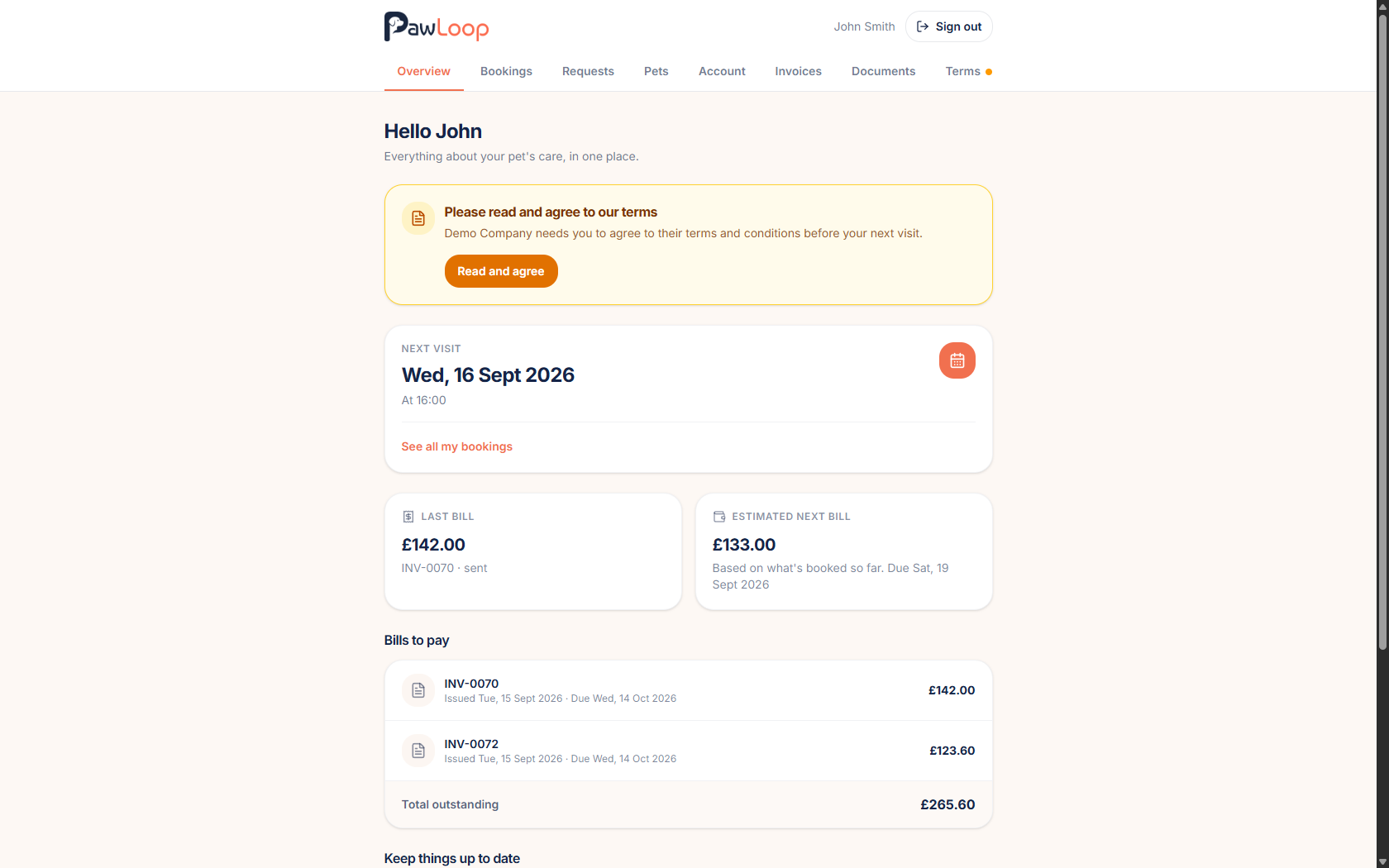
A prompt in the portal
Clients signing in to their portal are asked to read and accept your current terms, so you are not chasing them by message.
Evidence when you need it
Every acceptance is recorded with the version, the name and the date, so you can show exactly what was agreed and when.
VAT invoicing
Turn VAT on when you need it
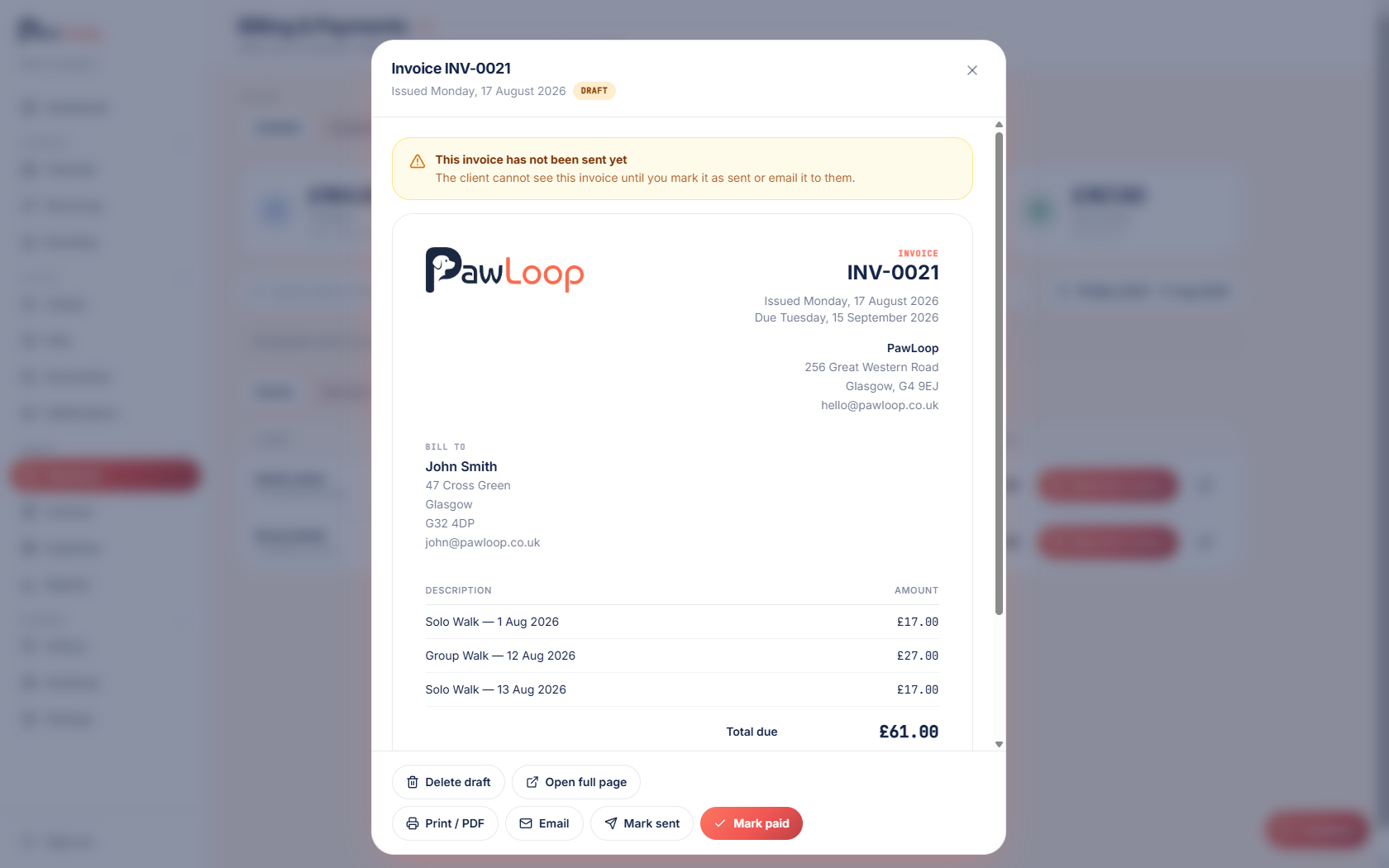
Add your VAT number and rate, and choose whether your prices already include VAT or have it added on top.
Correct on every invoice
Net, VAT and gross totals show on the invoice, the PDF and the invoice email, with your VAT number in the right place.
VAT in your reports
Reports now separate VAT from your actual income, so what you see is what you have really earned.
Client portal improvements
Easier to find things
Bookings and boarding are grouped together, invoices are grouped by month, and long pet timelines are paged rather than endless.
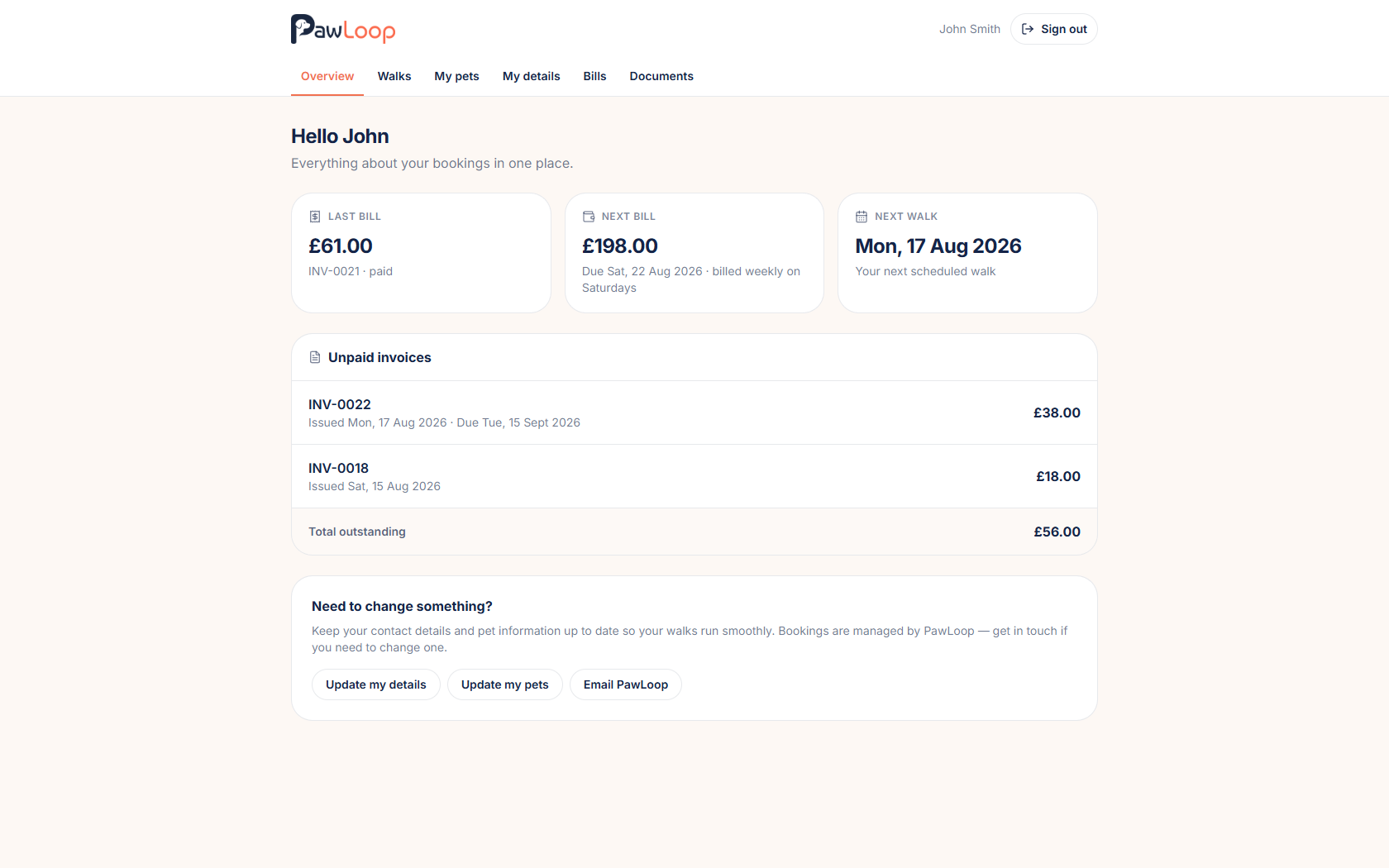
Better on a phone
Clearer navigation, tidier tabs and a rebuilt invoice layout make the portal much easier to use on a small screen.
Clients can reset their own password
Forgotten passwords no longer come to you. Clients can reset from the sign in page themselves.
Dark mode
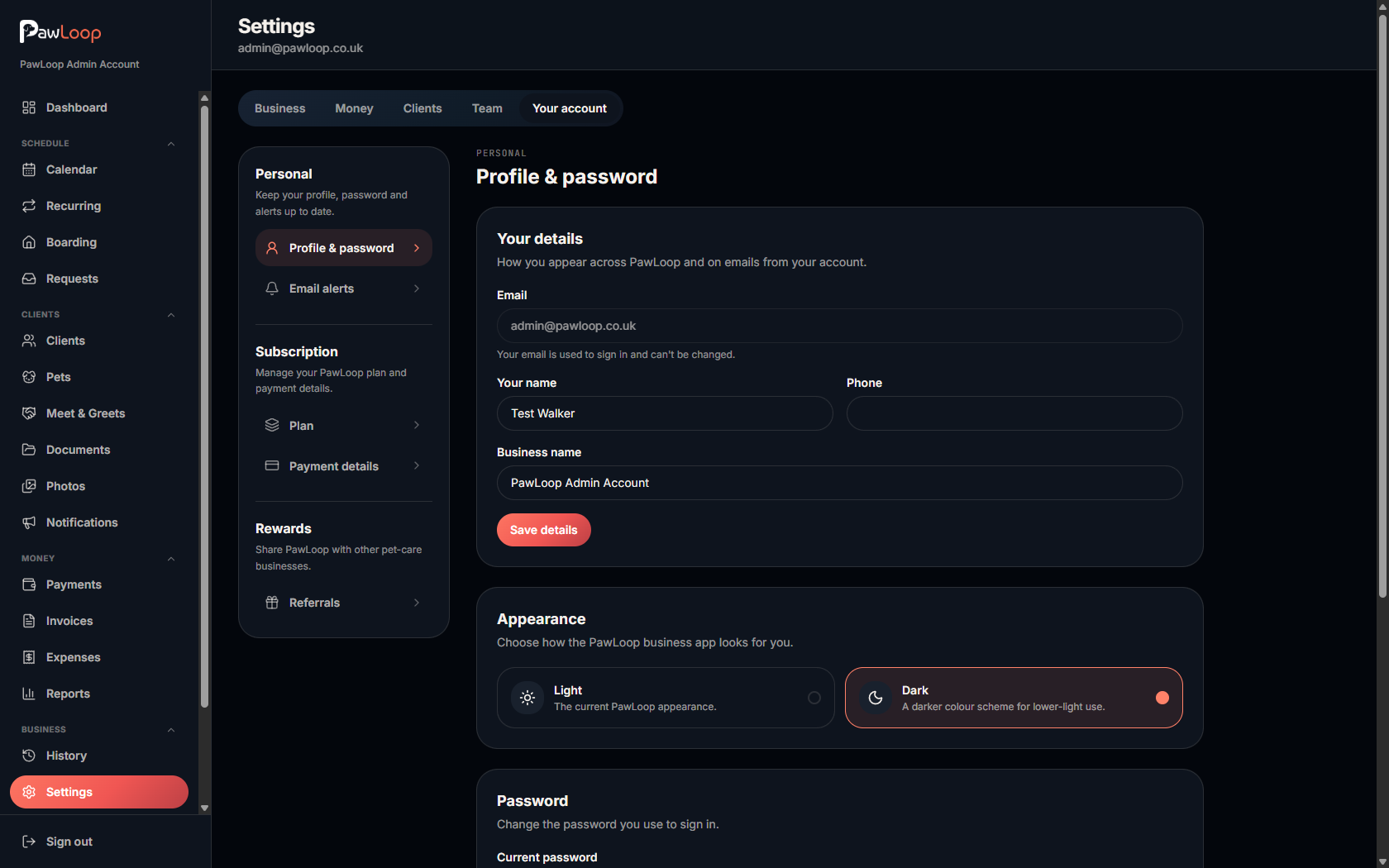
Switch the whole app to dark
Choose light or dark from your appearance setting. It carries across every page, including invoices and reports, and it remembers your choice.
Day to day and billing
Redesigned dashboard widgets
A cleaner set of widgets, a clients today card, and an unbilled total so you can see what is waiting to be invoiced at a glance.
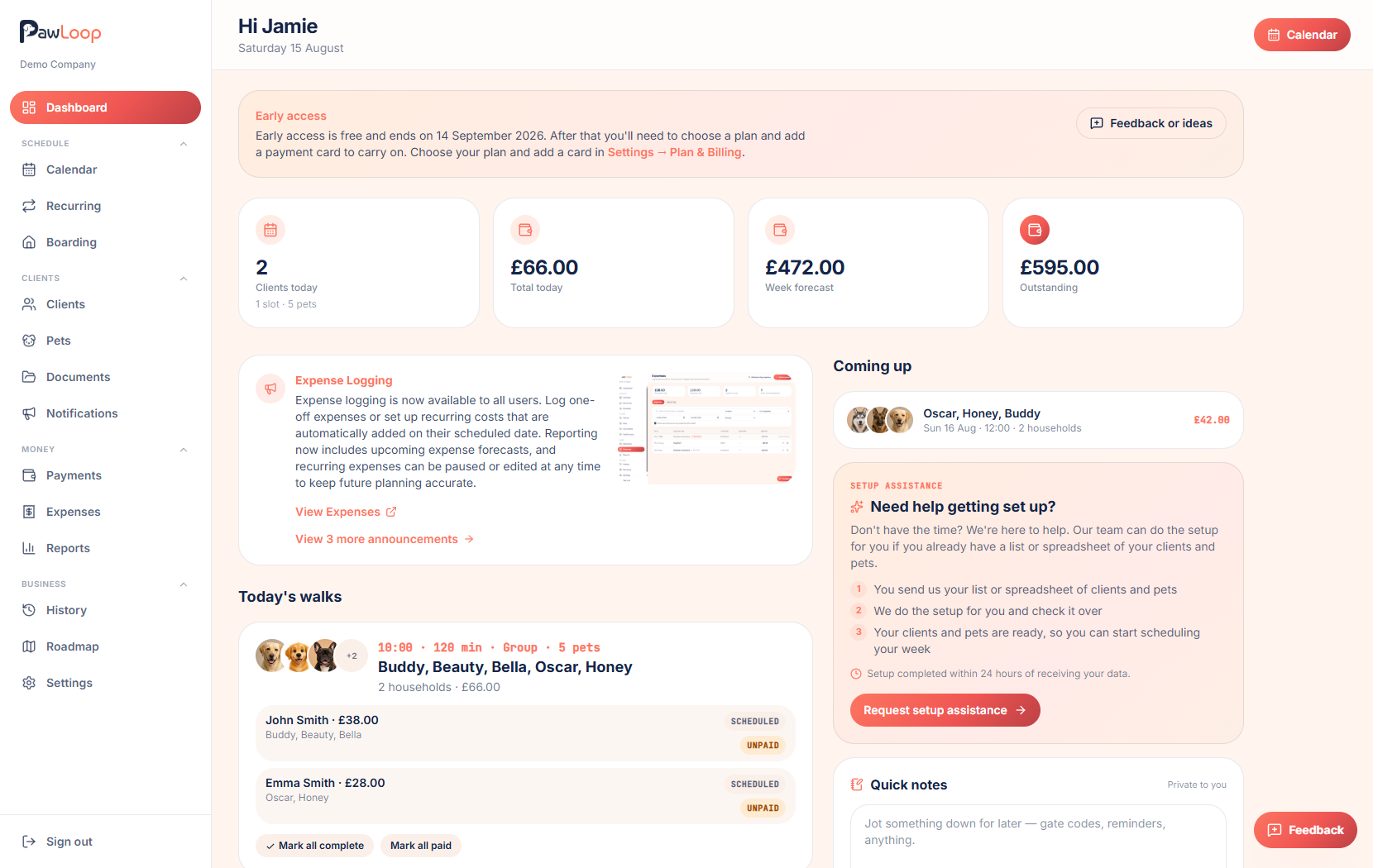
Show only me, remembered
The show only me filter on today's schedule now sticks between visits, so your own day is there when you sign back in.
Pick up and drop off tracking
Turn handover tracking on or off in scheduling settings, depending on whether you record pick up and drop off times.
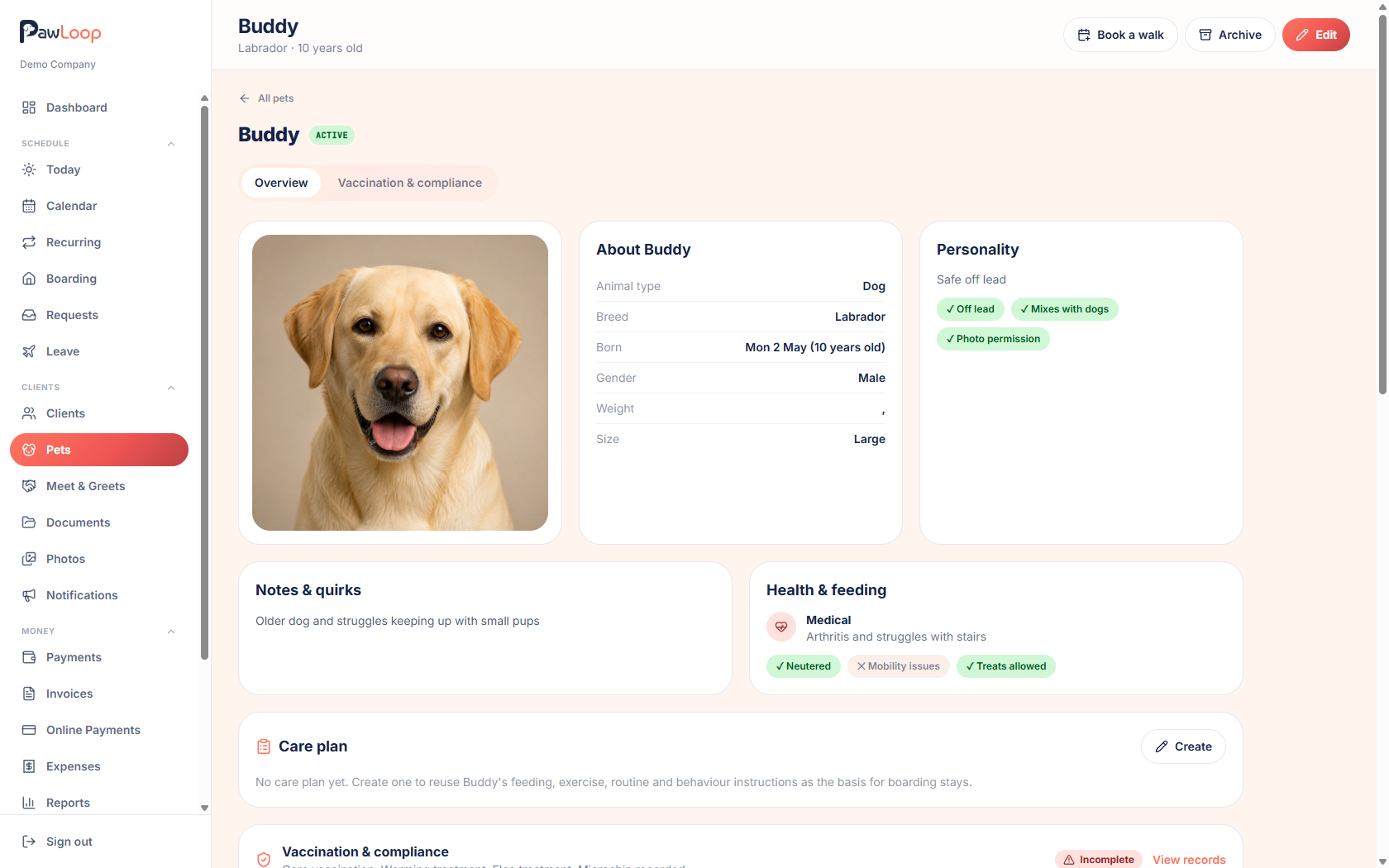
More on the pet record
New yes or no questions for neutered, mobility issues, treats allowed, off lead and photo permission, saved alongside your existing notes.
Double booking warnings
PawLoop now flags likely duplicate bookings, with a recheck so you can clear them once they are sorted.
Billing fixes
Advance billing and billing day selection have been corrected, including a month end case that could invoice a period twice.
Add to your home screen
Prompts for both iPhone and Android, so PawLoop sits on your home screen like an app.
Clients, team and access
Pricing groups have their own page
See every pricing group, who is in it and what they pay, without digging through individual clients.
Send messages without full access
A new client communications permission lets a team member message clients without giving them full edit access.
Access notes are internal only
Access notes are clearly marked as internal on the client forms and never appear in the client portal.
Team leave refinements
Clearer leave filters, tidier screens and better cover handling for businesses using leave.
Also this week
A faster app
The dashboard makes far fewer calls, pages load lighter, and slow database queries have been tuned. Nothing changed on screen, it is just quicker.
Cookie consent
A proper cookie banner on the website, with your choice remembered and respected.
Email preferences
Unsubscribe handling and bounce suppression are now visible, so you can see when an address is no longer receiving email.
New pages and guides
An About page, six new feature pages, and guides covering online payments, photos, terms, VAT, dark mode and pick up and drop off.
Security and reliability
Several security findings fixed, dependencies updated, and a health check so we spot problems before you do.
More next week. If there is something you would like to see in PawLoop, get in touch through the chat or email hello@pawloophq.com.
Start free. No card required →Create your free PawLoop account today.
Sign up in minutes and try every feature free. PawLoop starts with a 14-day free trial. Every feature included and no payment card required to sign up. Choose a plan when your trial ends.
Start free trialNo spam. No card. Just a free pass to try PawLoop.