What's new in PawLoop: 31 August to 6 September
A big week. Automatic billing is now in beta, payments has been rebuilt around how you actually work day to day, and there is a new compliance area for vaccinations and documents.
Automatic billing (beta)
Invoices raised for you
Set your schedule and PawLoop raises invoices on the day, either leaving them as drafts for you to check or sending them out. It is off by default and switched on per business while it is in beta.

Try it before you trust it
A dry run lists every active client and shows who would be invoiced and why anyone is skipped, without creating anything. You can also do a real run yourself from Settings, Money, Automatic billing.
A full run history
Every run is logged with what happened for each client, whether it finished, and when the next check is due.
Send to you or straight to clients
You get one summary of everything raised, and you can optionally send each client their own invoice.
A properly branded invoice PDF
The PDF now matches the invoice you see on screen, with your logo or business name, the status stamp and a clean layout.
A guide and a feature page
There is a full setup guide plus a new Automatic billing page under Billing and money.
Payments, rebuilt
No more date picker
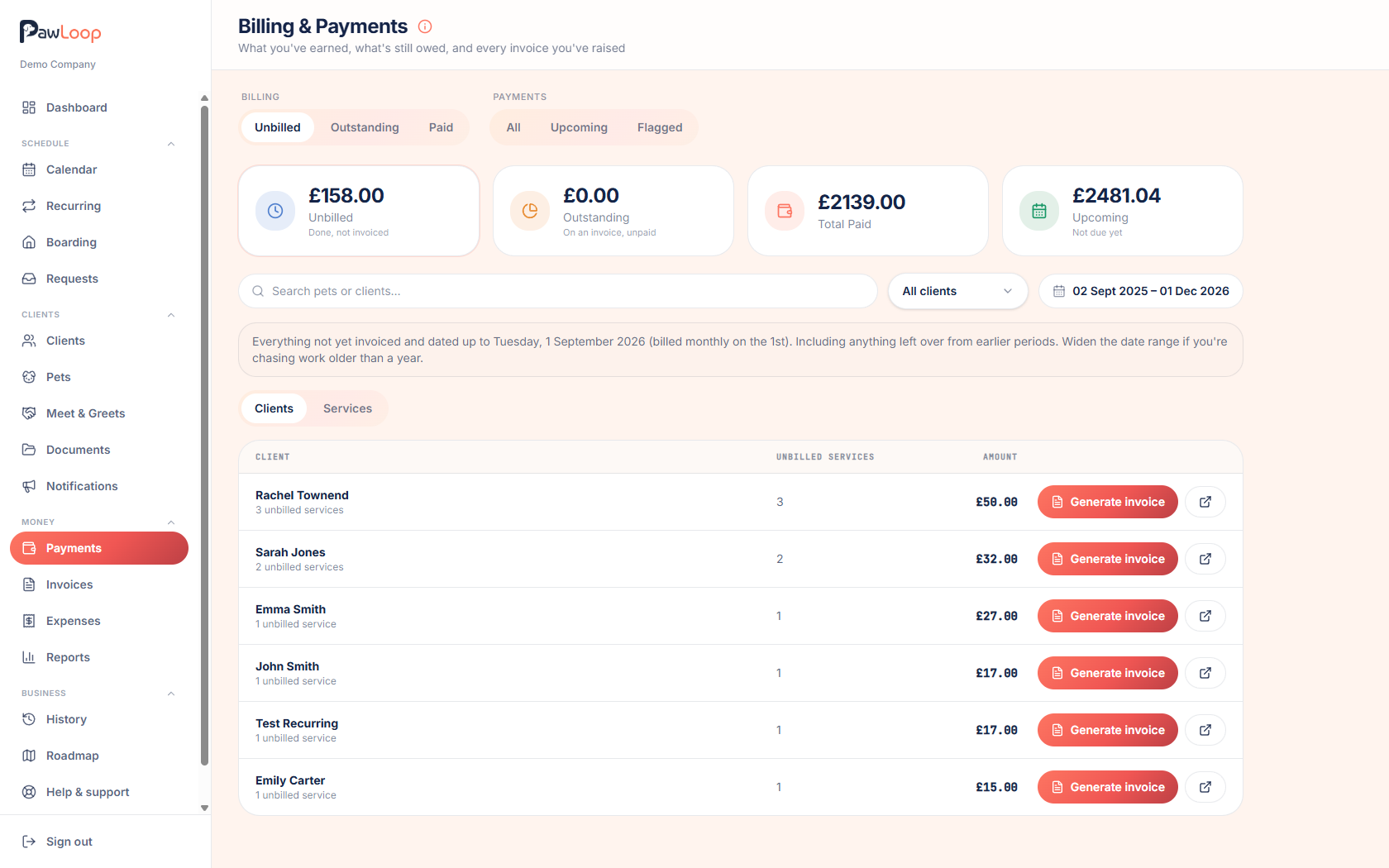
Unbilled is everything unpaid and not yet invoiced. Drafts is invoiced but not sent. Outstanding is sent and unpaid. Paid covers since your last billing date. Upcoming is what is due before the next one. Nothing overdue quietly drops off the screen.
A drafts tab
Draft invoices have their own tab and their own total, so they no longer clutter Outstanding. If money is sitting in drafts, a clear bar on Outstanding takes you straight to it.
Bulk actions
Mark as sent in bulk on drafts, and void in bulk on both drafts and outstanding.
Payment method and month end billing
Record how an invoice was paid, and choose to bill to the end of the calendar month.
Cancellations
Cancellation policies
Set percentage or fixed fees with notice periods, for services and for boarding. Fees carry onto the invoice automatically, and you can always override them.
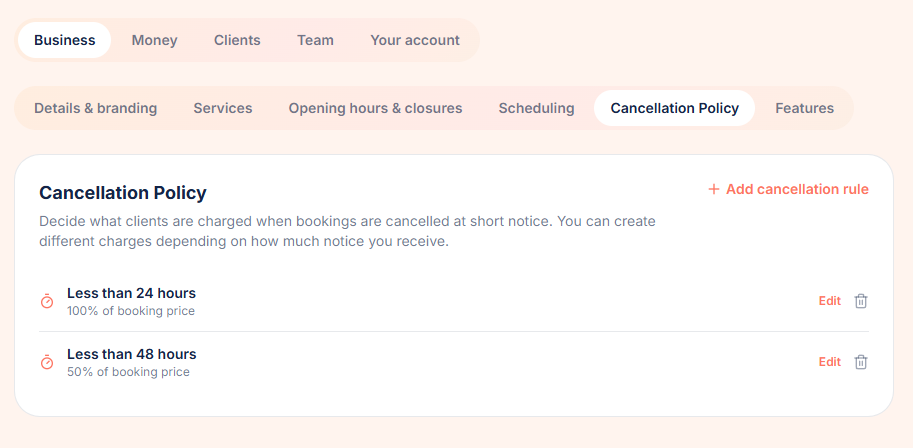
See the fee before you confirm
Cancelling a booking now shows exactly what will be charged and why, so there are no surprises for you or the client.
Vaccinations and compliance
A compliance area
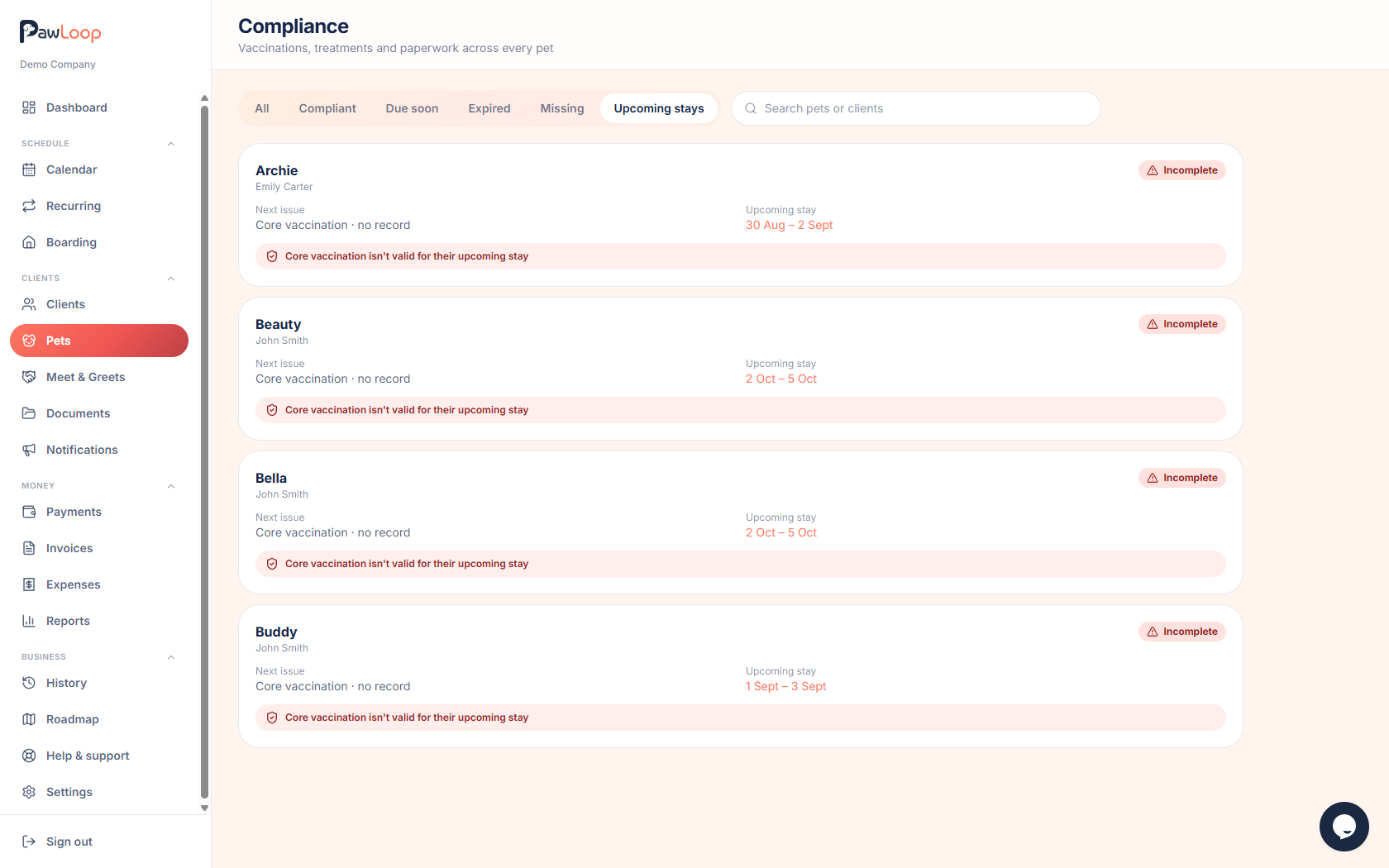
Track vaccinations and required documents per pet, see status at a glance on the pet profile and on boarding stays, and let clients upload what is missing through the portal.
You decide what is required
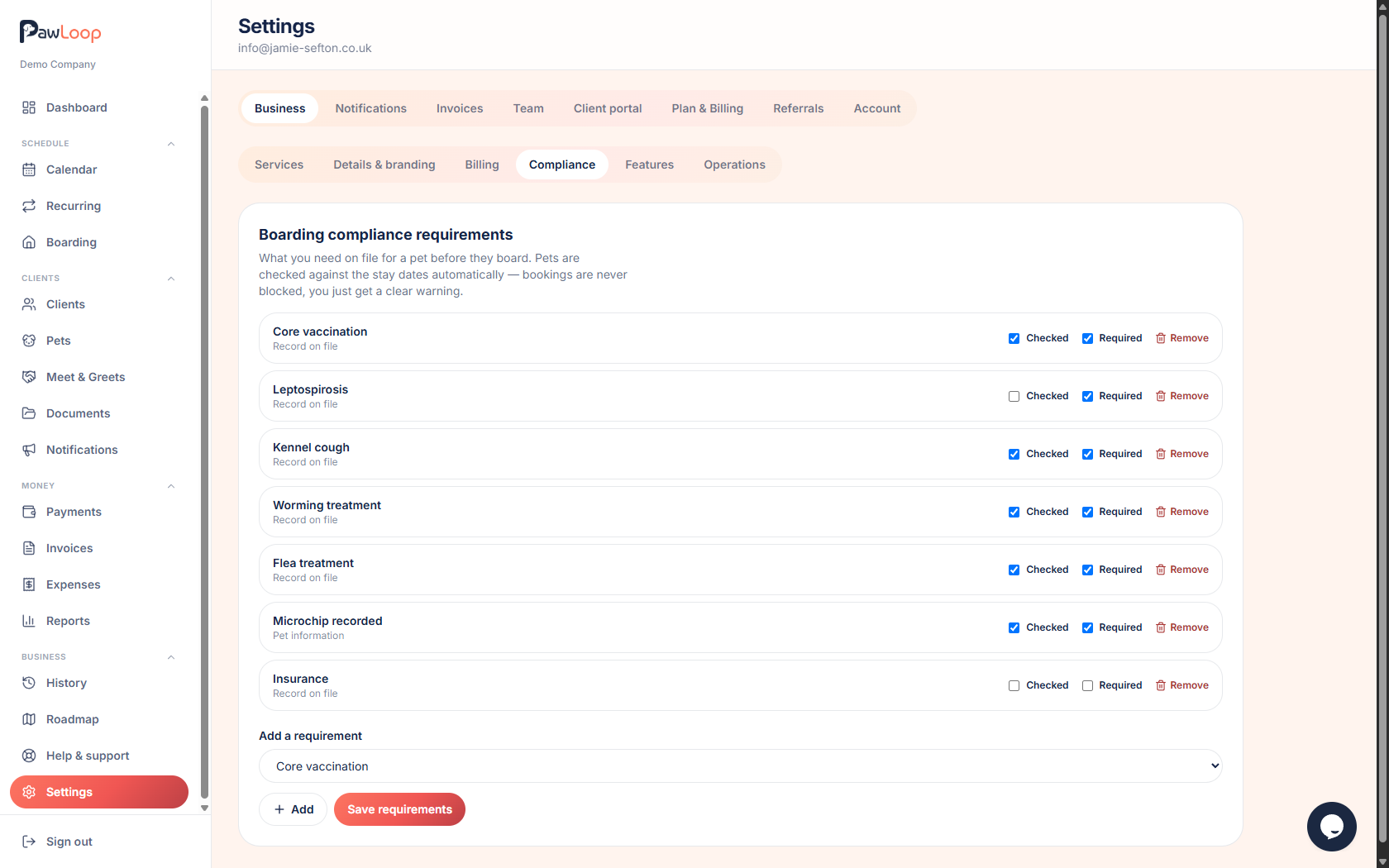
Choose which vaccinations and documents you need, whether expiry dates are tracked, and how far ahead you want warning.
Calendar and scheduling
Pick several staff at once
The calendar filter is now multi select, so you can look at two or three walkers together, or just unassigned work, instead of all or one.
Team colours everywhere
Colours follow the assigned team member across walks, boarding and events, admins can see all custom events, and your service and event filters are remembered.
Team and permissions
Walker is now Staff
The team panel has been rebuilt and team colours are applied consistently across the app.
Boarding permissions
There is now read only boarding access, a separate permission for boarding actions, and unassigned stays are restricted.
Meet and greets
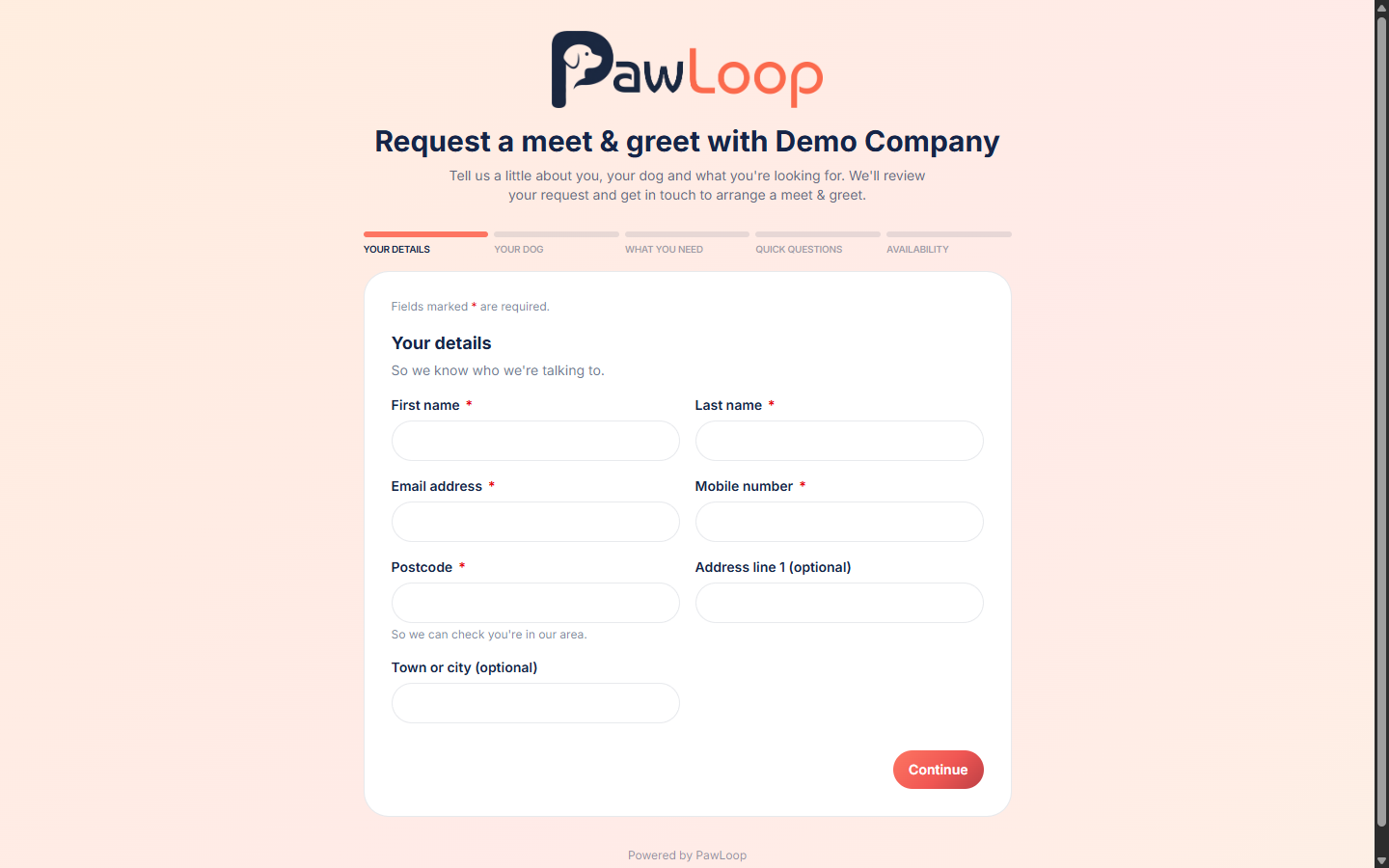
Public meet and greet requests
Share one link and new enquiries come straight into your pipeline, with everything you need to decide before you meet the dog.
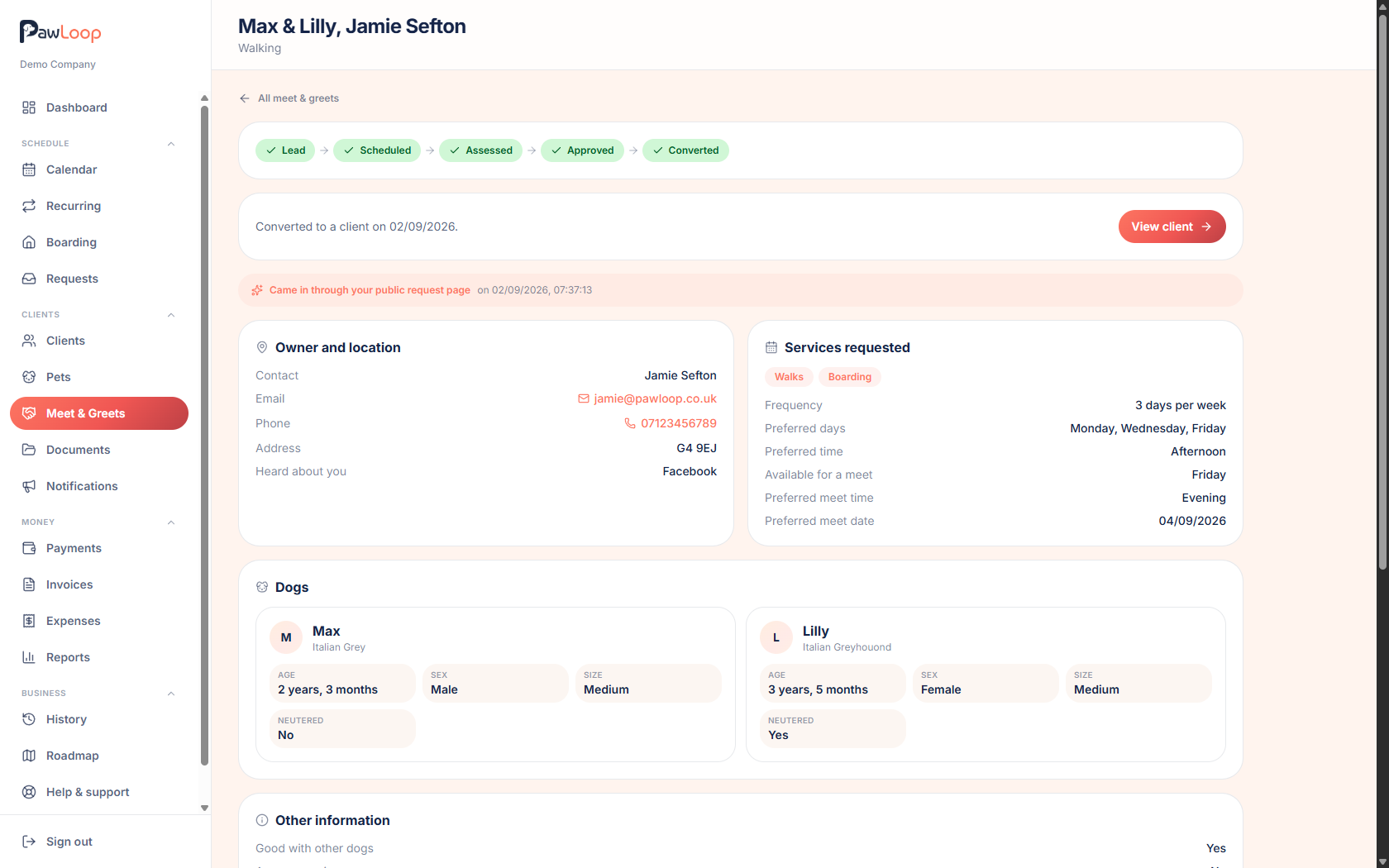
Cleaner lead handling
Ignore a lead and restore it later, work through assessments comfortably on your phone, and convert straight to a client when you are happy.
Clients and portal
Portal tidy up
Clearer navigation, pets shown on portal bookings, and pagination and tabs on longer lists.
Small but useful
Inline note editing, pending invites staying visible so you can share the link yourself, and a flag on the client record when their email address has bounced.
Reviews and reporting
Team reporting
Reports now include a breakdown by team member.
Odds and ends
PawLoop on your home screen
A new guide for adding PawLoop to your iPhone home screen, with sharper app icons to match.
Tidier guides and trial reminders
Cleaner FAQs and feature pages, plus a reminder email before a trial ends so nothing lapses by accident.
More next week. If there is something you would like to see in PawLoop, get in touch through the chat or email hello@pawloophq.com.
Create free account. No card required →Create your free PawLoop account today.
Sign up in minutes and try every feature free. PawLoop starts with a 14-day free trial. Every feature included and no payment card required to sign up. Choose a plan when your trial ends.
Start free trialNo spam. No card. Just a free pass to try PawLoop.